

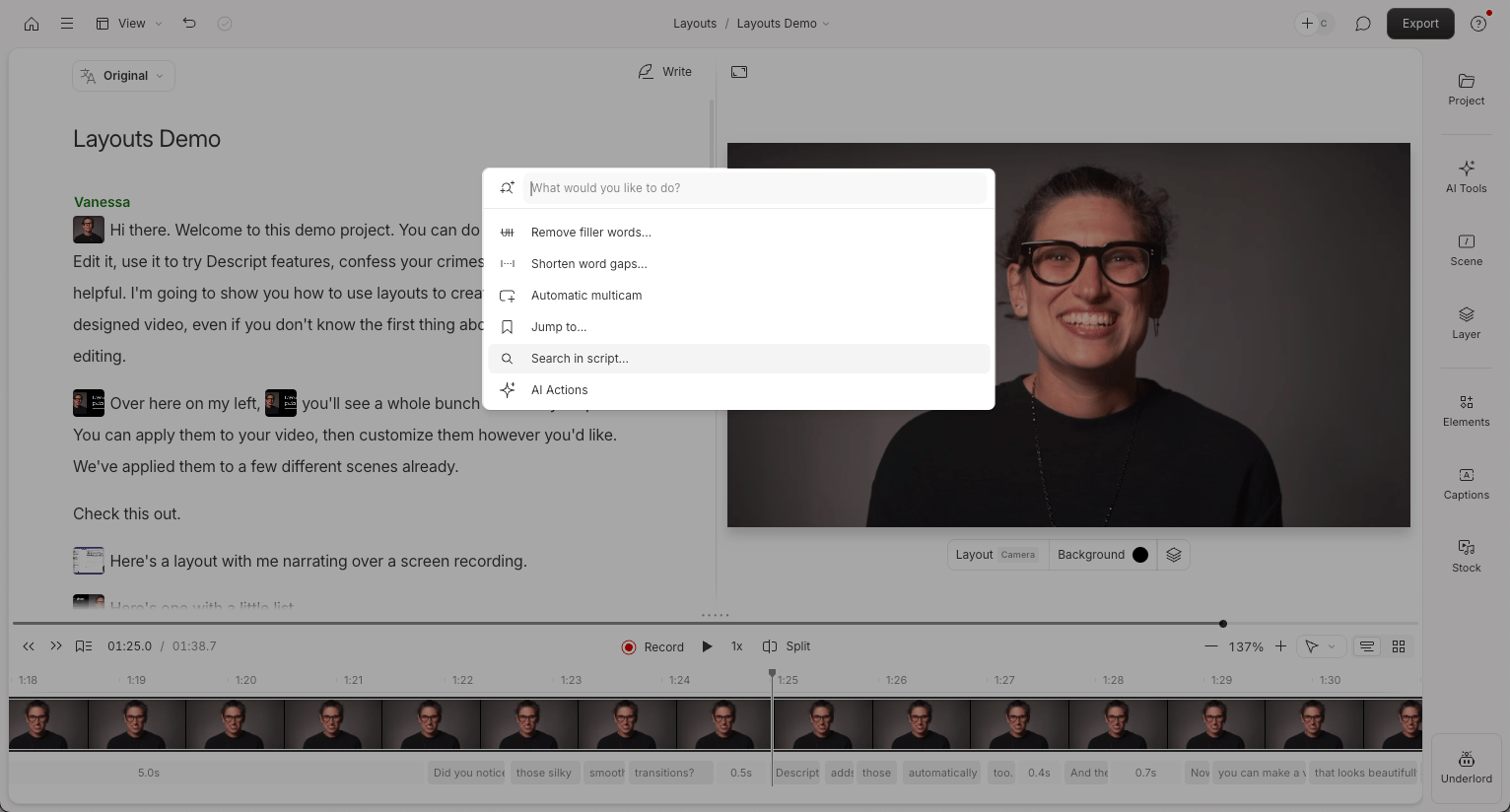
The action bar is your universal command bar in Descript. Use it to find tools, run actions, apply AI features, or navigate your project quickly — all from one place. Open the action bar either from the AI Tools panel in the right sidebar of any project, or by pressing Command + K (Mac) or Ctrl + K (Windows). The Search Actions toolbar in Descript's project editor Most of these options are also available from the editor or timeline, but the action bar is one of the fastest ways to explore what’s available and get things done.
Common Actions

Editing

Export

These functions will open the export options window. Learn more about exporting and publishing.

Timeline export

These functions open the timeline export options. Learn more about timeline exports.

Insert

Project

Support

Drive view actions

Please note that in the Drive View, you can only use the Action bar to perform the following four actions:
  • Create projects
  • Open a new Descript window
  • Access the Help Center
  • View the keyboard shortcuts list
All other actions are available when working in the project editor.