Plan restrictionThis feature is available through Brand Studio, which is only included with Business and Enterprise Drives.
Set a default layout pack
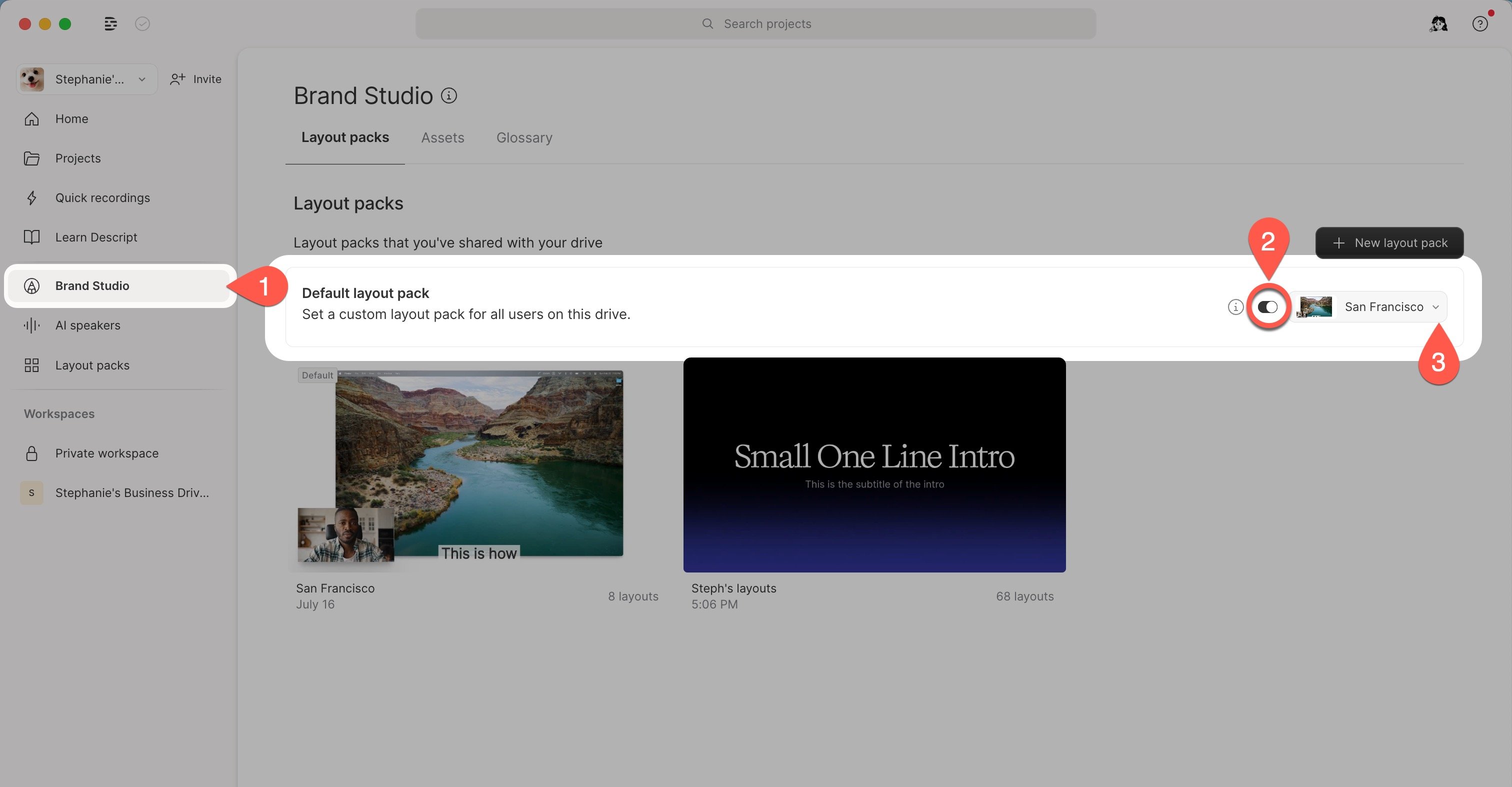
- From the Home tab in your Drive view, select the Brand Studio tab in the left-hand pane.
- In Brand Studio, open the Layout packs tab.
- Toggle Default layout pack on, then choose your preferred custom layout pack.