How to save the current frame
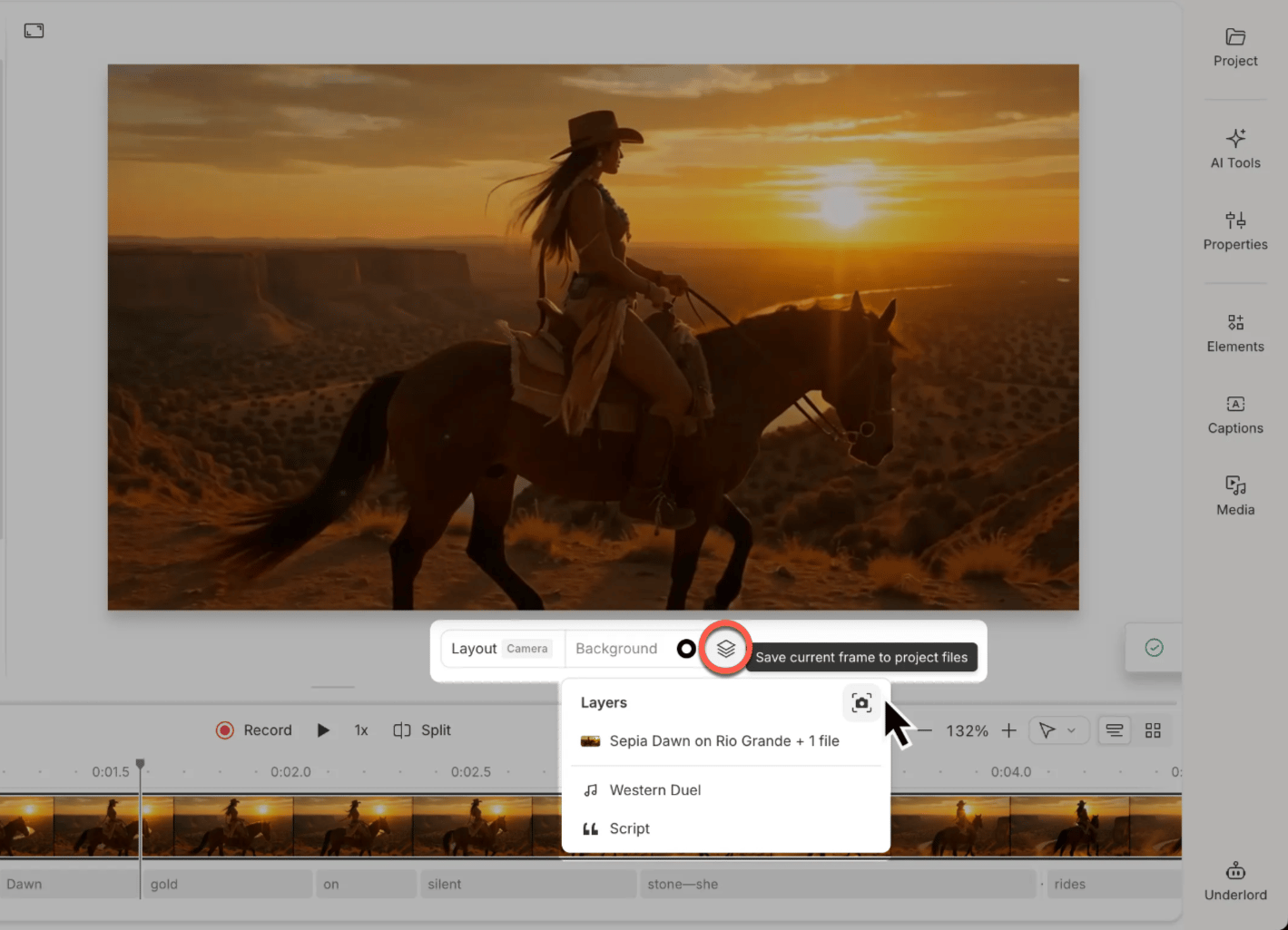
To capture a frame as an image:- Navigate to the frame you want to save.
- Click the Layers button in the scene toolbar.
- Select Save current frame to project files.
Where to find your saved images
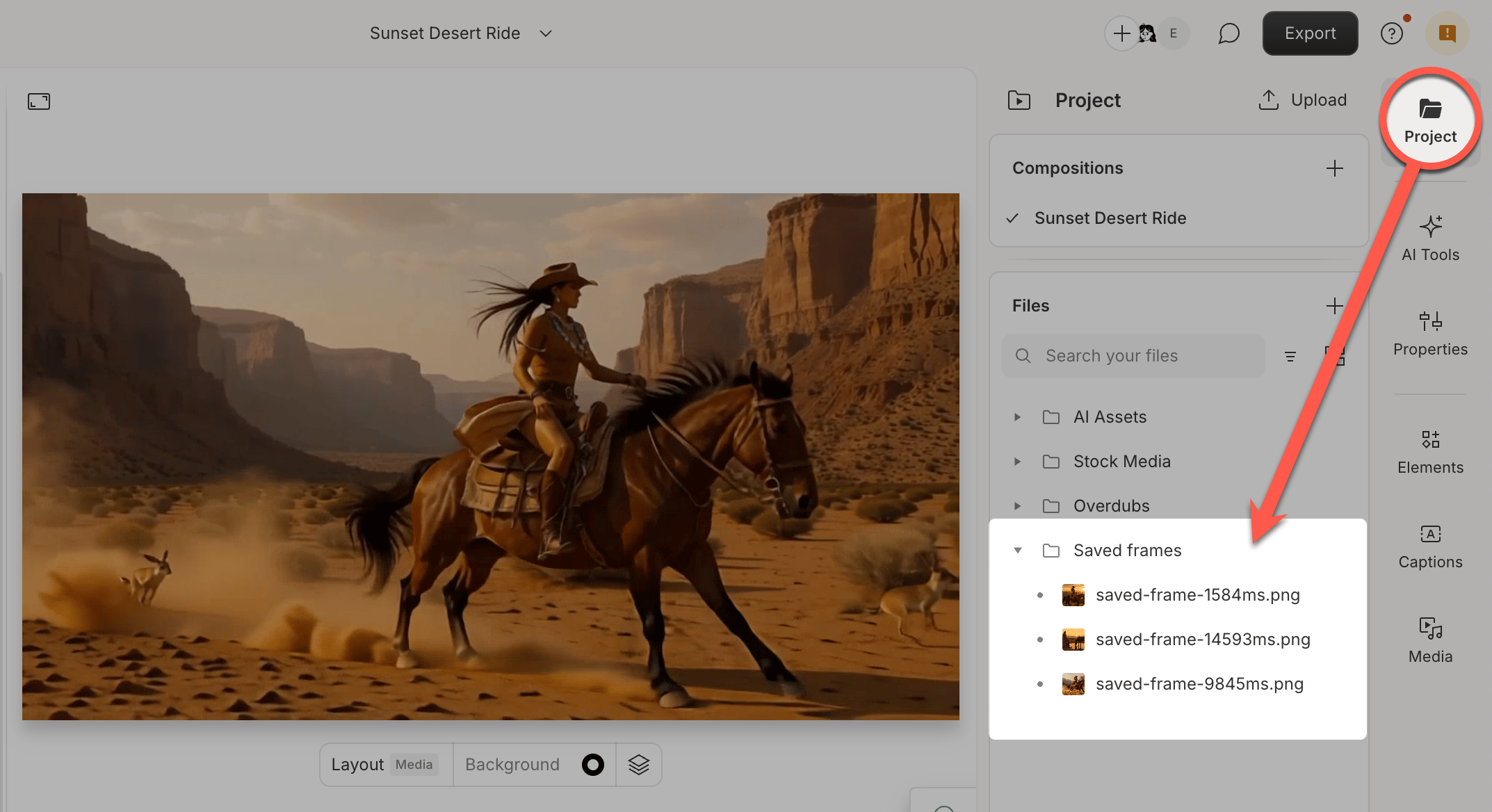
Your saved frame will appear in your project files as a PNG image. You can find it in the Files panel on the left sidebar, or by clicking Project > Show project files from the top menu. From there, you can drag the image into your composition, download it to your device, or use it with other Descript tools like AI video generation.