

What’s included in AI Tools
AI Tools are grouped into five categories based on what you’re trying to do. Click the links below to explore the tools within each section:- Sound good — Clean up audio with Studio Sound, remove filler words, and tighten word gaps.
- Look good — Instantly polish your content with Quick Design, apply Eye Contact, reframe your video, or replace your background with Green Screen.
- Repurpose — Turn long content into short clips or posts for any platform, or translate it to reach global audiences.
- Publish — Prep and format your video for sharing.
- Write — Generate titles, social posts, summaries, and more.
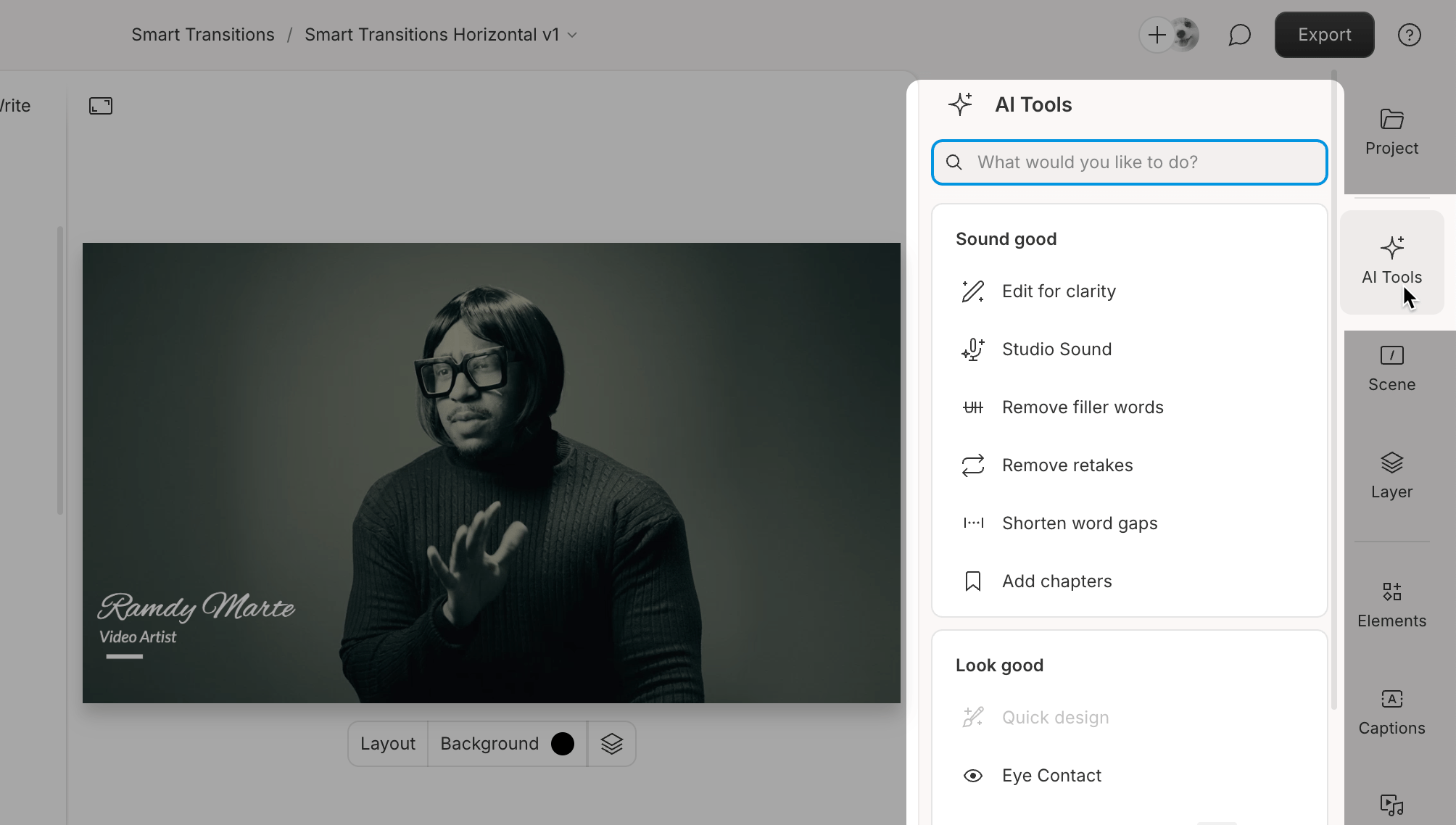
The AI Tools panel in the editor interface. Click the image to view at full size.
Usage noteOn current plans, this feature uses AI Credits. Learn more about tracking your Media Minutes and AI Credits.Legacy and Sunset plans track usage differently. See our Understanding your Legacy and Sunset plan guide for details.
Why are some AI tools disabled?
Some AI Tools may appear grayed out in the editor. Hover over the disabled tool option to see a tooltip explaining why it’s unavailable. Here are the most common reasons an AI Tool might be disabled:Script has no transcript: Not supported with empty script
Script has no transcript: Not supported with empty script
Many AI tools require a transcribed file in the script. Add a file to the script, transcribe it, and then try again. Learn more about automatic transcription.
Requires multicam: Needs multiple speakers in separate video tracks
Requires multicam: Needs multiple speakers in separate video tracks
Some AI tools require a sequence with multiple video tracks. Ensure your script includes a multi-track sequence. Learn more about automatic multicam.
Video-only: Requires video in script
Video-only: Requires video in script
Certain AI tools work only with video and are incompatible with audio-only files. Upload a video file and try again.
Sequences not supported: Not supported with sequences in script
Sequences not supported: Not supported with sequences in script
Some AI tools don’t support sequences. To use these features, work with a single-track file. Learn more about projects and compositions.
Needs a selection: Select a layer to use this action
Needs a selection: Select a layer to use this action
Select the appropriate layer in your project before attempting the action. Learn more about timeline tools.
Error: “Hold tight, we’re catching our breath! We’ll be back shortly.”
Error: “Hold tight, we’re catching our breath! We’ll be back shortly.”
This message means you’ve hit a temporary rate limit after too many requests in a short time. Wait a bit and try again — most limits clear within a few hours. If you’re still blocked after 24 hours, contact Support.