

This article covers:
- How to add media to the script
- What the script is and why it matters
- What to do if your transcript isn’t showing up
Need help uploading or editing?Haven’t uploaded your file yet? Learn how to upload media to your project →Ready to start editing your transcript? Learn how to edit like a doc →
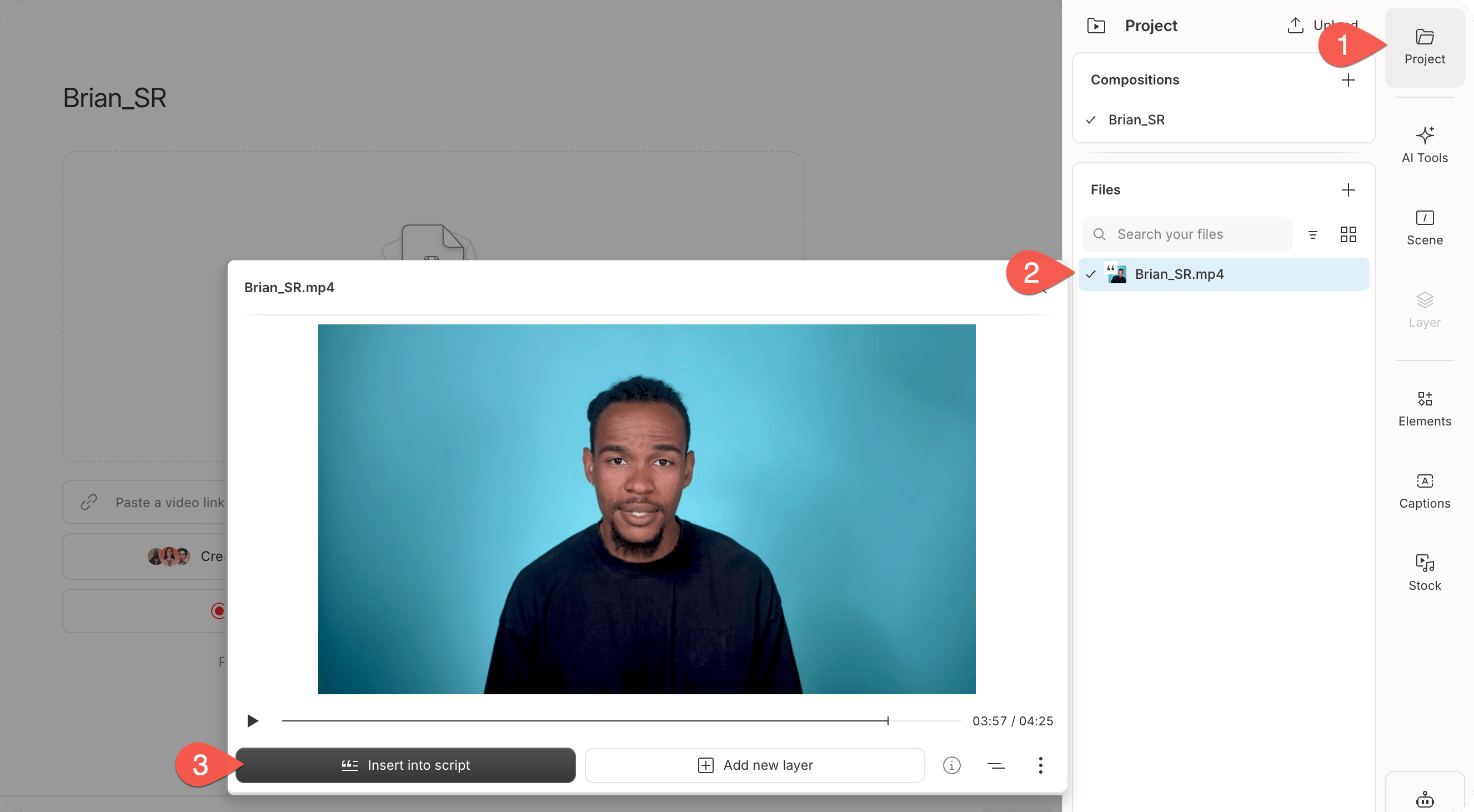
Add a file to the script
From the Project panel in the right-hand sidebar, locate the file you want to add in the Files section. Click and drag it into the script editor.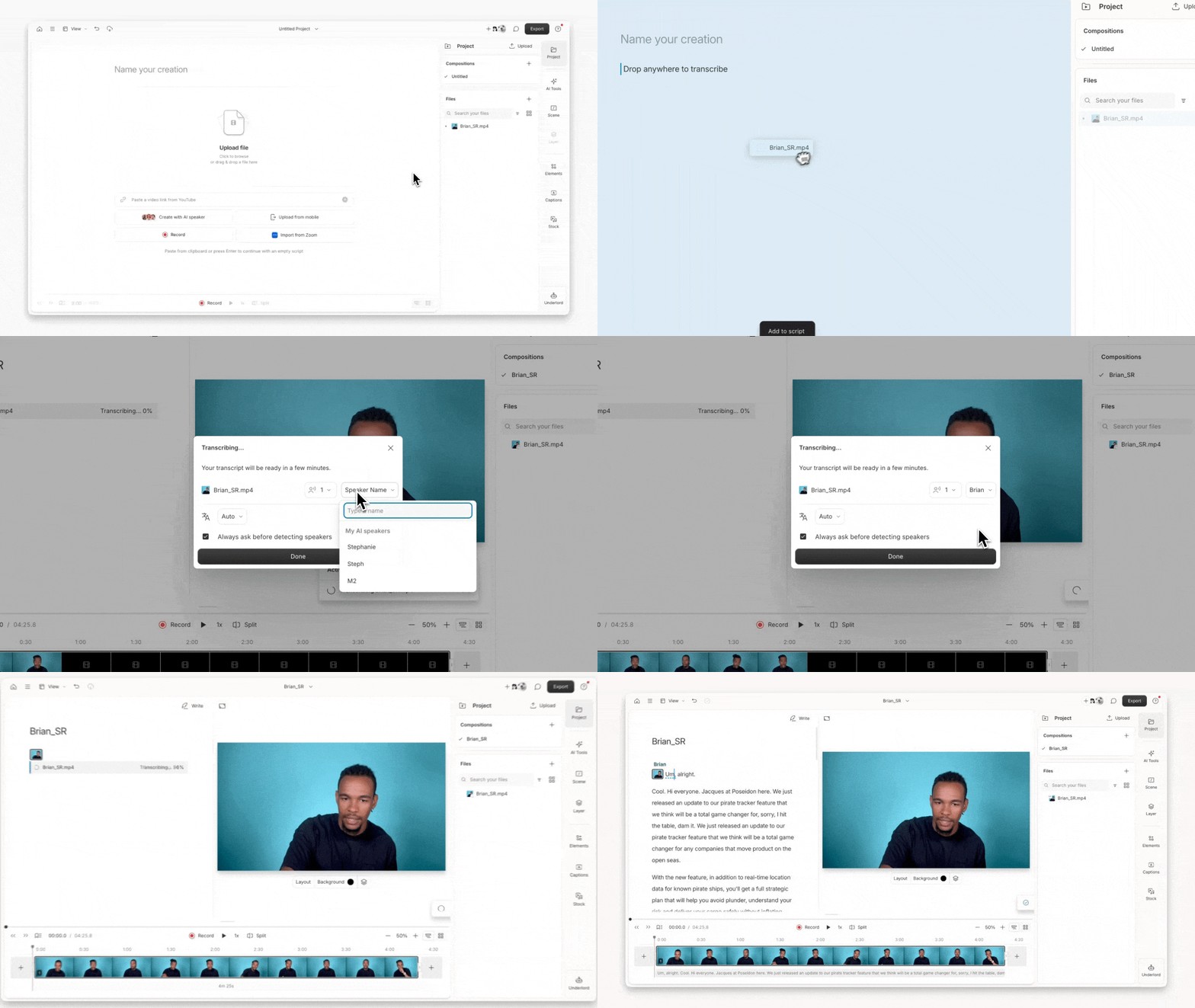
Why the script matters
The script panel is a core part of the Descript editor. When you add a media file to the script, Descript automatically:- Transcribes the spoken audio
- Aligns the transcript with the underlying media
- Enables you to edit your video by editing text