Replace script track is for finishing a project you roughed in with placeholder audio. Start with a scratch script and a rough recording or AI Speaker voice, lay in your B-roll and music, then swap in your final recording when everything’s in place. Once you swap in your new audio, Descript will align it with all the other audio and video elements in your composition — even if the new media is differently timed or an imperfect match. With Replace script track, you no longer need to wait for the final voiceover or recording to start creating in Descript.

How to use Replace script track

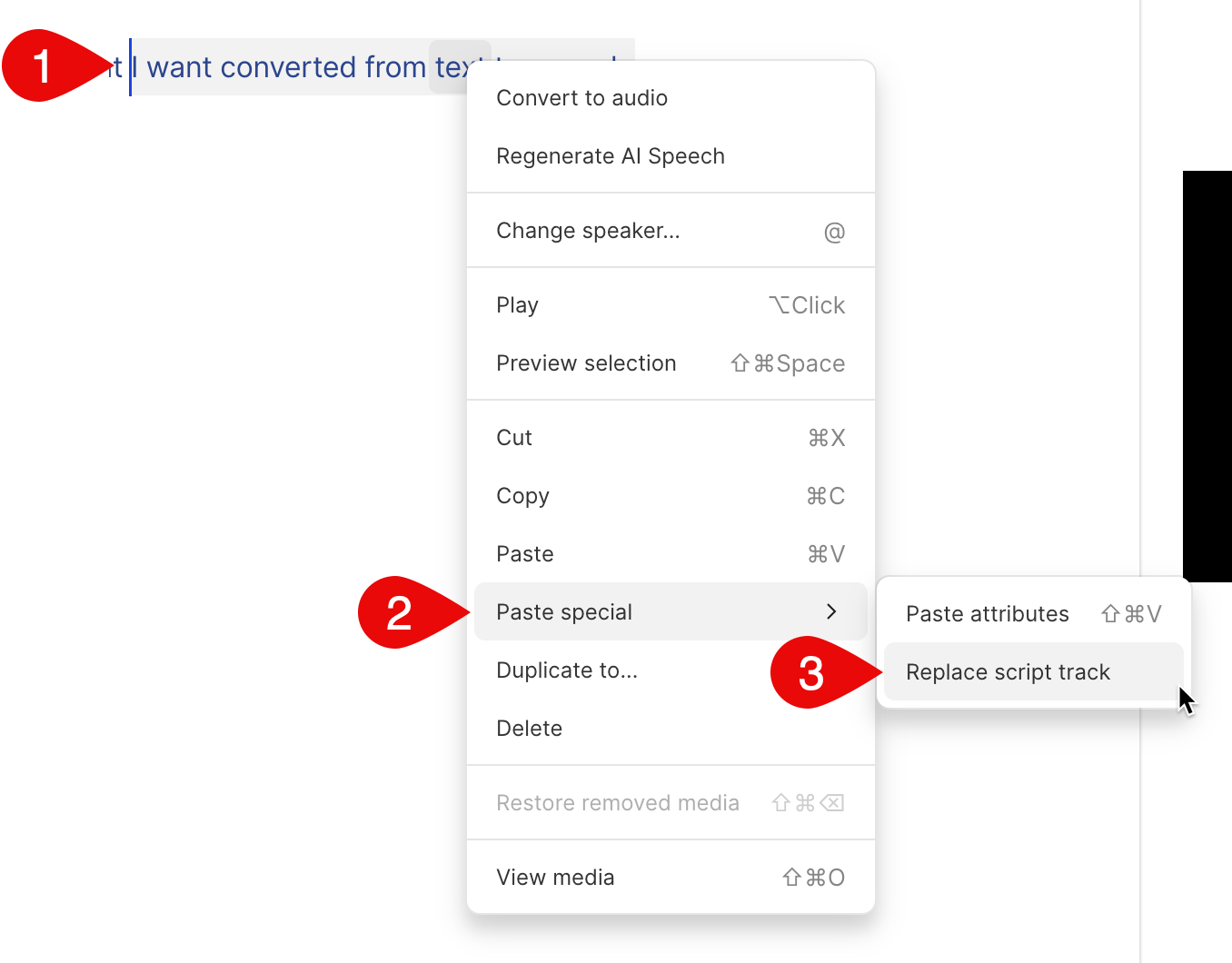
  1. Select the section of your script with the new video or audio you want to swap in, then right-click and Copyit.
  2. Select the section of your script that you want to swap out with what you copied, then right-click and choose Paste special > Replace script track.\