

Deleted a section of your script and want it back? Because Descript hides cut media instead of erasing it, Restore removed media brings it back exactly as it was. To use this tool, your script must contain removed media. In Descript, removed media is shown with the edit boundary indicator ( ¦ ), which looks like a vertical line that’s been split in half.
Lost media after applying a layout?If layers disappeared when you switched layouts, the restore process is different. See our other article, How layouts interact with scenes and the script for those steps.

Restoring a section of removed media

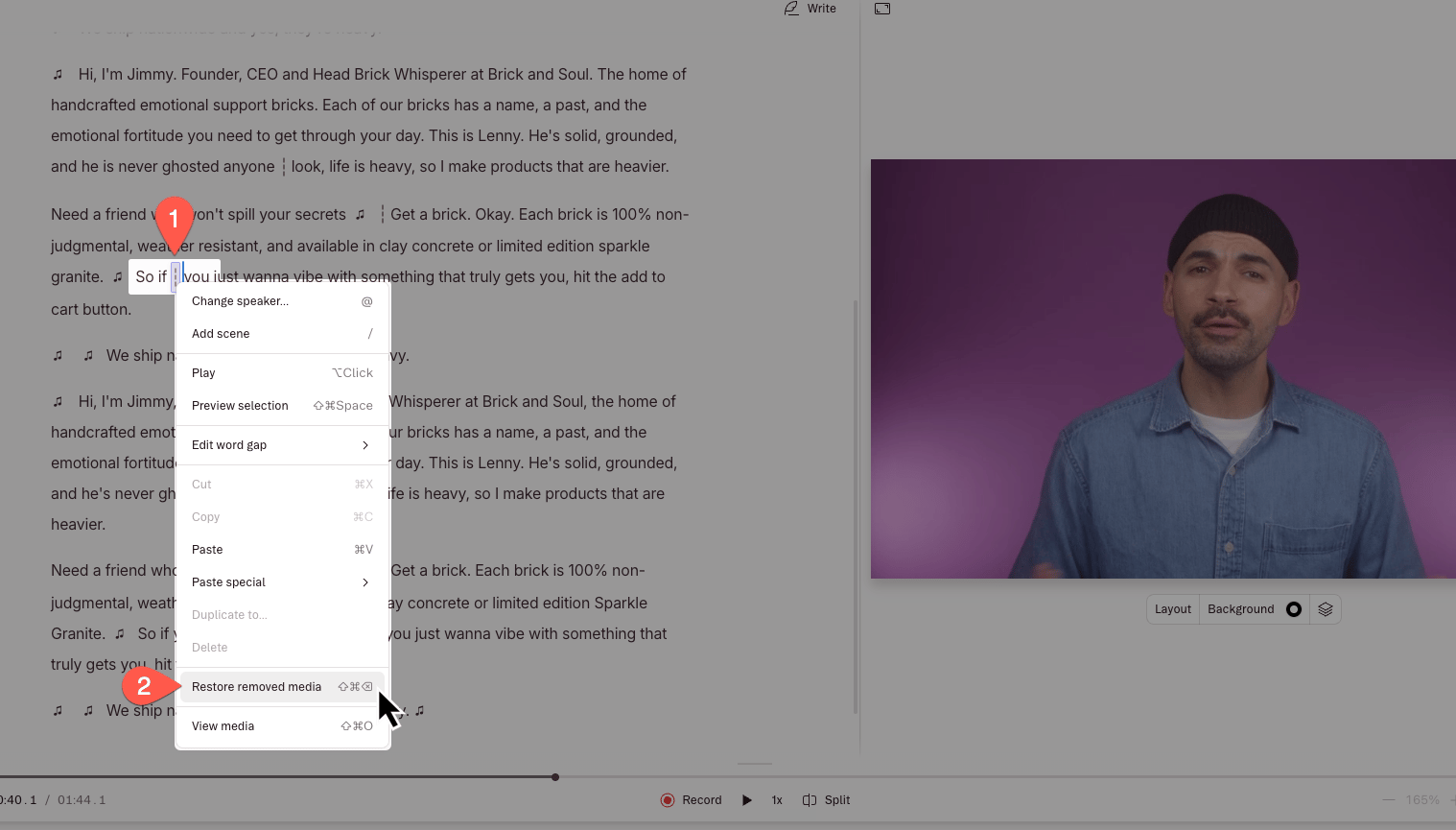
  1. Make a selection over the area in the Script editor where you have removed media.
  2. Right click on the selection, then click Restore removed media.
Can I batch-restore media?

Yes! Any removed media in your selection will be restored.