

Looking for Replace File?Replace Media swaps clips inside a composition — like b-roll, images, or audio — while keeping your edits and adjustments intact.Replace File updates the source file in your project and applies everywhere that file is used. It’s typically used to fix file errors, swap in higher-quality files, update placeholder tracks, or resolve stalled uploads.Learn more about Replace File →
Replace media from the Scene Editor
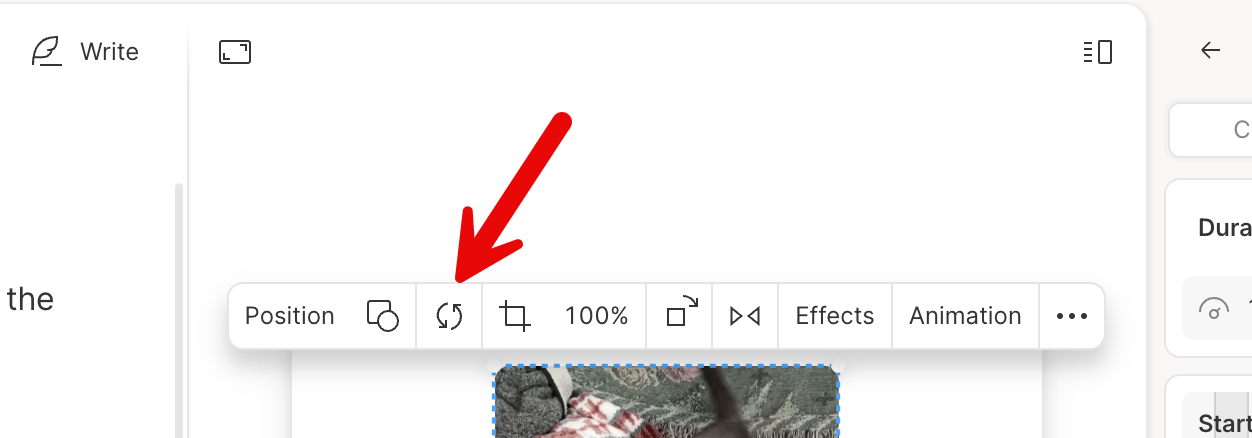
The Scene Editor toolbar includes a Replace option for swapping media in your scene.- Select the media layer you want to replace in the Scene Editor.
- In the toolbar that appear, click the Replace option.
-
Select the new media to swap in.
Other ways to replace media
You can also access the Replace Media option from:- The right-click menu: Right-click a clip or layer in the timeline or Scene Editor, then choose Replace Media.
- The Properties Panel: Open the panel, click the three-dot menu next to the layer name, and select Replace Media.