

Avoid data corruptionReplace file should only be used when replacing files of the same duration and content. Using a different replacement file may significantly corrupt your project.
How to replace a file
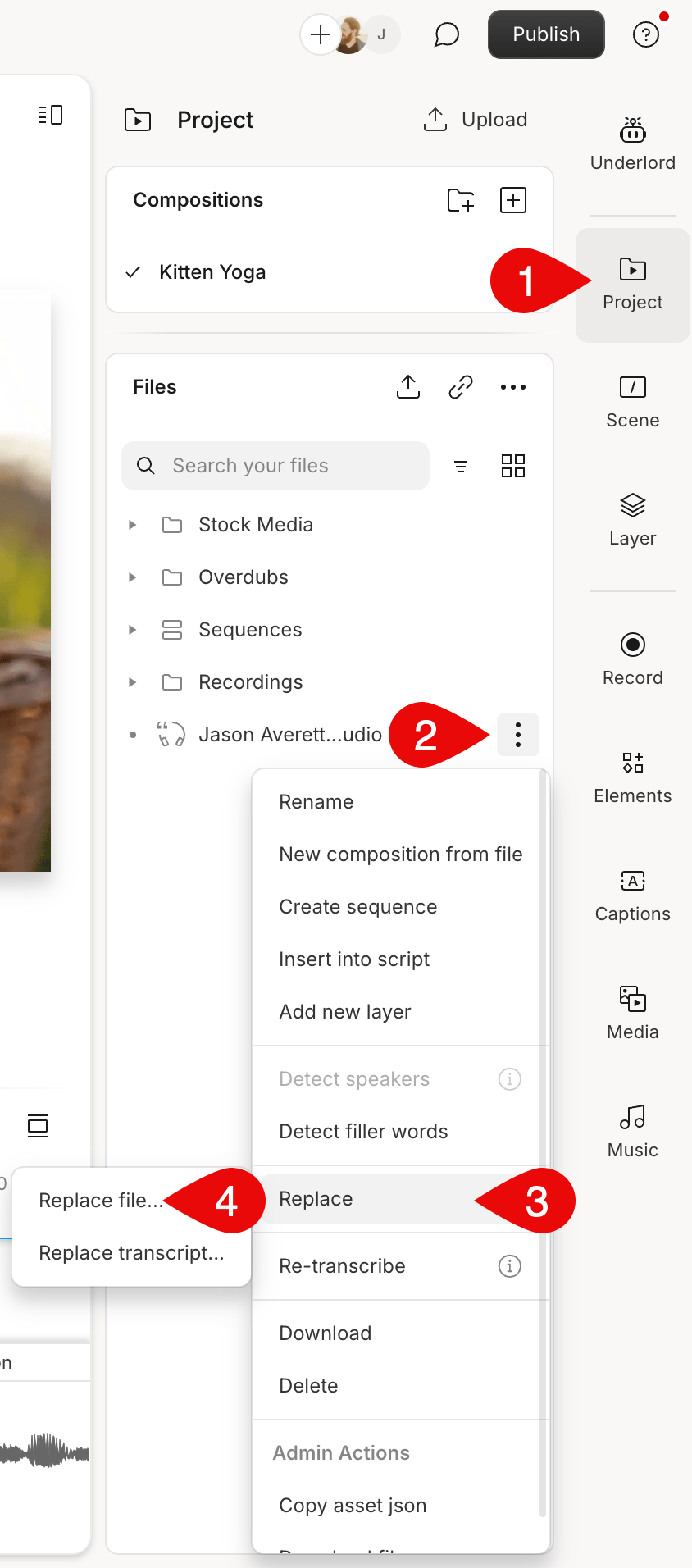
- Open the Project panel on the right-hand side. Make sure you’re looking at the Files section.
- Click the
 Ellipsisbutton next to the file you want to replace.
 - Select Replace > Replace file…\
Replacing a file will maintain your current editsReplacing a file with the same underlying content will not result in a loss of your previous edits. Ensure your content matches to retain all your current edits when using this tool.