Not what you’re looking for?If you need to align timing between multiple tracks in a sequence, use the Sequence Editor instead.
How to adjust A/V sync offset
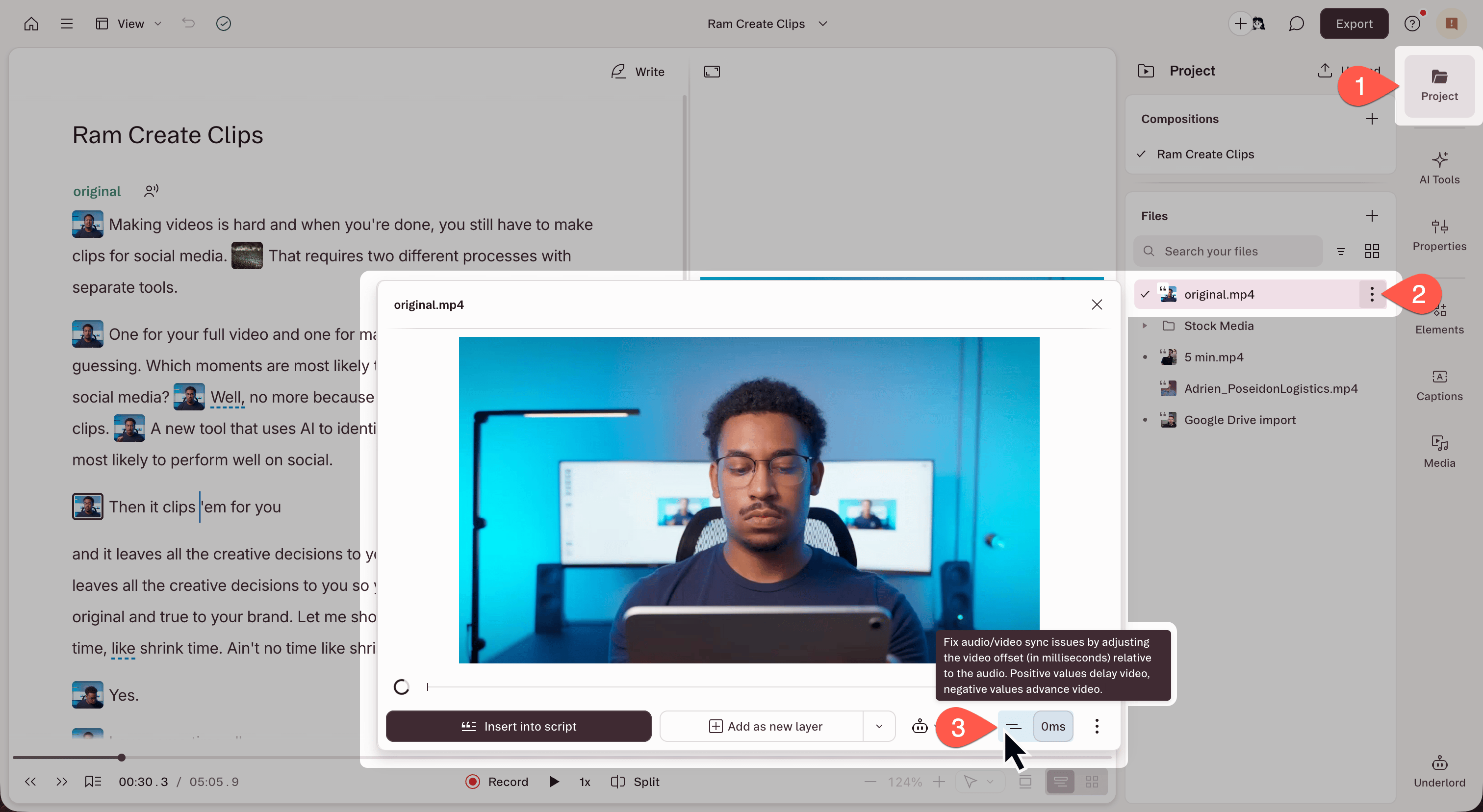
- Open the Project panel from the right-hand sidebar.
- In the Files section, click the ⋮ menu next to the file name.
- Select Set A/V sync offset. The file preview modal opens.
- Use the sync slider in the bottom-right corner of the modal to adjust the offset.
- Negative value: moves the audio earlier. Use this when audio is playing too late (lips move, then you hear the words).
- Positive value: moves the audio later. Use this when audio is playing too early (you hear words before lips move).