Using flatten tracks
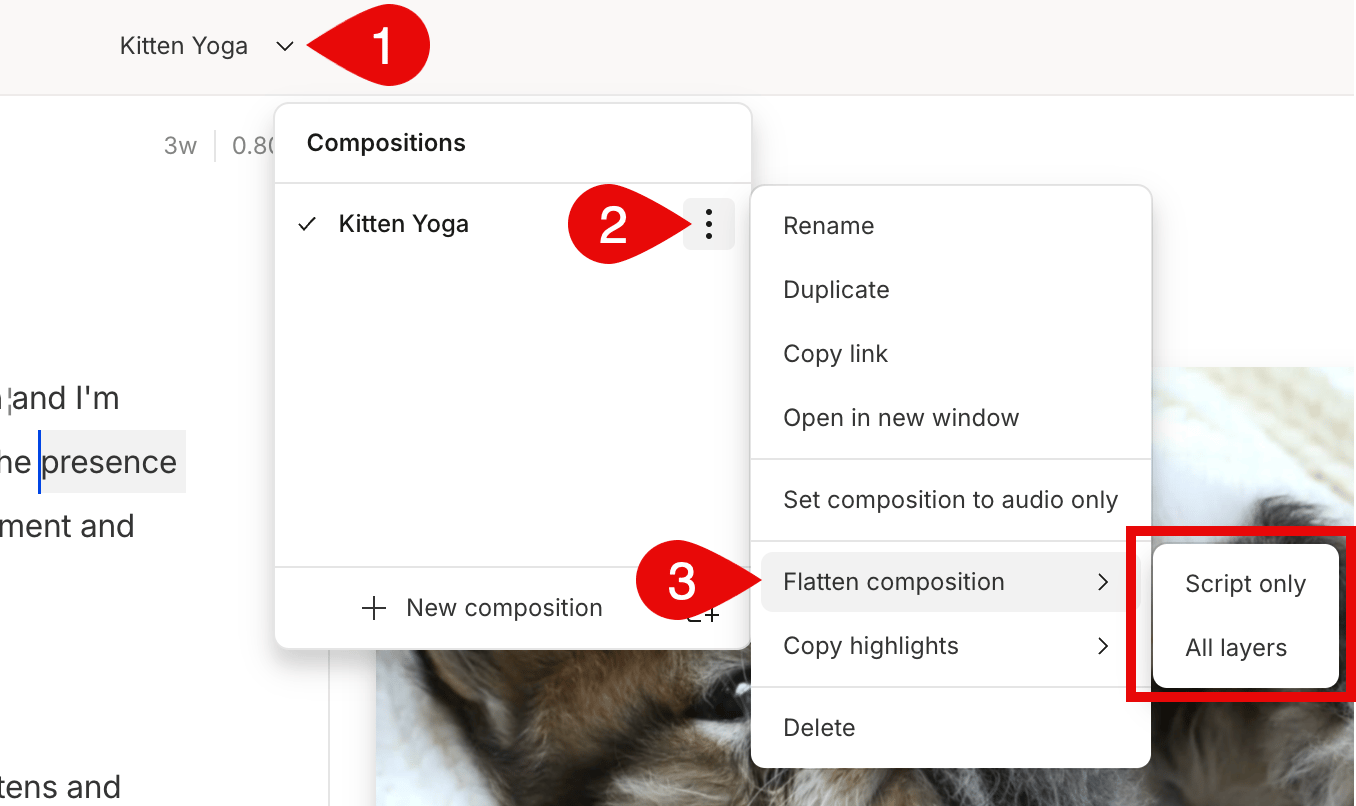
- Select the down arrow next to the project name in the top bar of the editor.
- Click on the

- Hover over Flatten tracks and choose between the two options:
- Script track only — only merge the clips in the script track.
- All tracks — condense all media in the composition into a single script track.