

Export to Convia from Descript
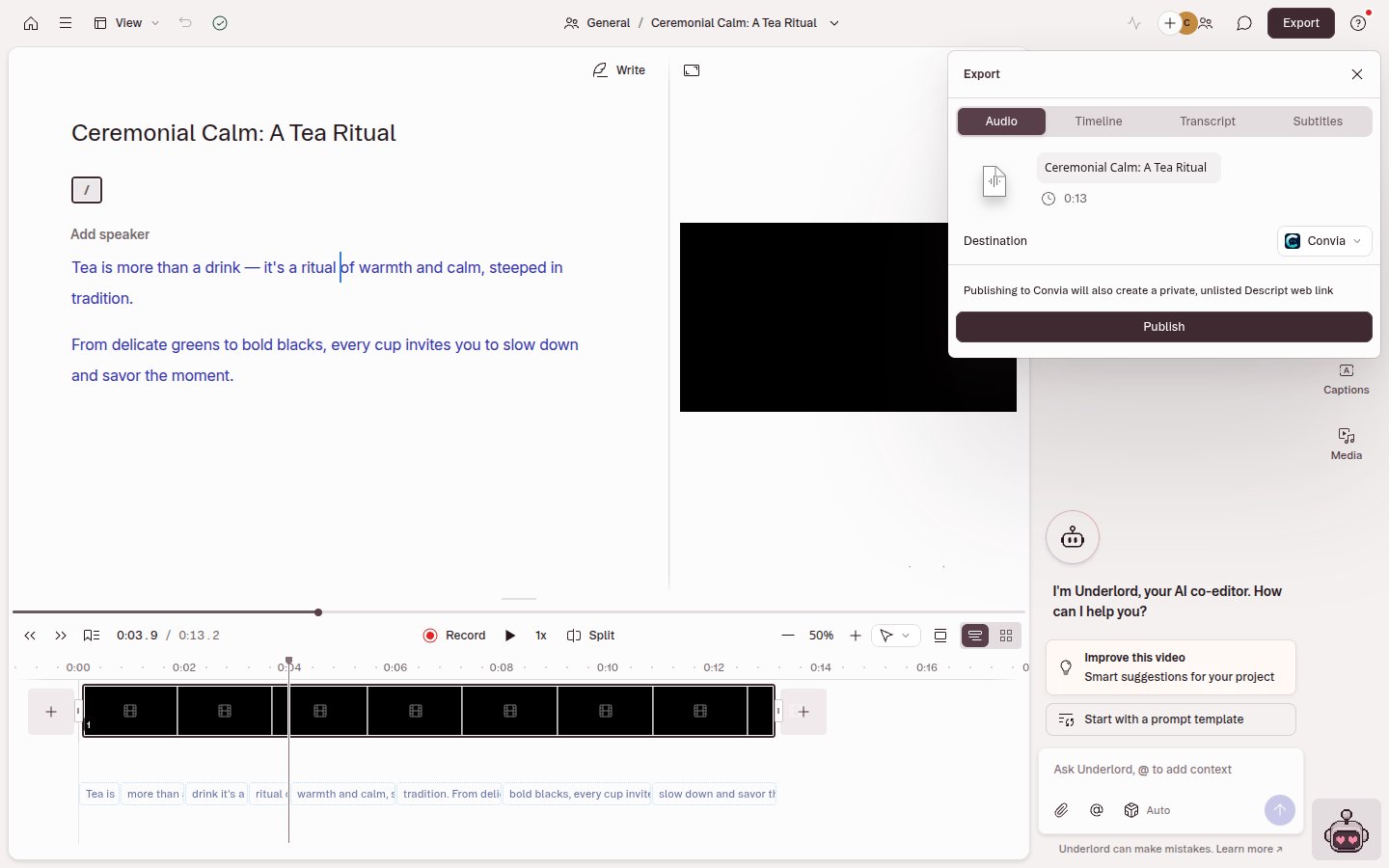
- Click Export at the top-right corner of your editor.
- Under Destination, select Convia from the Podcasting options.
-
Click Publish. Descript also creates a private, unlisted share page of your content, which is where Convia gets the media and transcript.
- Convia’s Import from Descript page opens in your browser. If you aren’t signed in, Convia asks you to sign in or create an account first.
- Under Add to, choose New episode or Existing episode. For a new episode, check the Episode title.
- Click Import.