How to export a video to HubSpot
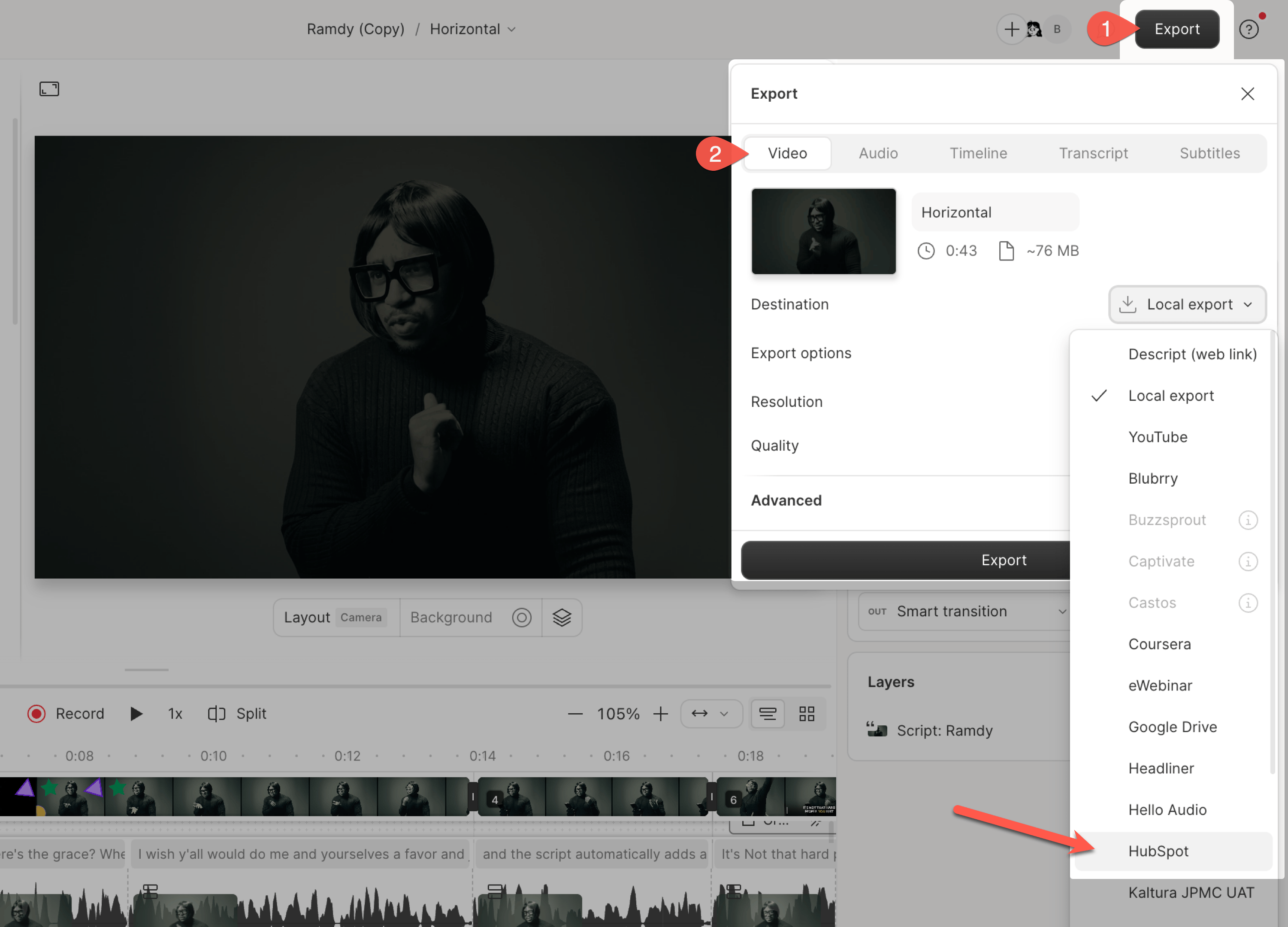
- Click Export in the top-right corner of the editor.
- In the export panel, select the Video tab. Open the Destination dropdown and choose HubSpot.
- Click Export. Once the export is complete, you’ll be automatically redirected to the video’s file details page in HubSpot.