

Export to Podbean from Descript
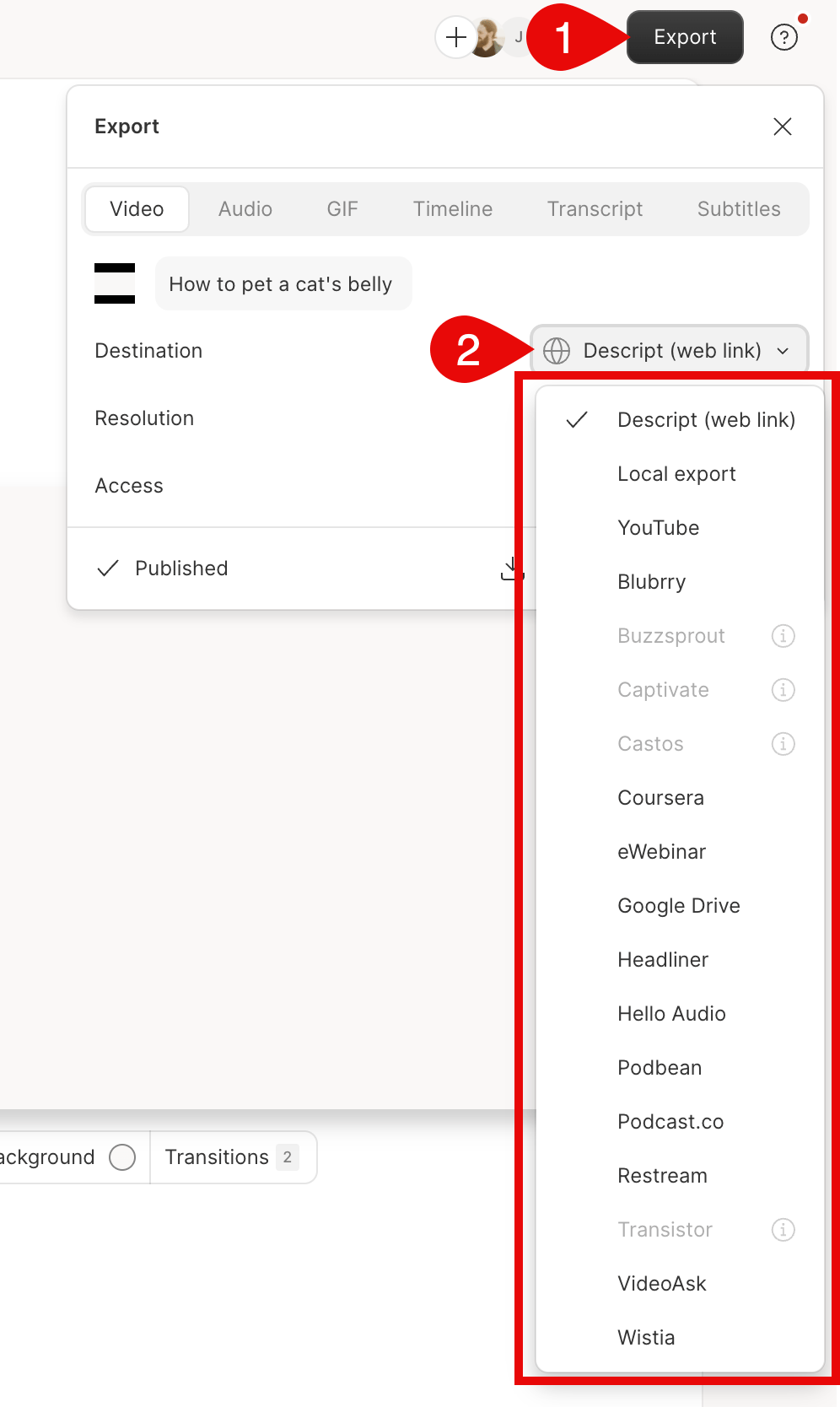
- Click Export at the top-right corner of your editor.
- Select Podbean from the list of options.
- Select Export at the bottom of the export window. At this point, Descript will also export to an unlisted web page of your content. Learn more about share pages.\
Finish uploading in Podbean
- After exporting to Podbean from Descript, a web page will open in your default browser.
- Sign in to your Podbean account or sign up for a Podbean account.
- After logging in, enter your episode’s title and select the podcast you are importing to.
- Click Import Episode.
- You will be redirected to the selected podcast’s Episode List page and the importing process will begin. Click Refresh periodically to check on the status of the importing episode.
- Once the import is complete, you will see the episode in your Episode List.