

New to scenes?Scenes are the building blocks of your video. If you’re not familiar with how scenes work in Descript, check out the Scenes overview guide first.
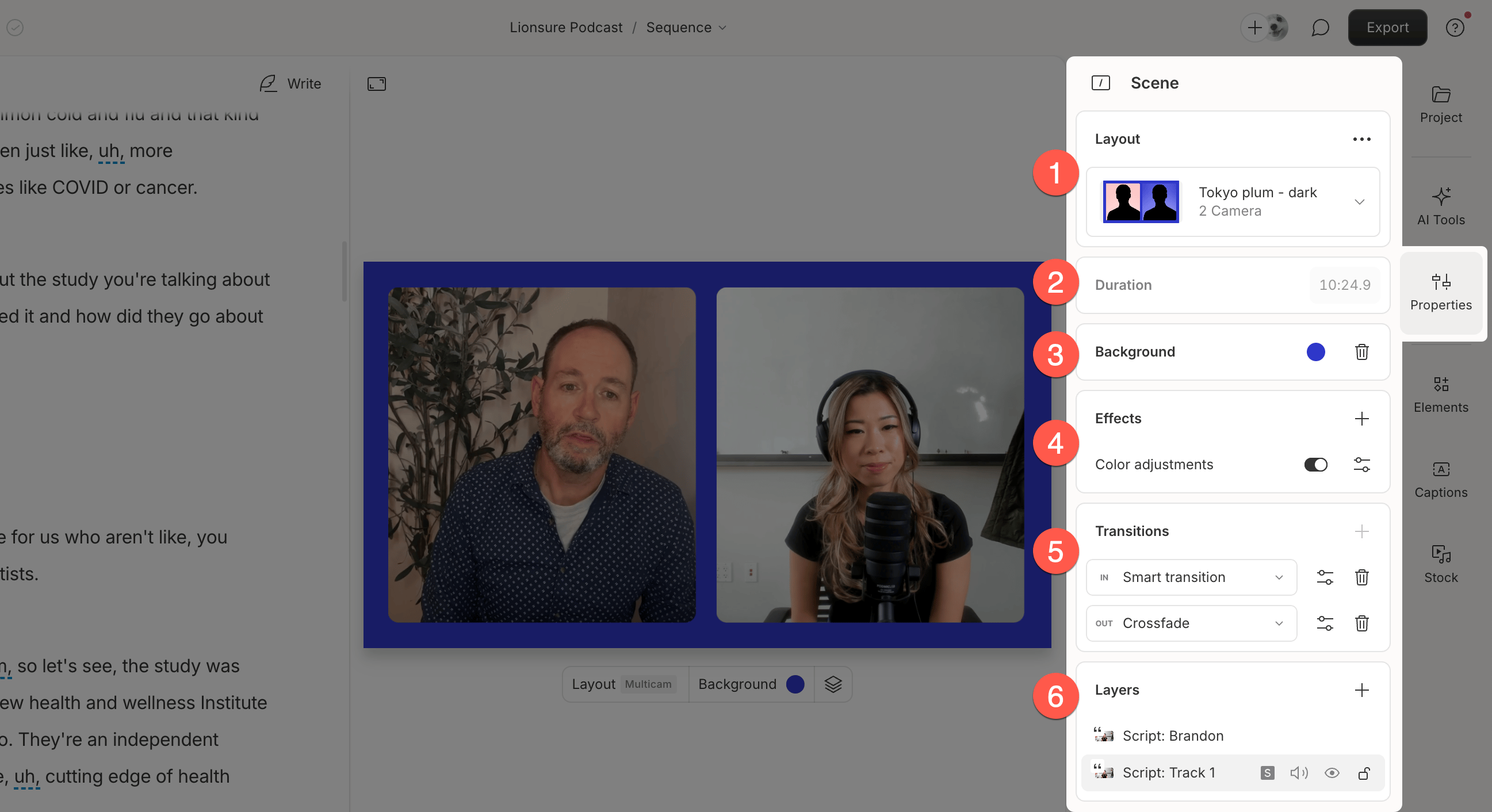
- Choose layout pack: Apply a layout pack and a specific layout to the current scene.
- Duration: The scene’s length, based on its boundaries.
- Background: Set the base color for the scene.
- Effects: Add visual or audio effects that apply to all visuals within the scene.
- Transitions: Add scene transitions between visual moments.
- Layers: View and manage layers in the scene. Their order reflects how they stack visually.