

Attaching a layer to a scene
- Click to select the layer in the timeline.
- Drag the left edge of the layer to the left edge of the desired scene until a red vertical line appears, then release the clip to attach it to the scene.
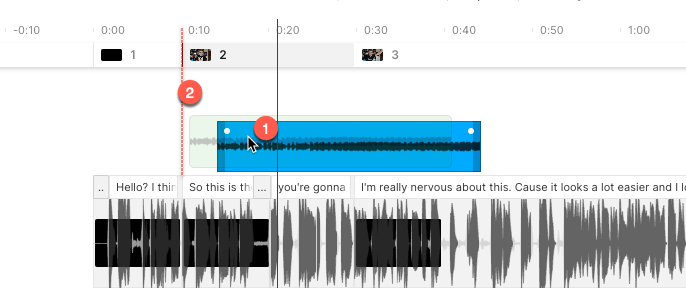
Attach a layer to a scene to keep looped or timed clips locked to it.