

Add files from your Google Drive
<Note> Google Drive imports are currently unavailable in the Descript desktop app. Use Descript on the web to import files into a project or the Media library. </Note>- Open a new project.
- In the script area, click Import from, then select Import from Google Drive.
- Sign in to your Google account and allow Descript access if prompted.
- Select the files you want to import.
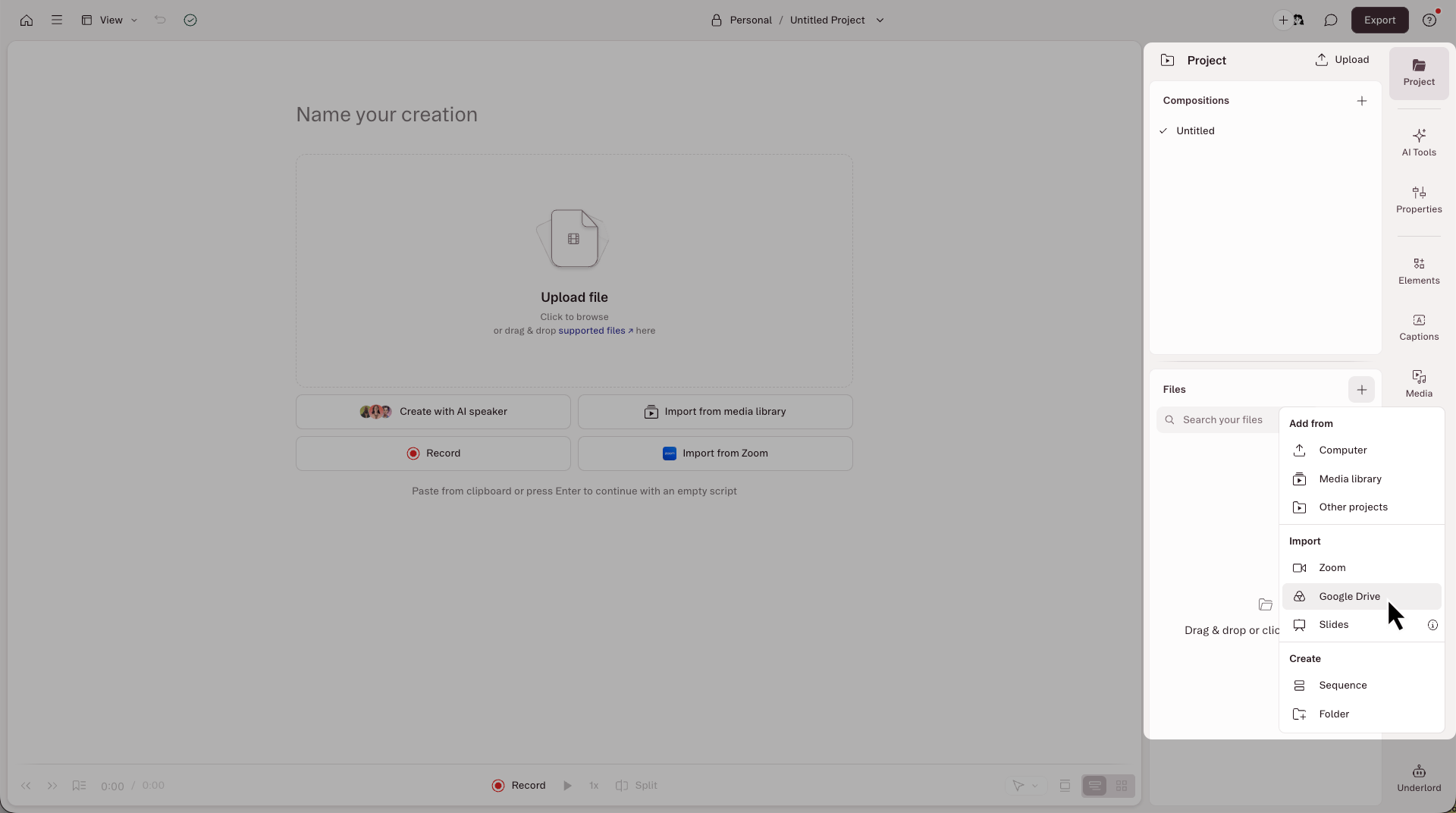
- Open the Project panel from the right-hand sidebar.
- In the Files section, click the + button.
- Select Import from Google Drive.
- Sign in to your Google account and allow Descript access.
- Select the files you want to import.
Desktop appImporting from Google Drive is available in Descript on the web. In the desktop app, you can import from Zoom only.
Import into the Media library
You can also import Google Drive files into your Drive’s Media library to reuse them across projects.- Open Drive view, then select Media library in the left sidebar.
- Open the folder where you want the files to go.
- Click Add media, then select Import from Google Drive.
- Sign in to your Google account if prompted, then select the files you want to import.