Before getting started
Keep in mind:- You need Editor access to a project to import files from it. You cannot import files from projects that you only have Viewer access to. Learn more about Drive member roles.
- Files can only be imported from projects within your current Drive. You cannot import files from projects on another Drive.
How to import files from another project
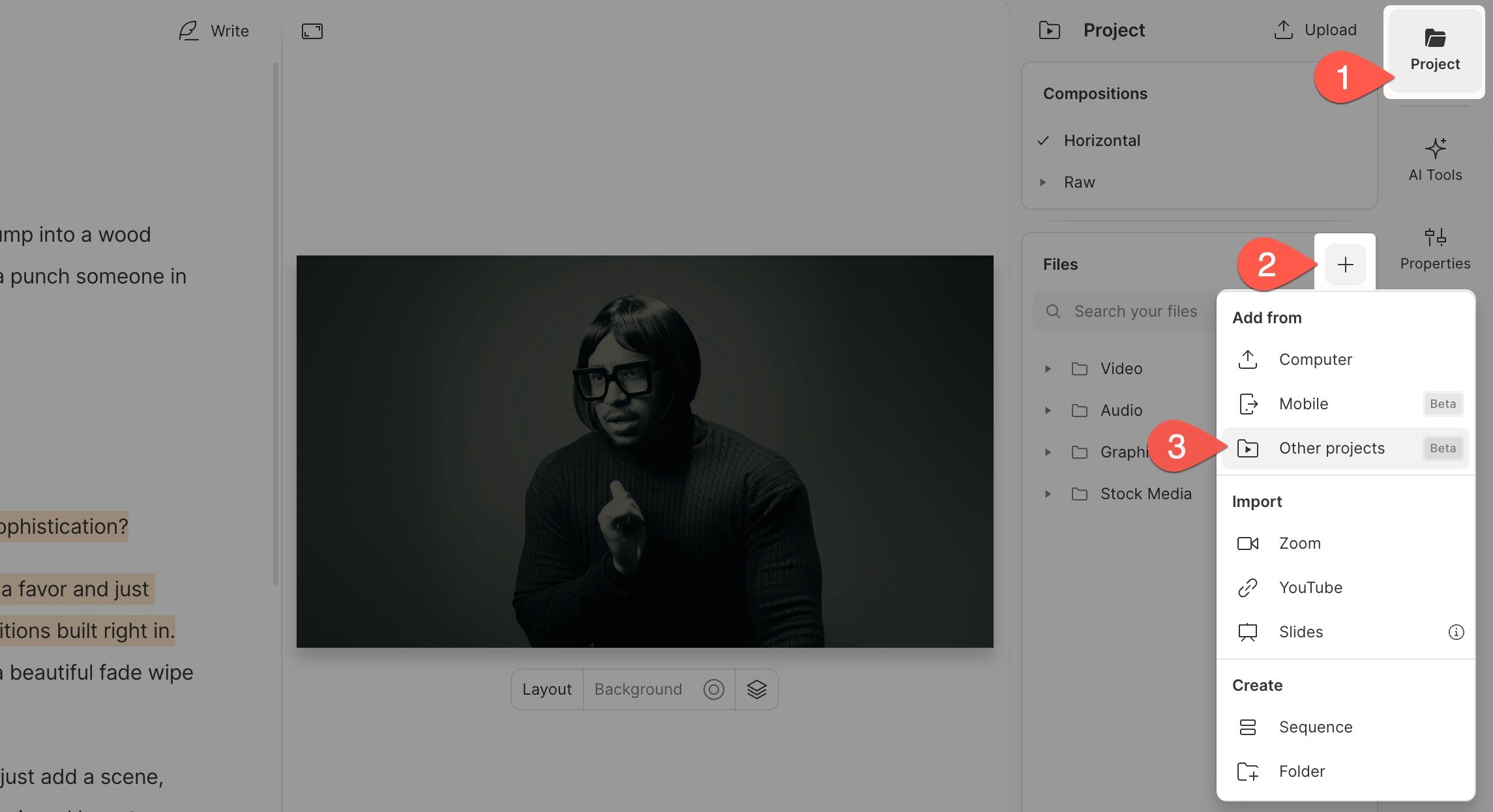
- Open the Project panel from the right-hand sidebar in your composition.
- In the Files section, click the + button.
-
Select Other projects from the Add from menu.
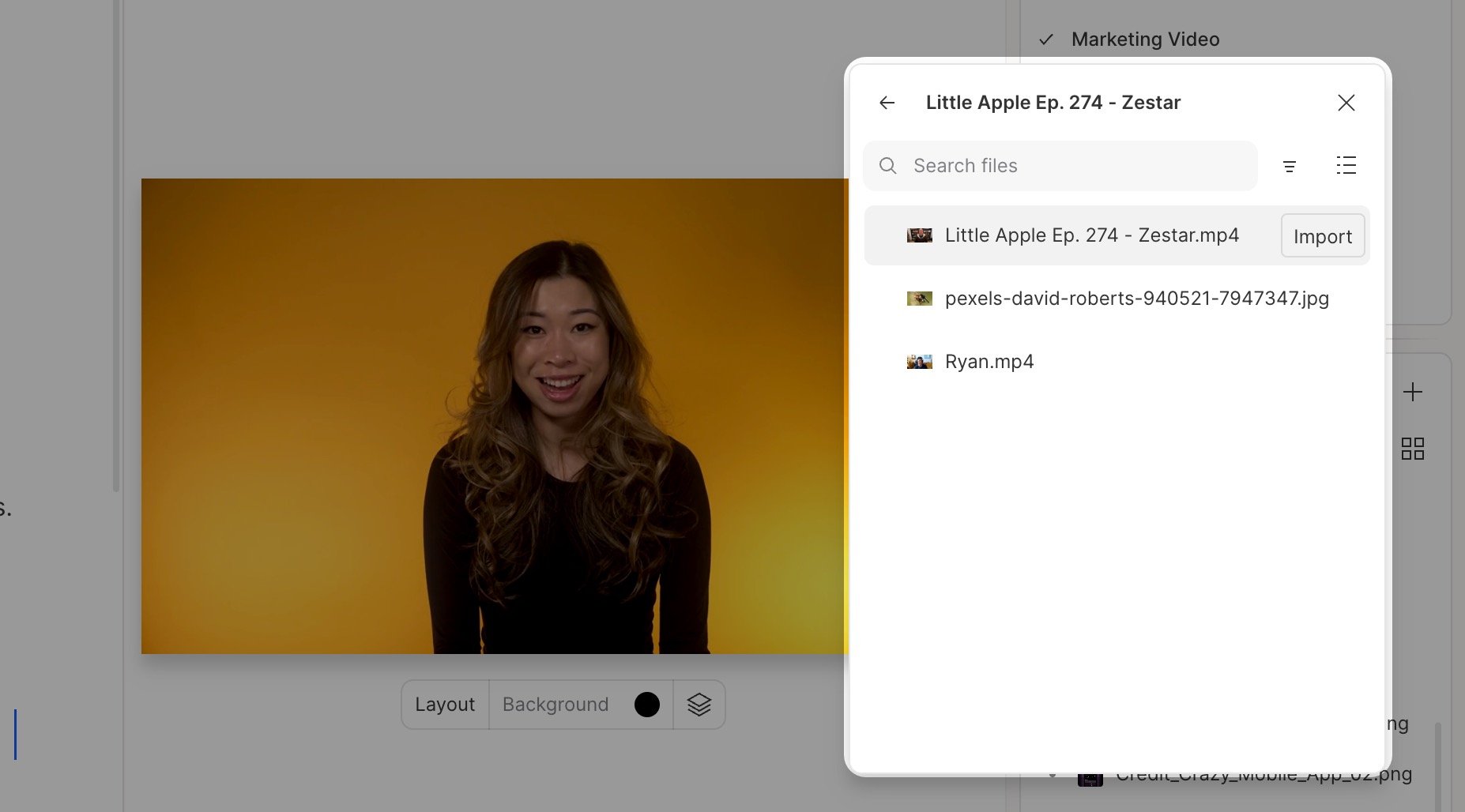
- Find the source project to import from or search by project name. You can access both projects you own and those shared with you. Click any project to view its media files.
-
Click the file name to preview the content before importing. Hover over your desired file and click Import to add it to your project.