

Usage noteOn current plans, this feature uses AI Credits. Learn more about tracking your Media Minutes and AI Credits.Legacy and Sunset plans track usage differently. See our Understanding your Legacy and Sunset plan guide for details.
How to apply Studio Sound
Apply Studio Sound from the Properties panel in any composition or sequence.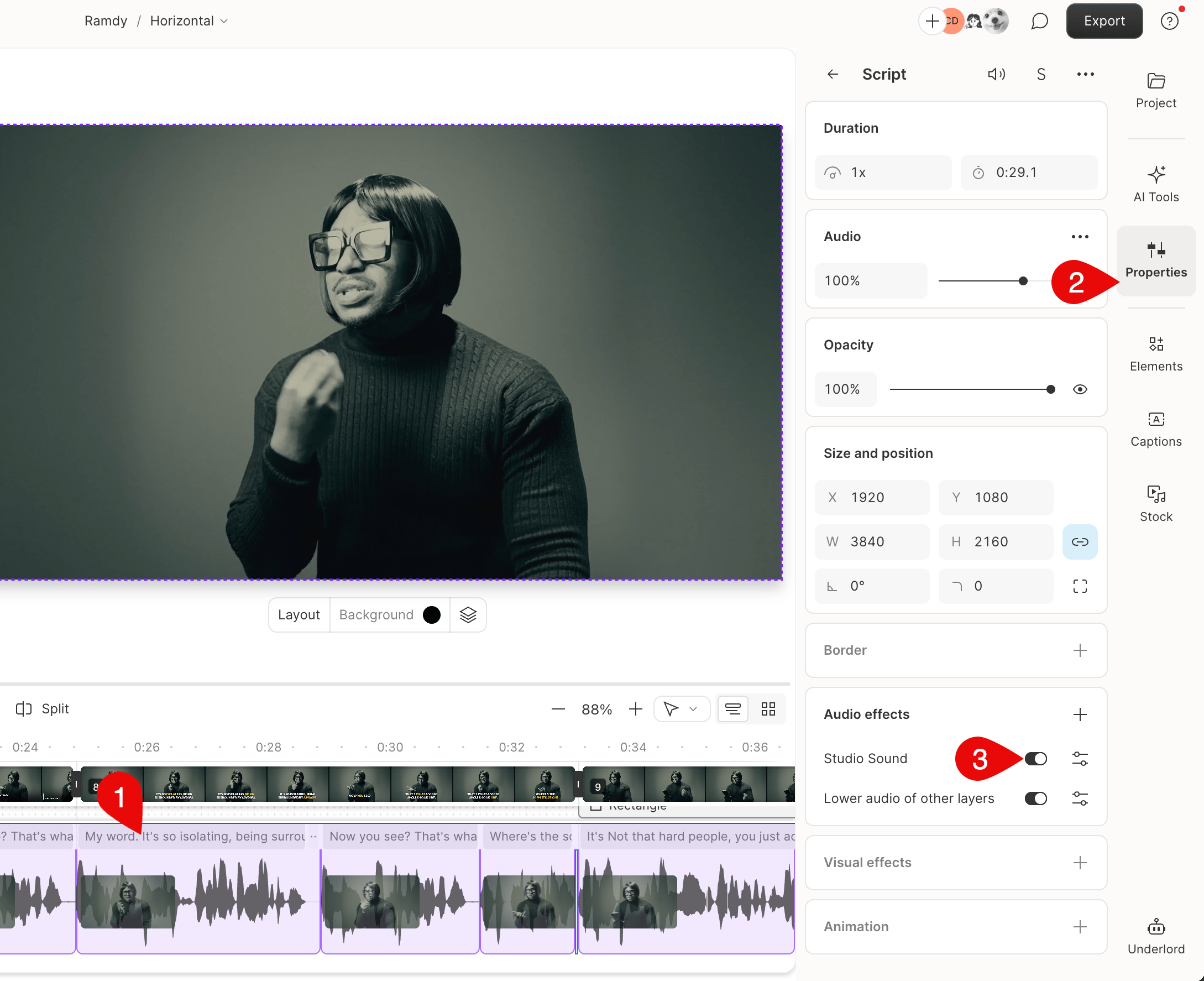
Apply Studio Sound to your script
- Select your script layer.
- Open the Properties panel in the right-hand sidebar.
- In the Audio Effects section, toggle on Studio Sound.
Apply Studio Sound to a multitrack sequence
- Open your sequence in the Sequence Editor.
- Select the track to enhance, then enable Studio Sound in the Properties panel.
Apply Studio Sound to part of a file
To enhance only part of a file:- Duplicate the audio section you want to enhance into a new composition.
- Use Flatten tracks to turn it into a new project file.
- Apply Studio Sound to the new file and replace the section in your original project.
Use during recordingYou can also enable Studio Sound while recording in the main editor or with the Screen Recorder.
Adjust Studio Sound intensity
Use the Intensity slider to control how much enhancement is applied to the file.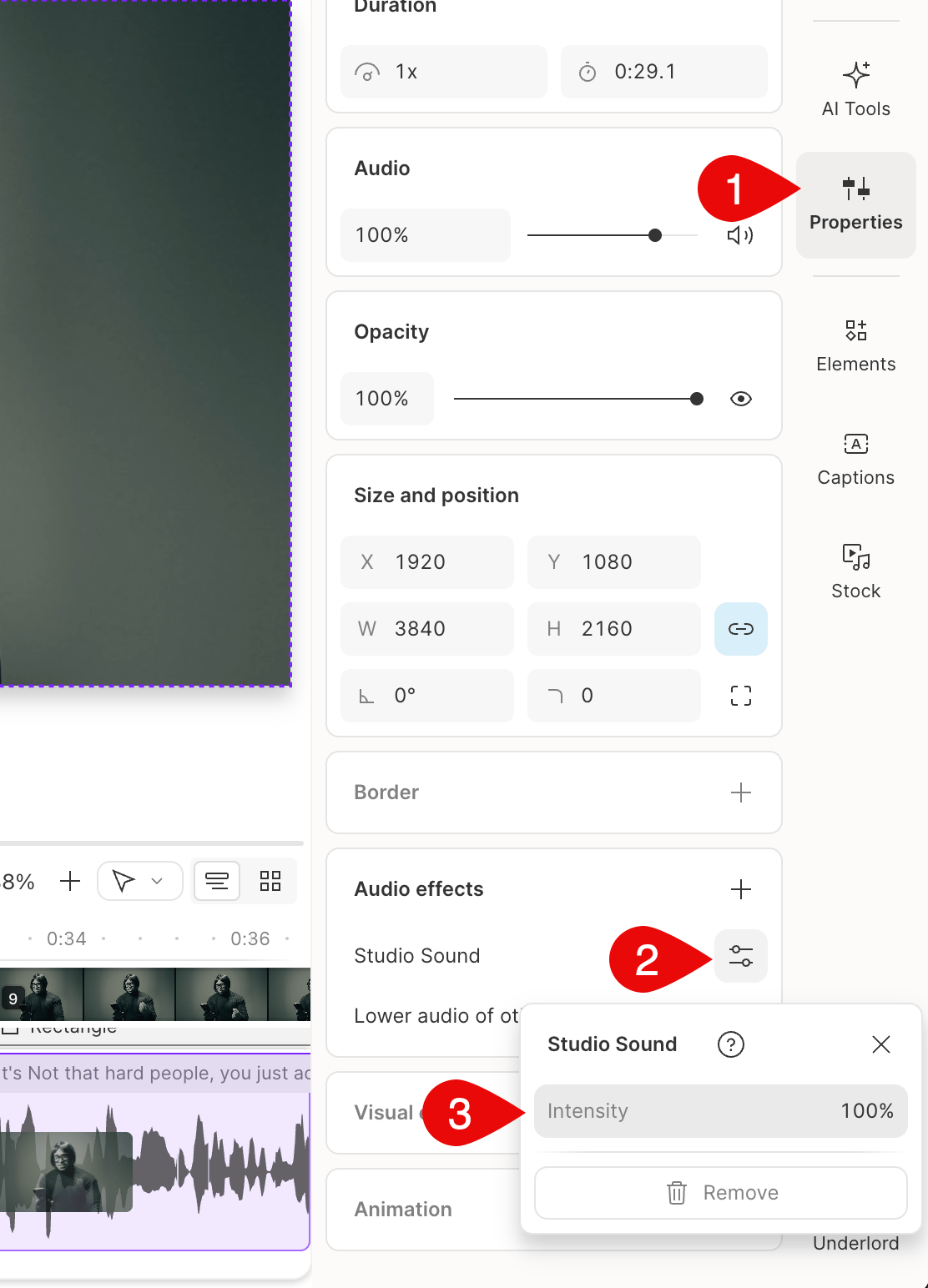
Troubleshooting Studio Sound
Running into issues with Studio Sound? Here are fixes for the most common problems.I can't apply Studio Sound to AI-generated text-to-speech
I can't apply Studio Sound to AI-generated text-to-speech
This is expected. Studio Sound only works on recorded audio,
not AI-generated speech. To apply Studio Sound to an AI voice
clip, first
convert it to an editable audio layer.
Error: "Studio Sound enhancement failed"
Error: "Studio Sound enhancement failed"
- Wait a few minutes, then re-apply Studio Sound. This is usually a temporary issue.
- If the error persists, check the status page for any ongoing issues affecting Studio Sound.
- If everything is operational, try replacing the file, then re-apply Studio Sound.
Studio Sound is suppressing my speech or making my audio silent
Studio Sound is suppressing my speech or making my audio silent
Studio Sound is an audio-only effect — it cannot remove or change
video, hide tracks, or delete media from your project.If your audio waveform appears flat or silent after enabling
Studio Sound, the recording likely has very loud background noise.
Studio Sound may not be able to separate the speech from the
noise, resulting in a silent waveform. To fix this, reduce the
Intensity slider in the Properties
panel or disable Studio Sound for that file.If a video track or other media appears missing, check whether
a track is set to Solo in the timeline or hidden
in the Layer list in the Properties panel.
Exported audio has an echo or delay
Exported audio has an echo or delay
A known bug in Chrome (on macOS and Windows) can cause file encoding
issues that result in echo or audio drift after exporting. Use
Descript’s
Repair audio drift
feature to fix this.
Studio Sound is taking a long time to process
Studio Sound is taking a long time to process
Very large files (6+ hours or several GB) may be slow to process.
For best results, split long recordings into shorter segments
and apply Studio Sound individually.