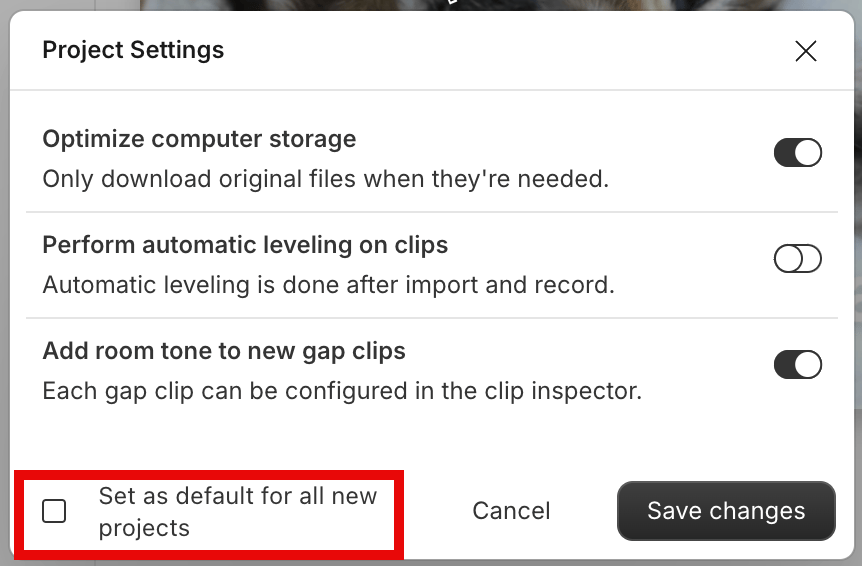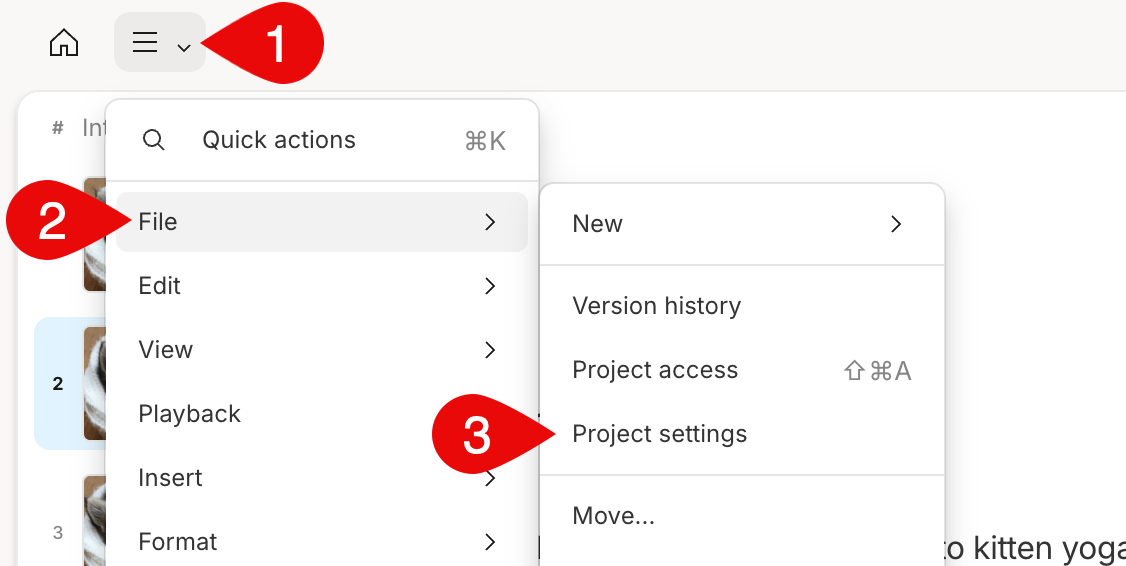
Apply setting changes to all new projects
Project settings can be set for individual projects or applied as the default settings for all new projects. If you choose to set your project settings as the default for new projects, this will apply the settings to your App settings.