

Can I schedule a Rooms session in advance?
Can I schedule a Rooms session in advance?
Yes. From the Rooms tab, select Schedule for later to set a date and time, then share the invite link with participants. Learn more in Schedule a Descript Rooms session.
What are the video/audio attributes (frame rate, bit rate, sample rate, bit depth, etc.)?
What are the video/audio attributes (frame rate, bit rate, sample rate, bit depth, etc.)?
Rooms records high-quality local tracks on desktop and laptop. Phone and tablet participants use cloud recordings, which may have lower quality. Exact attributes depend on your selected quality, device, and network conditions. See Room settings for the latest recording quality options and recommendations.
How do I get to SquadCast now that I have Rooms?
How do I get to SquadCast now that I have Rooms?
Go directly to the SquadCast website. Rooms and SquadCast are separate products and can be used for different workflows.
How do I access Descript Rooms?
How do I access Descript Rooms?
From the Drive view, click Record → Record with others. You can also launch Rooms from inside a project.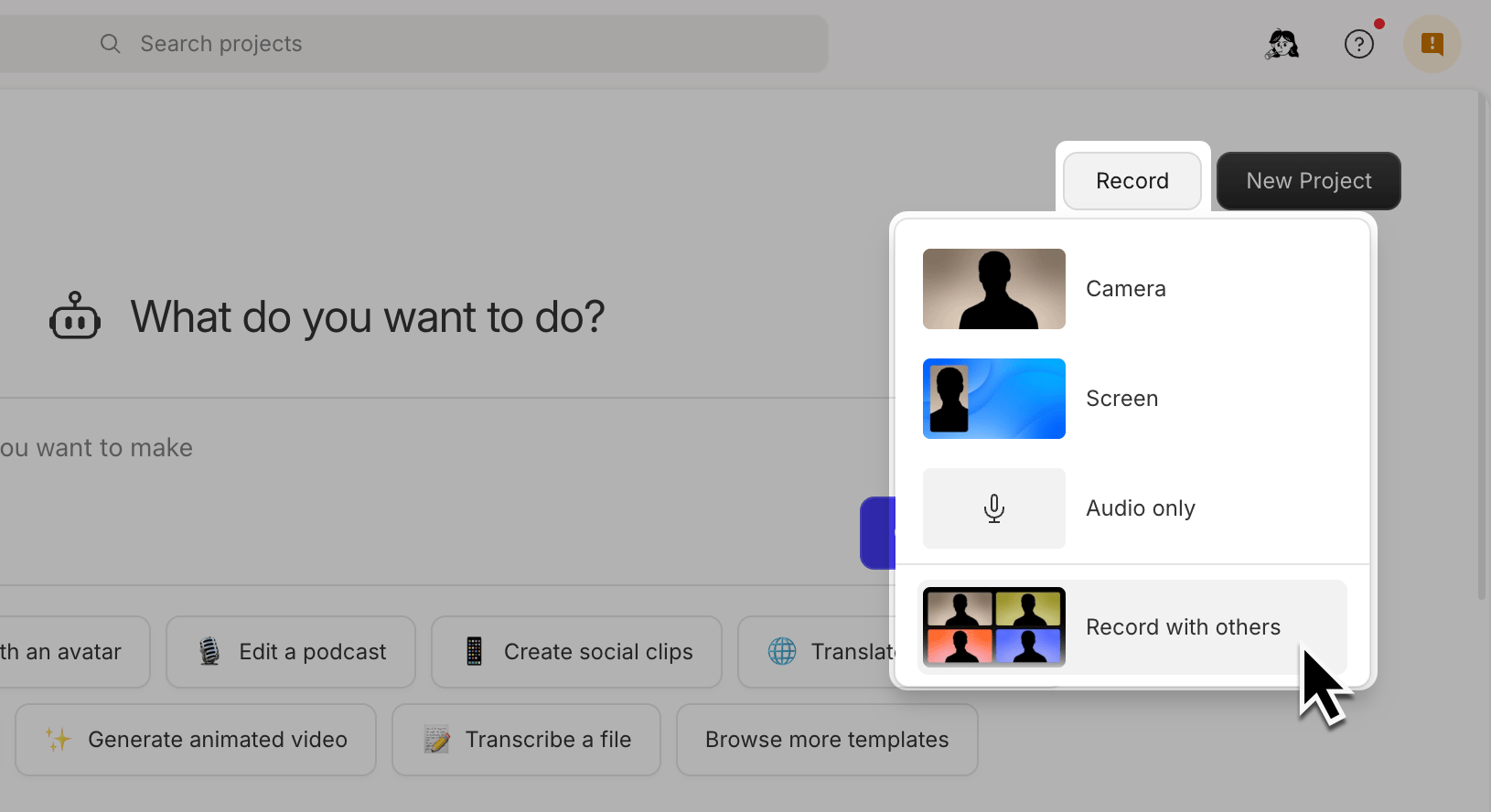
What happens to my files after recording?
What happens to my files after recording?
When you end the session, your project organizes everything into a Recordings folder. Desktop and laptop recordings upload from each participant’s device. Phone and tablet recordings use the cloud stream. Files appear as they finish processing. Learn more in Edit a Descript Rooms project.
Why launch another double-ended recorder?
Why launch another double-ended recorder?
Rooms builds on what we started with SquadCast (high-quality multitrack recording, progressive uploads, and guest-friendly joins) directly inside Descript, so you can record and edit in one place.
Is Descript Rooms free?
Is Descript Rooms free?
Rooms access is included with your Descript plan. Recording time counts toward your Drive’s Media Minutes allocation.
Will SquadCast go away?
Will SquadCast go away?
Eventually, Descript Rooms will replace SquadCast. We’ll provide plenty of notice before any changes. Our goal is a smooth transition with training and Help Center guides. No sunset date is set yet; we’ll keep you posted.
I prefer SquadCast—do I have to switch?
I prefer SquadCast—do I have to switch?
Rooms will not replace SquadCast until it meets or exceeds its capabilities. We encourage you to try Rooms and share your feedback. Your input is valuable in making Rooms the best possible tool.
Does Rooms support my browser or device?
Does Rooms support my browser or device?
On a desktop or laptop, Rooms supports Chrome and Chromium-based browsers, Safari 26 or later, and Firefox. Keep your browser updated and enable hardware acceleration for best results.Participants can join a Room from a phone or tablet if the Room was created on an Enterprise Drive. Guests don’t need their own Enterprise plan. If the Room wasn’t created on an Enterprise Drive, open the invite link in Chrome on a computer. See the phone or tablet joining guide for setup and recording limits.Rooms doesn’t let you join from Safari 18 or earlier on a Mac, because recordings can fail in those versions. Open the room in Google Chrome, or update Safari in Software Update. If you’re hosting, sign in to Descript in Chrome to keep your host role. If you recorded in that version of Safari before, open the recovery page in Safari first so those recordings upload.
Will SquadCast features like Shows or show-manager logins transfer to Rooms?
Will SquadCast features like Shows or show-manager logins transfer to Rooms?
Shows don’t transfer directly, but workspaces are the closest match. You can schedule a Room ahead of time and save its recording to a specific workspace, so each show’s recordings stay together. Learn more in Save scheduled recordings to a workspace.We’re still finalizing how other SquadCast features will map to Rooms. Our aim is to keep what works, simplify where we can, and improve the overall experience. Share feature requests for anything you rely on—we’re listening.