

How do I know which plan I’m on?
- Open Descript, and navigate to your App Settings.
- Click the Plan tab.
- Check the plan name displayed at the top.
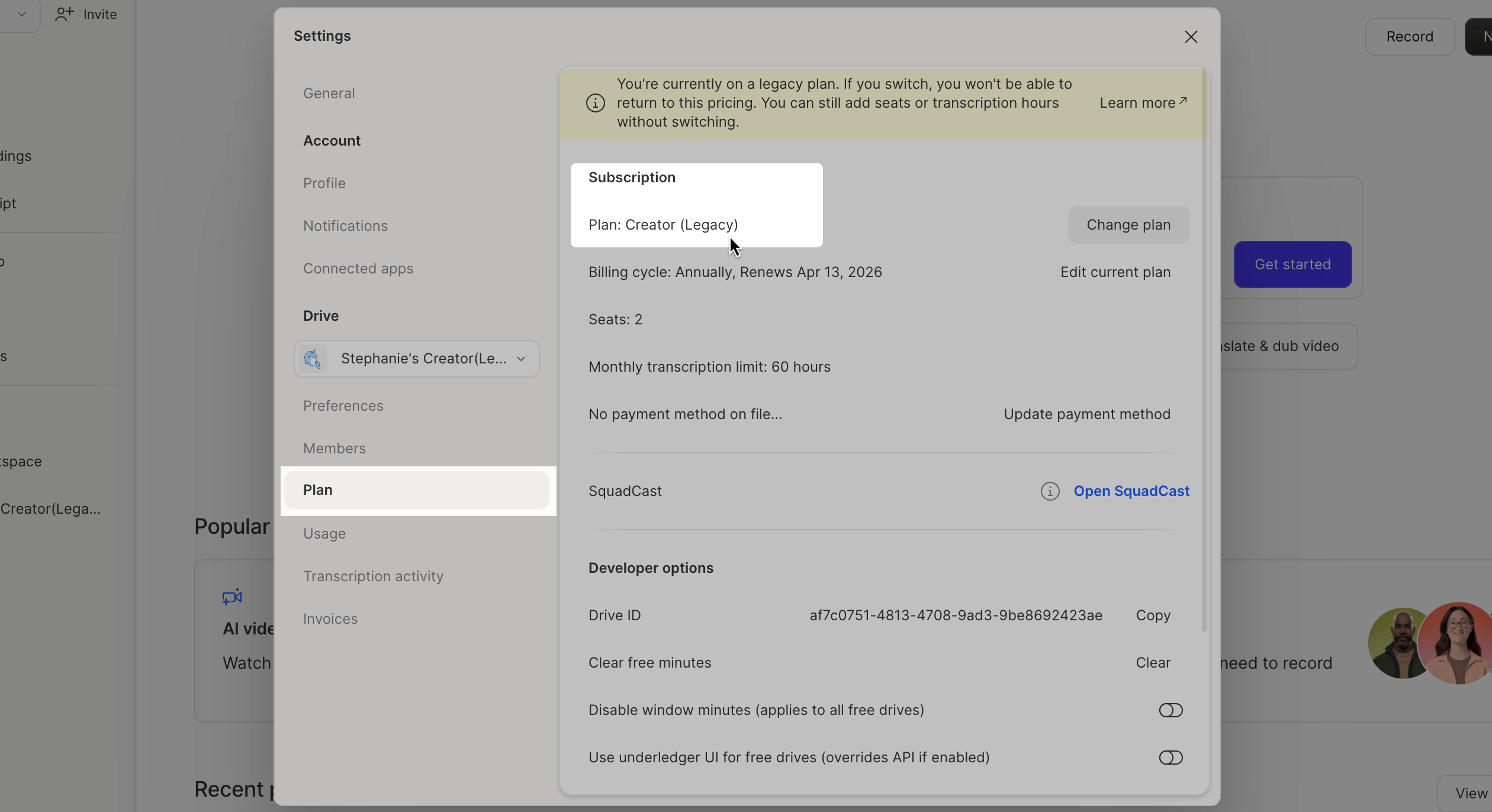
Will the price of my plan change?
Most customers will not see a price change, though some Legacy or Sunset plan prices could increase to match our current pricing. Our costs and the value we deliver have increased, and our previous plan prices no longer reflect what it takes to build and support the product. We know no one likes a price change, but this is a necessary step to keep Descript sustainable for the long run.When can I view full details?Full plan details are available on our pricing page
What do the new plans offer?
Our new plans simplify usage with just two resource pools: media minutes and AI credits. These two buckets replace the previous system of transcription hours and separate allocations for individual AI tools.
Alongside these changes, we’re also introducing a model picker for AI-powered tasks. On the new plans, you have the flexibility to choose from multiple generative media models (including premium options) for image and video generation.
When can I view full details?Full plan details are available on our pricing page
What are media minutes?
Media minutes draw down whenever you upload or record media in Descript (video, audio, Rooms sessions, screen/webcam/mic recordings). Still images count as 1 second each. Media minutes track your total media usage. Transcription time will no longer be something that’s tracked or debited in Descript. Media minutes are used when you:- Upload audio or video files
- Record media directly in Descript (in Descript Rooms, the Editor recorder, or with the Screen Recorder)
- Add still images (each image = 1 second)
What are AI credits?
AI credits function similar to AI uses on Legacy and Sunset plans. Credits draw down whenever you use AI-powered features like- Underlord, our agentic video co-editor
- Studio Sound for enhancing audio
- Green Screen and Eye Contact video effects
- Text-to-speech generation, AI avatars and AI-generated video
- and more
Which new plan is right for my needs?
It depends on your unique workflow and needs, but typically:- Hobbyist: for those who edit occasionally, one or two compositions a month
- Creator: good if you’re making content more regularly, about once a week
- Business: designed for people or teams who produce content multiple times per week or for a living
I don’t use AI. Do you offer a plan without AI features?
Most Descript users rely on AI tools for editing—Studio Sound, Edit for Clarity, Eye Contact, and Regenerate (formerly Overdub). Some also use generative AI features like text-to-speech, voice clones, avatars, generative video, Underlord, and whatever tomorrow’s breakthrough will be. We understand that not every AI feature is useful to every creator. That’s why our new plans give you a budget of credits instead of 17 different feature-specific limits. Spend your credits however you want on the AI tools that fit your workflow.Can I switch to a new plan?
Yes, upgrade anytime:- Log into Descript.
- Go to Settings > Plan.
- Select Edit current plan.
- Choose the new version of your plan.
Can I add members to my Legacy/Sunset plan?
Yes, you can add new members to your Legacy or Sunset plan. New members will receive the same feature set and pricing as existing members. After migration, all members on your account will be on the new plan together.Can I still add transcription hours to my account?
If you’re on a Legacy or Sunset plan, your subscription includes a set number of transcription hours per Editor seat. If you need more, you can purchase add-on monthly transcription hours for $2 per hour, or add another Editor seat to your Drive. To purchase add-on monthly transcription hours:- Open your App Settings. Click your profile photo in the top-right corner of the window, then select Settings from the dropdown menu.
- In the Settings window, click the Plan tab and select Edit current plan.
- In the Transcription Hours field, adjust the number (e.g., change
40to50to add 10 more hours) and press Enter. - Review the payment summary, then click Save changes.
- Monthly subscribers: You’ll be billed each month for your additional transcription hours.
- Annual subscribers: You’ll pay upfront for the added hours covering the remainder of your term.