

Wordless media and scene boundaries aren’t includedA text export leaves out your script’s wordless media and scene boundaries.
Can I add timestamps to my transcript?Yes, set your timecode settings before exporting your text file.
Documentation Index
Fetch the complete documentation index at: /llms.txt
Use this file to discover all available pages before exploring further.
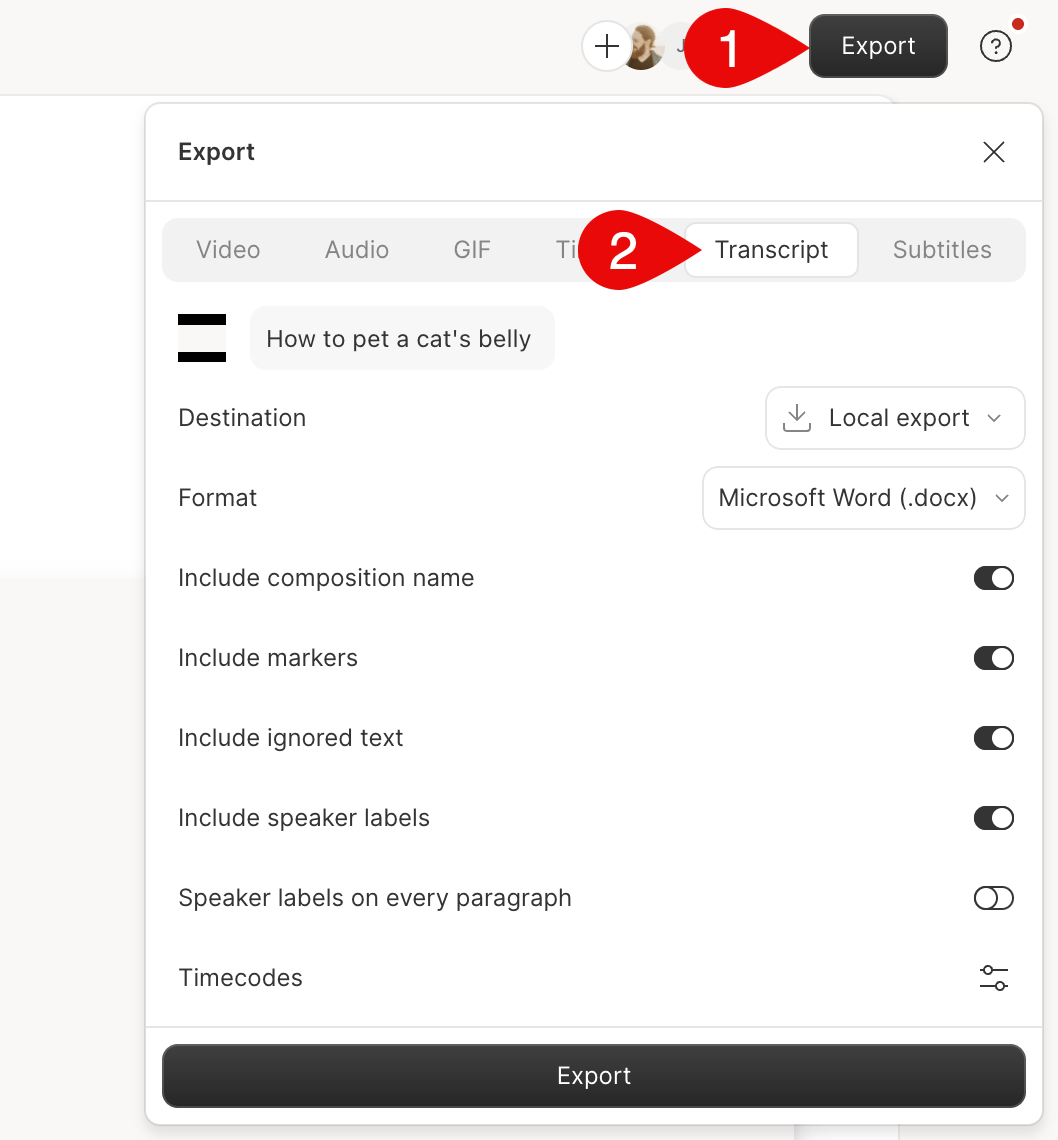
Export your transcript from Descript as a .docx, .txt, .rtf, .md, or .html text file.

| Setting | Description |
|---|---|
| Timecode offset | Offset the start time of your timecode by hh:mm:ss to align the transcript timing with your audio or video content. |
| Format | Set the file format to .html, .md, .docx, .txt, or .rtf. |
| Include… | Choose to include your composition name, markers, ignored text, speaker labels, or speakers in every paragraph of the exported text file. |
| Settings icon Timecode settings | |
| Intervals | Set how often, in seconds, you want the timecode to appear in the transcript file. |
| Paragraph breaks | Add or remove timecodes at paragraph breaks. |
| Speaker labels | Add or remove speaker labels in timecodes. |
| Markers | Add or remove timecodes for markers. |
Related topics
Deleting vs ignoring script textExport subtitlesExport an audio fileTimeline exportsUse your own transcript