What to know before deleting your account
- This action is permanent. You’ll lose access to all your projects, Drives, transcripts, and account history.
- Refund notice: Deleting your account does not trigger a refund. If you’re eligible, according to our refund policy, contact support before deleting your account.
- If you return to Descript later, you’ll need to sign up as a new user.
Deleting your account is permanentOnce deleted, your personal data, projects, and email address will be removed from Descript, and your account will no longer be accessible. If you return to Descript in the future, you’ll need to sign up as a new user.
What gets deleted
Deleting your account will permanently remove the following from Descript’s systems:- All projects, compositions, and media — including anything shared with you by other Drive members.
- Export anything you want to keep.
- Transfer project ownership if you’re part of a team Drive.
- All Drives owned by your email address.
- All transcripts. Download transcripts before deleting your account.
- Invoices and receipts — download them for your records.
- Your email address will be removed from marketing communications.
- Any active subscriptions — your plan will be canceled immediately, and unused time will be forfeited.
Not ready to delete?
- To cancel or downgrade your subscription, follow these steps.
- To delete a Drive but keep your Descript account, contact support.
Delete your account
Follow these steps in the web or desktop app to permanently delete your Descript account:- Sign in to Descript on the web or desktop app. From the Drive view, click your profile picture in the top-right corner.
- Click Settings.
- Select the Profile tab.
- If you’re part of a team, remove other members from your drive before continuing.
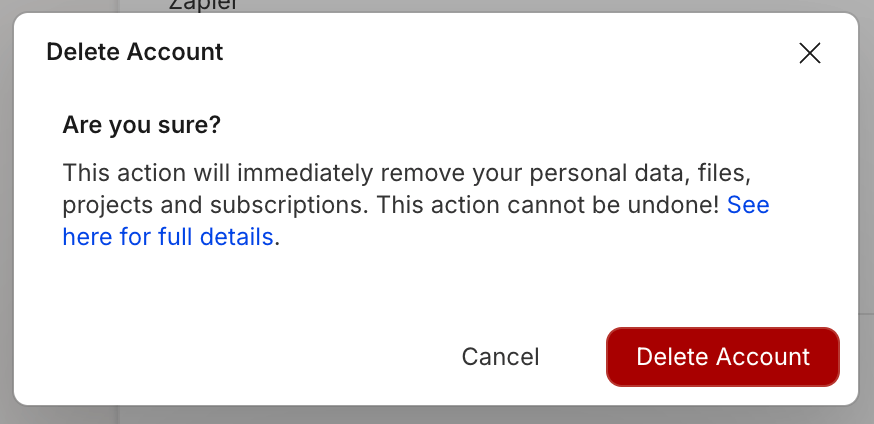
- Click Delete account. A confirmation window will appear.
- In the confirmation window, click Delete Account to complete deletion. You’ll be signed out and your account will be removed.\