

We recommend converting your script track to AI speech as early as possible in your workflow
Compositions with more edits, b-roll, and layers are more likely to see unexpected behavior when you convert.
Convert recorded audio to AI speech
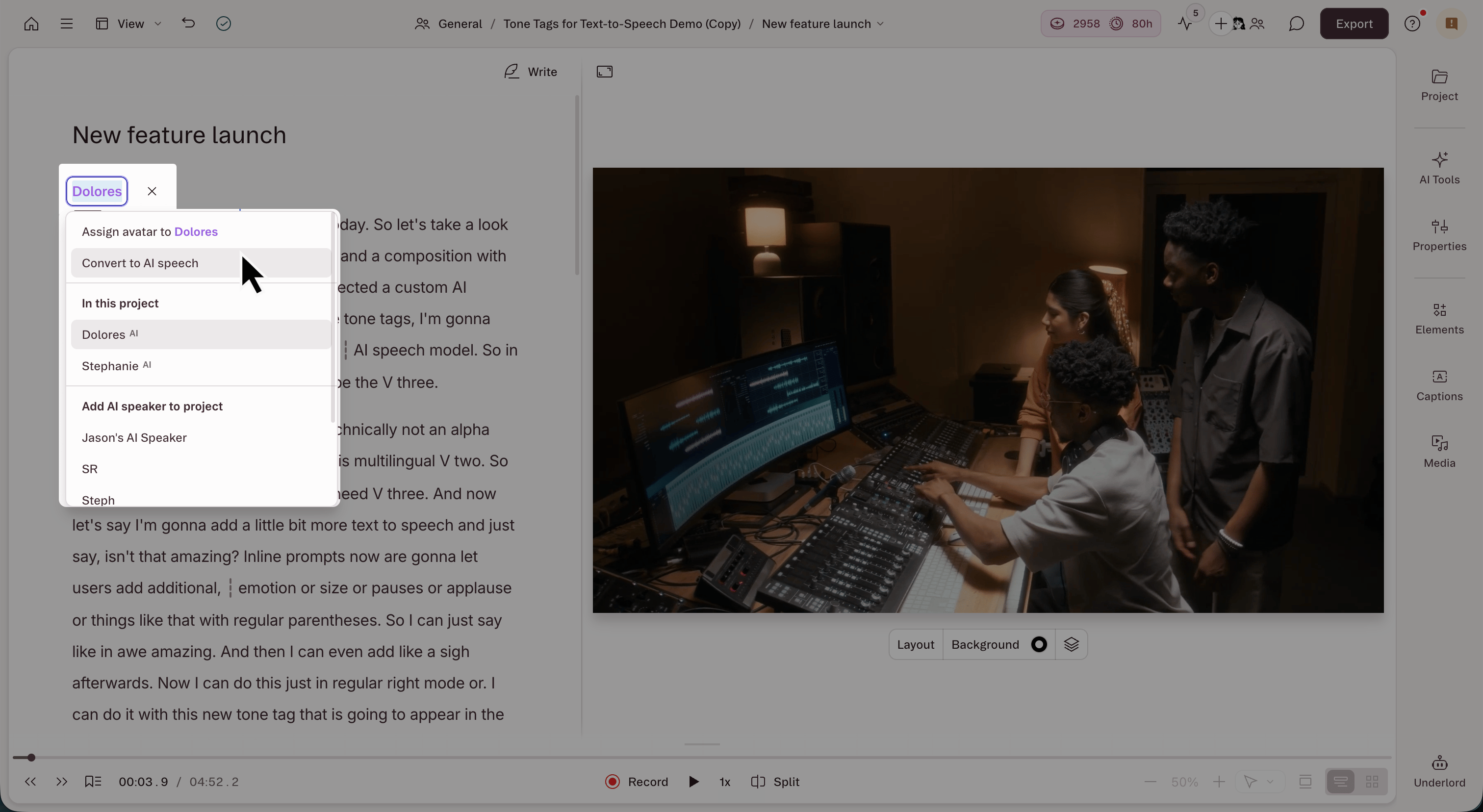
- In the script editor, click the speaker label for the recorded section you want to change.
- Choose a new voice to replace the existing audio. Select one of your own custom AI speakers from the list or Browse stock AI speakers to choose a stock voice from Descript’s built-in library.
- Re-select the speaker label, then click Convert to AI speech from the menu.
- If that speaker is labeled elsewhere in your composition, choose whether to convert just this section or all places in the whole composition where that speaker label appears.
- Click Convert to AI speech to confirm.
The new generated voiceover may not perfectly match the timing of the original content.Convert to AI speech only converts the original audio into AI speech. The new voiceover can run longer or shorter than your original recording, especially in compositions with long gaps or silence. We share a few suggestions for addressing gaps between your new audio and your original video in Fix gaps in your video.
Fix gaps in your video
Descript’s Convert to AI speech feature replaces your original audio with an AI voice, but doesn’t retime your video to match the new voiceover. This can sometimes cause a gap, or empty frames in your original video. A few ways you could address this:- Use a freeze frame: Adjust the pacing of your new audio by pausing your video on a specific frame for a few seconds.
- Cover the gap with B-roll or an image: Create a new scene with B-roll of your own, or browse Descript’s media panel.
- Slow the clip down: Stretch out the visual by slowing down the clip speed.
- Insert gap clips: If the new voiceover is shorter than your original video, convert your script to a standard audio layer, then add a gap clip or adjust the word gaps between words in your script.