

Changing the composition type
If you import an audio file into the script of a blank composition, it will automatically set your composition to audio-only. You can toggle the composition between video or audio-only by opening the menu in the top left and selecting File > Set composition to video or audio-only.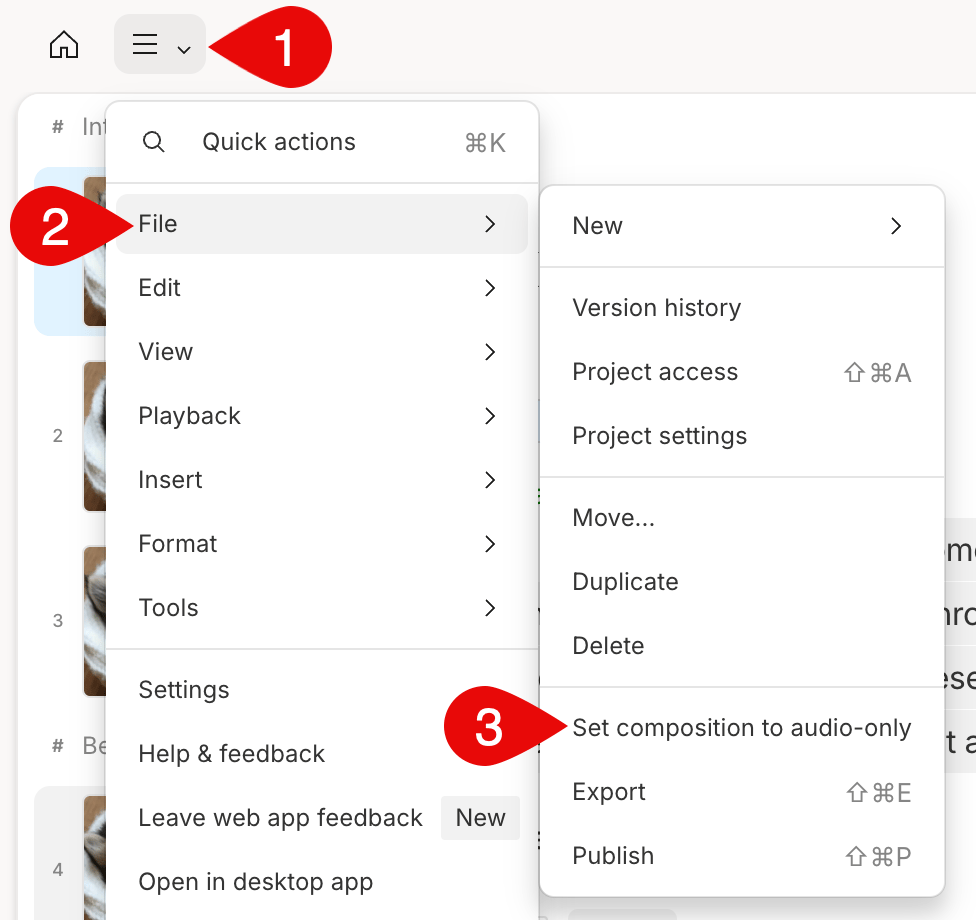
Adding visualsIf you add a video to your script, Descript ask you if you would like to switch to a video composition.
Set audio-only as the default setting
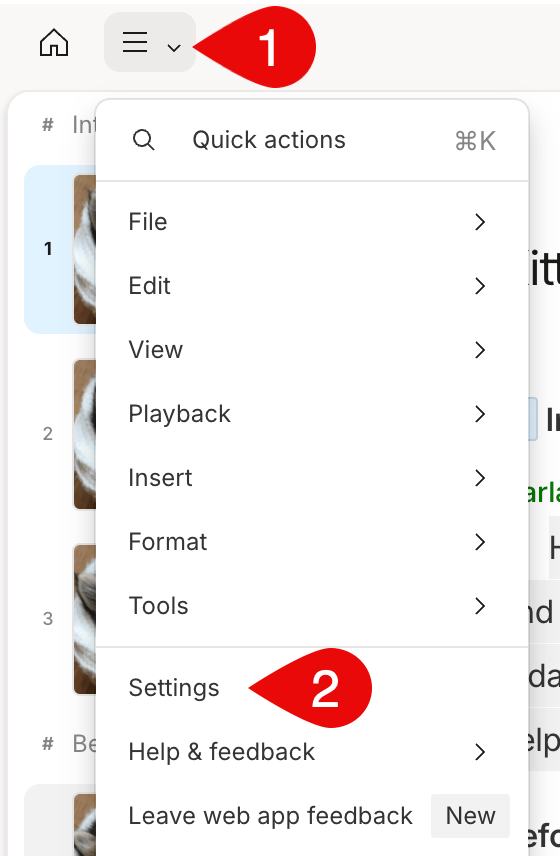
You can set your default project type from your App settings.- Click the menu in the top left corner.
- Select Settings to open your App settings.\
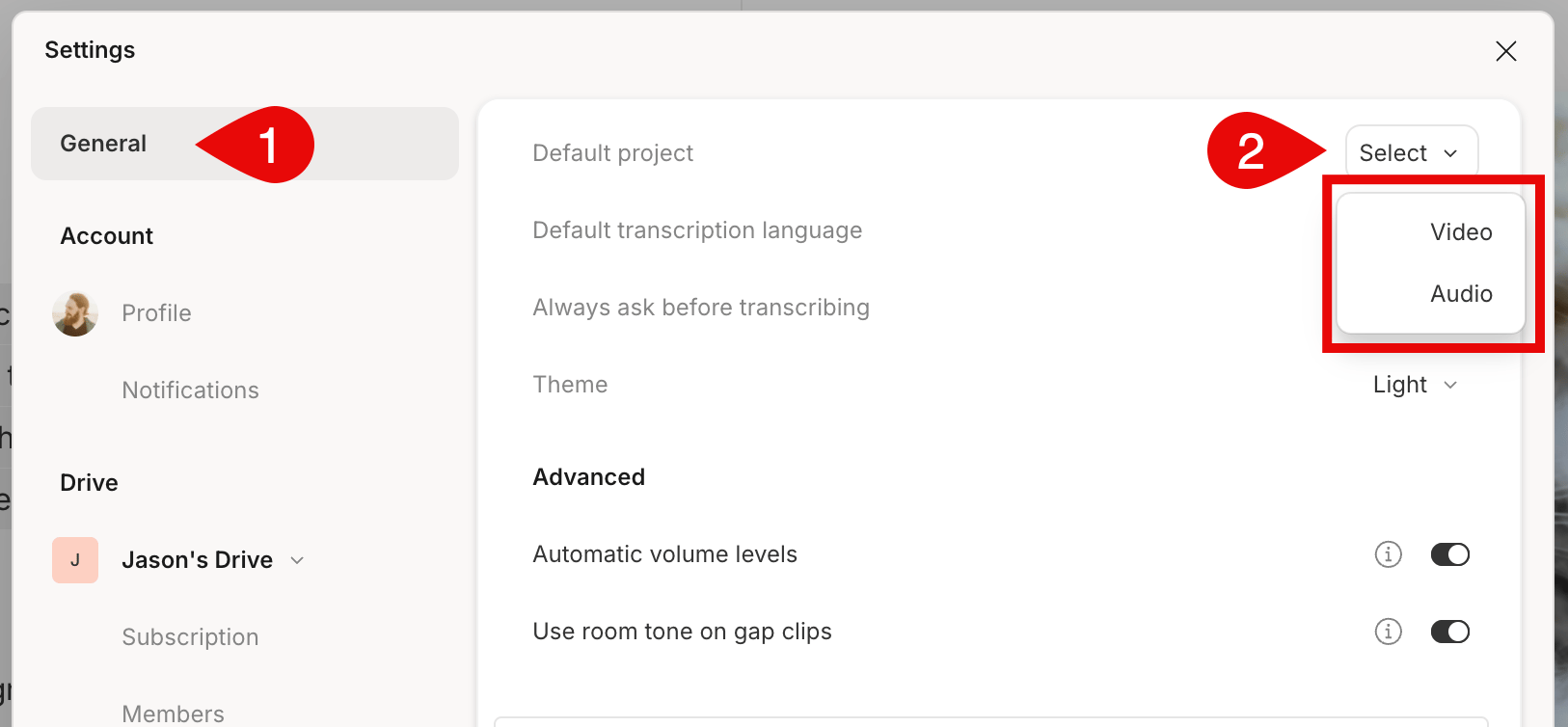
- Click the dropdown next to Default project and choose Audio.\
Considerations when switching from video and audio-only
If you have a composition where you have created video content, there are a few things to remember before switching your composition to audio-only.- If you do not need to edit the content further, you can always export your video composition as an audio file.
- Video layers will still be visible in your timeline when switching to audio-only.
- You cannot export a video file while working in an audio-only composition; you will need to switch the composition back to a video to export a video file.