

Create a new Show from your Dashboard
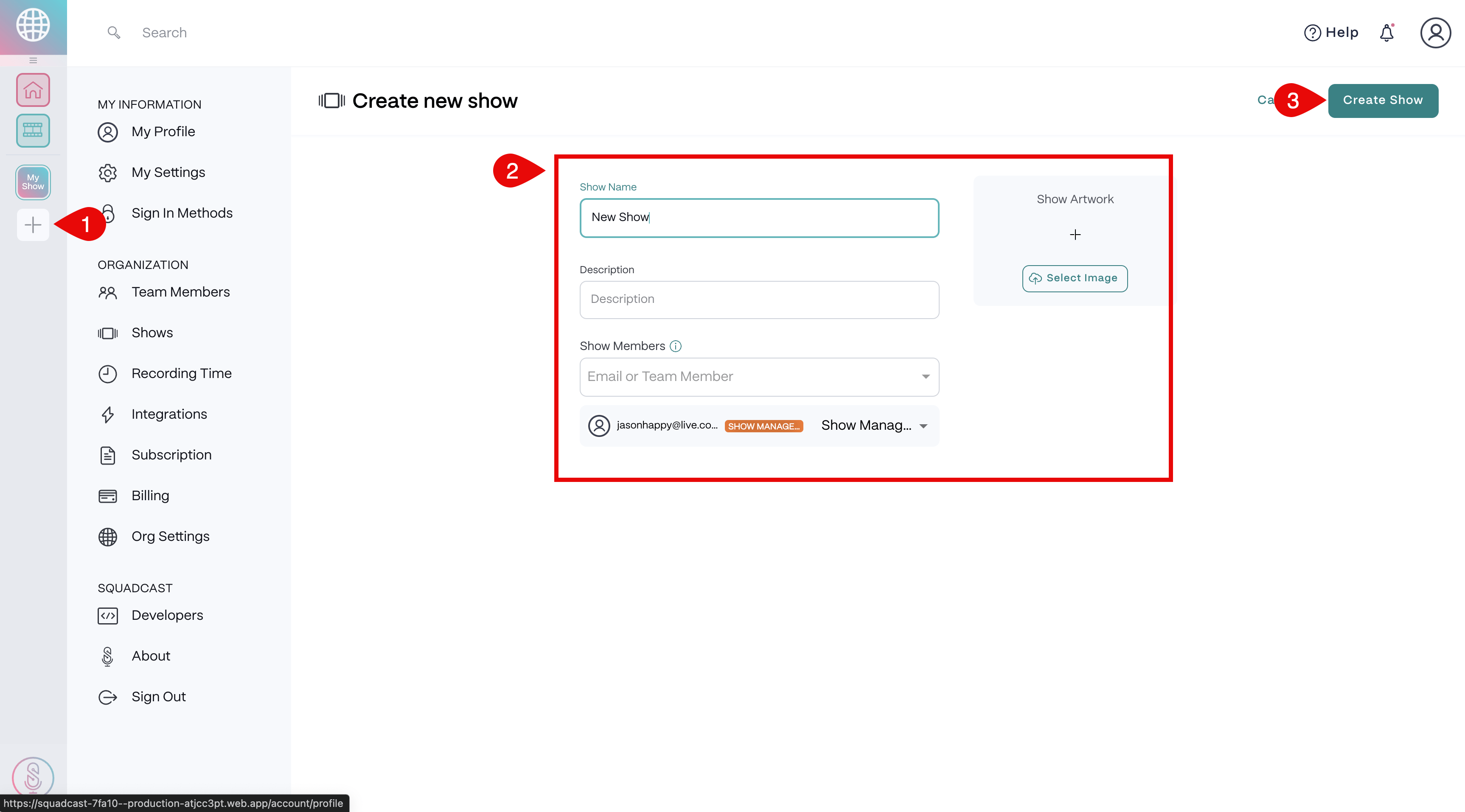
- Select the Add Show button on the left side of the Dashboard.
- Enter a Show Name and description, and add Show Members.
- Upload Show Artwork.
- Click Create Show at the bottom to finish. \
Edit a Show from your Dashboard
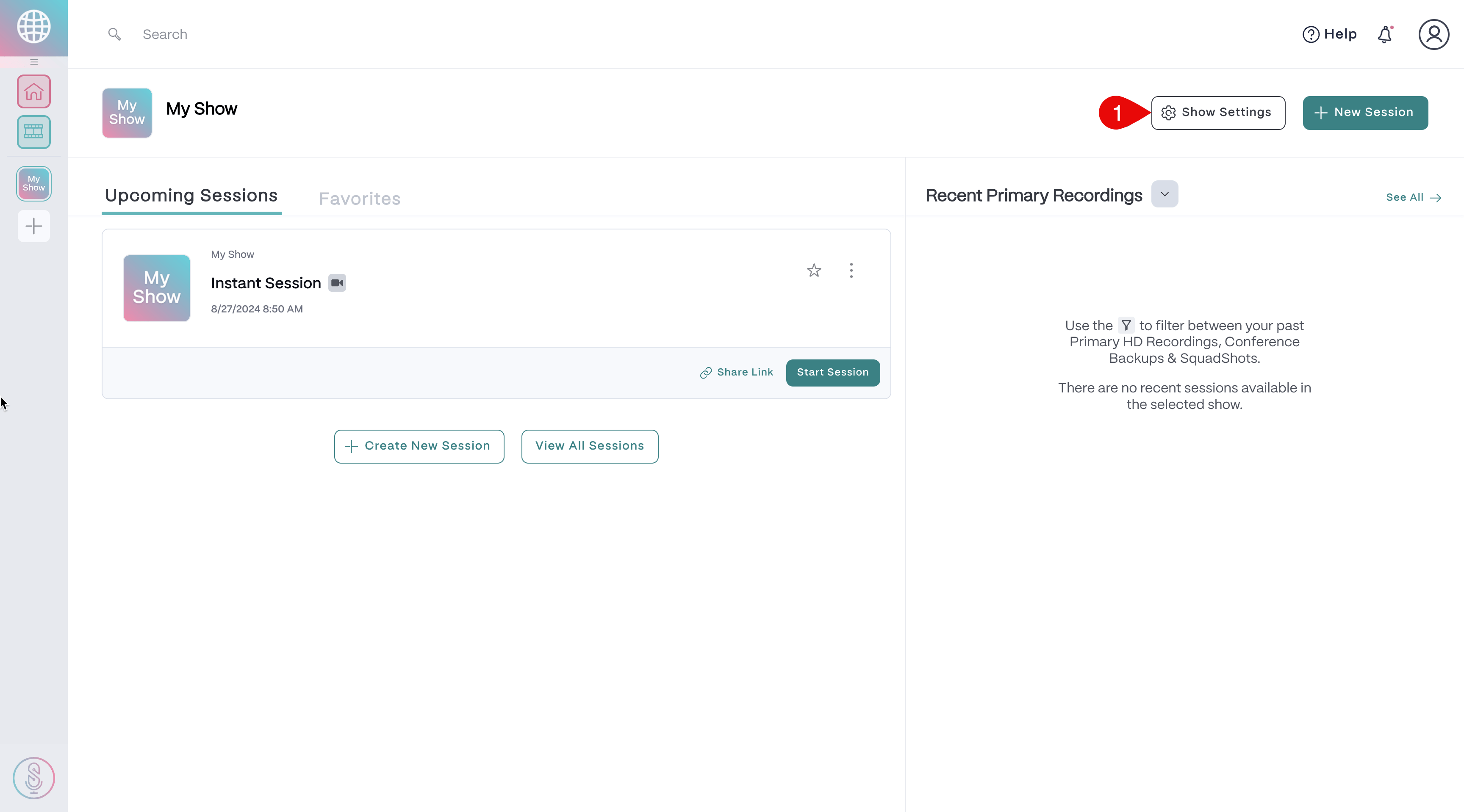
- Select the Show on the left side of the Dashboard.
- In the top right corner, select the Show Settings button.
- Make necessary changes.
- Click Save Changes on the top right to update.\
Delete a Show from your Dashboard
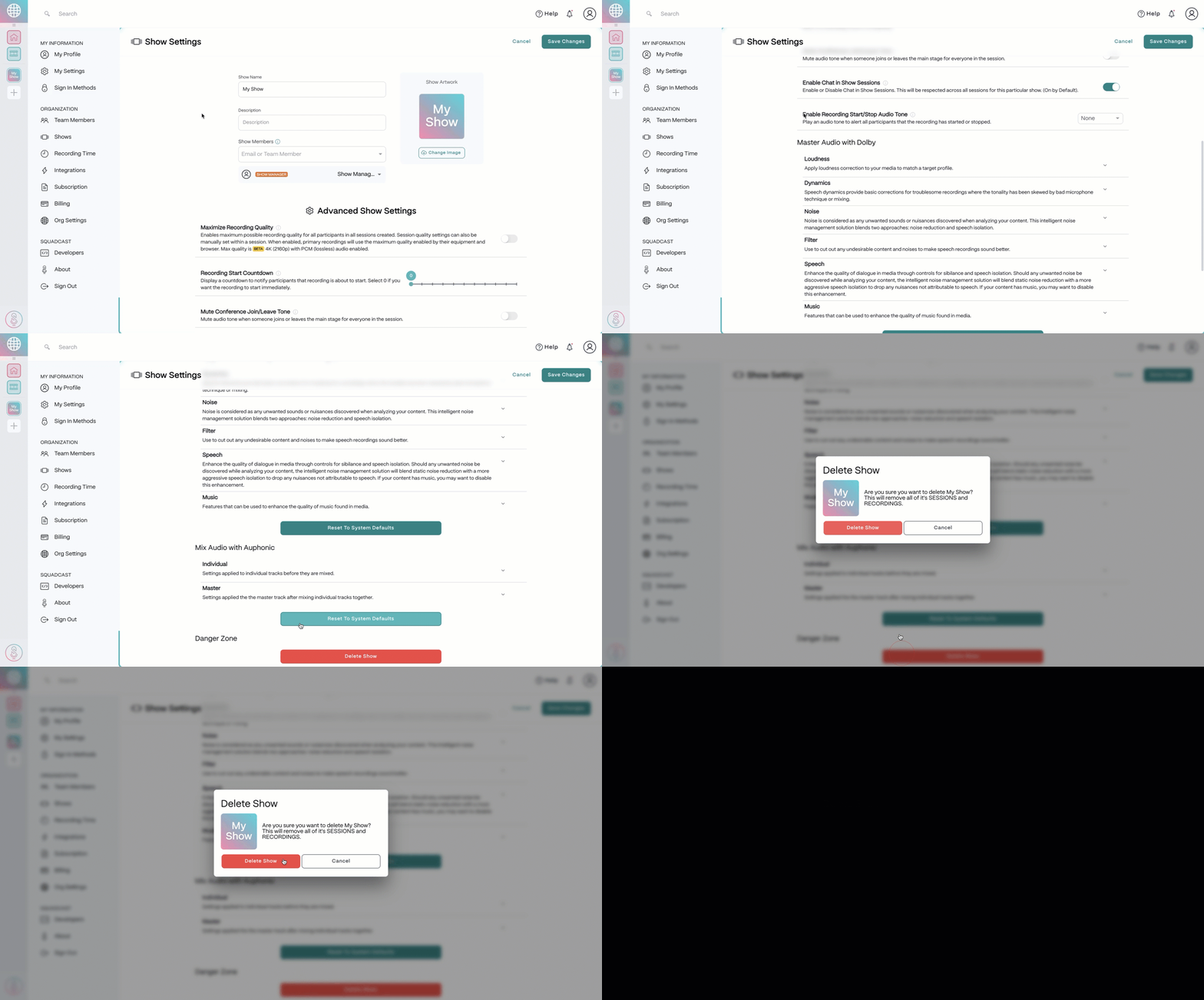
- Select the Show on the left side of the Dashboard.
- In the top right corner, select the Show Settings button.
- Select Delete Showat the very bottom.
- In the confirmation window, select Delete Show again to confirm deletion.\
Show Settings pageShows can also be created, edited, and deleted on the Show Settings page.