

How to create a new API key
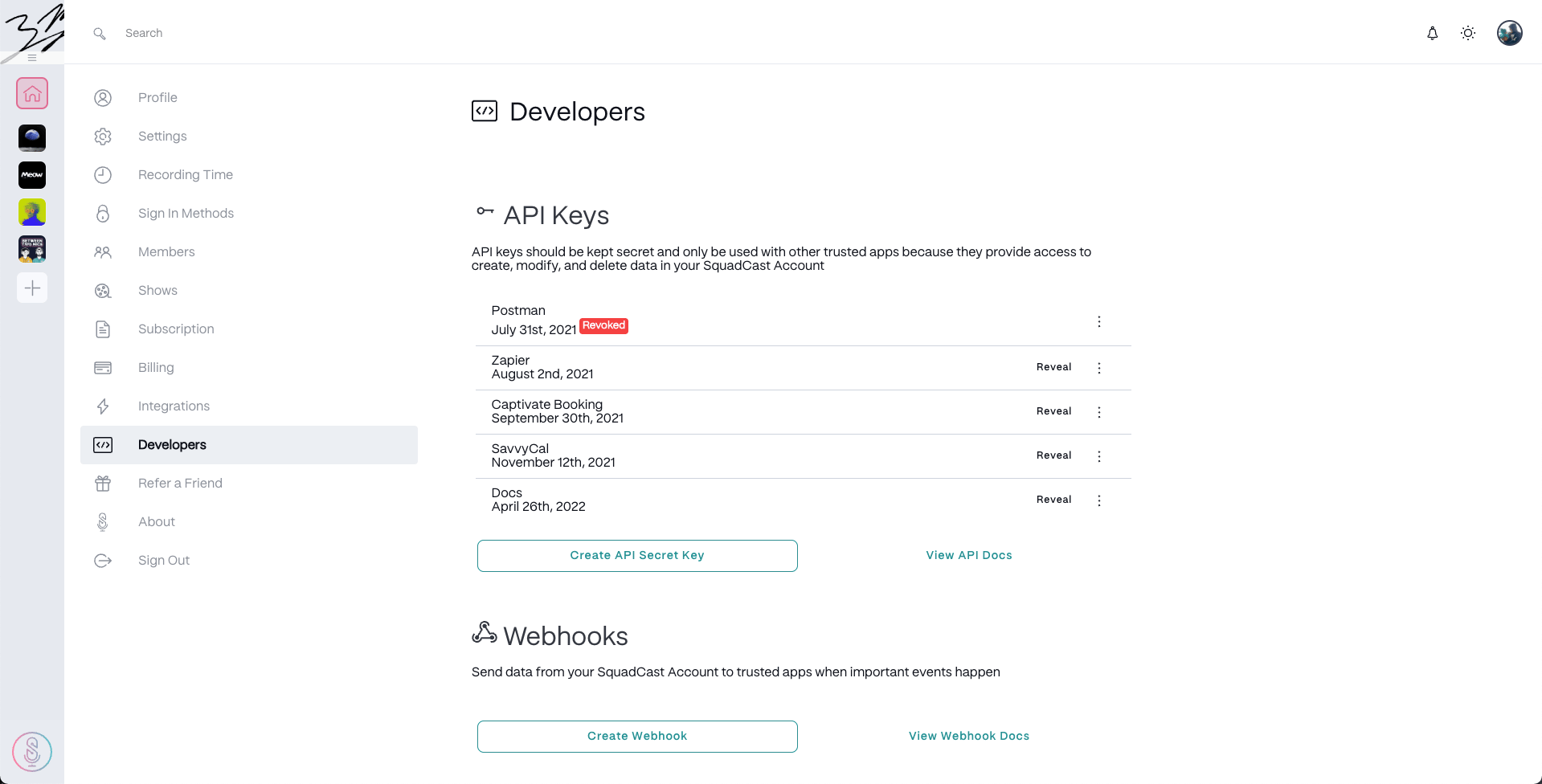
- Go to your SquadCast account settings and select the Developers tab in the left-hand menu.
-
Click Create API Secret Key.
-
Enter a name for your key and click Confirm.
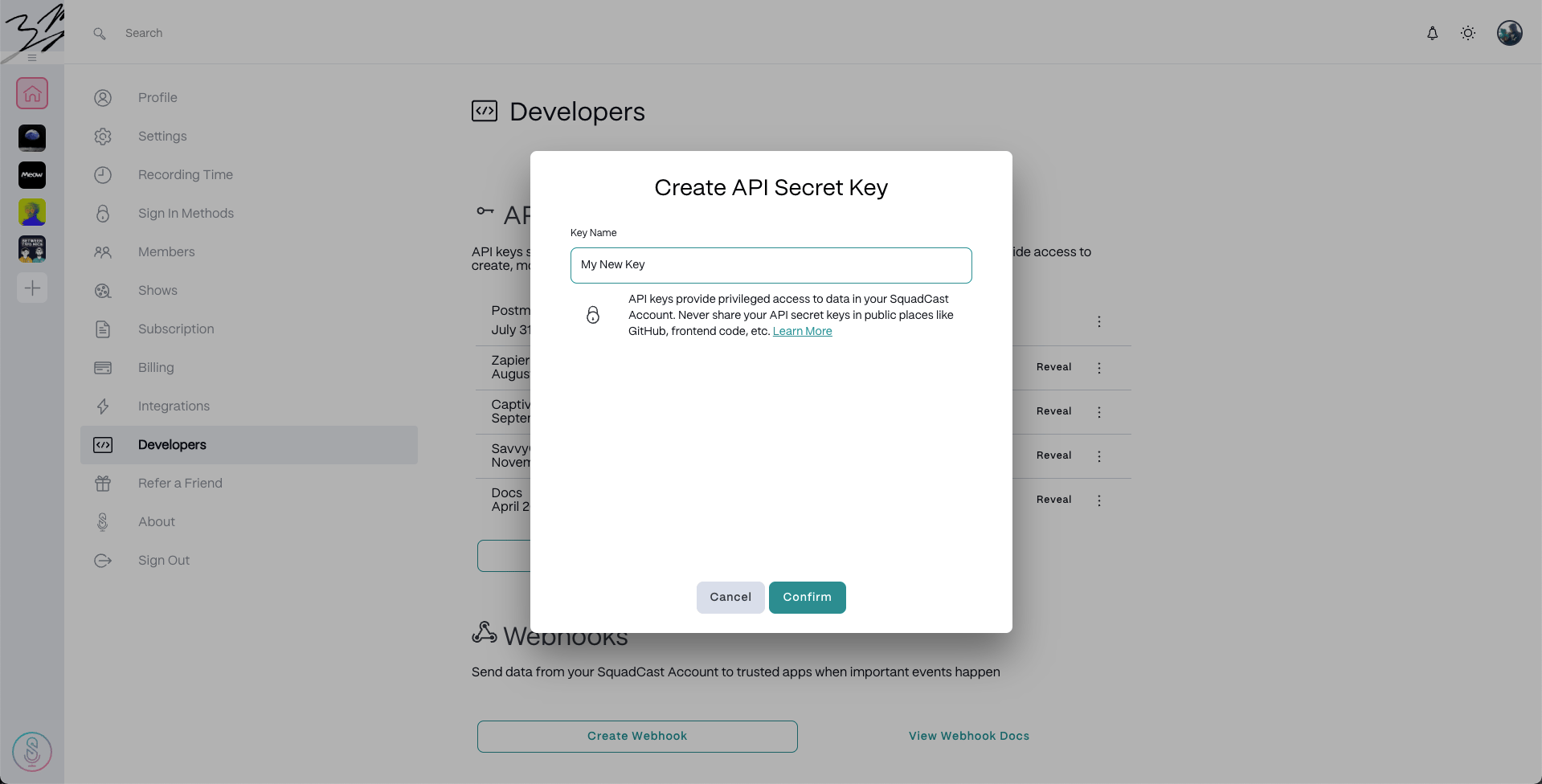
Key naming tips
- Use the name of the app you’re connecting with the key.
- Create a separate key for each app. That way, you can revoke access to a specific app if needed.
API Key options
Once created, you can manage your API keys from the same Developers tab:- Click Reveal to view a key.
- Click the

- Copy to Clipboard – copy the key for use in other apps
- Revoke Access – immediately disable a key
- Reactivate – re-enable a previously revoked key
- Apply Backwards Compatibility – assign a default Show for apps that don’t support multi-step factorization
- Click View API Docs to open the full developer documentation.
What is Backwards Compatibility?This setting is used for integrations that can’t support multi-step factorization. It allows you to assign a default Show. If no Show is specified in an API call, SquadCast will default to the first Show in your Organization.