- Before you start, you will need both a SquadCast and a Captivate account to complete this integration.
-
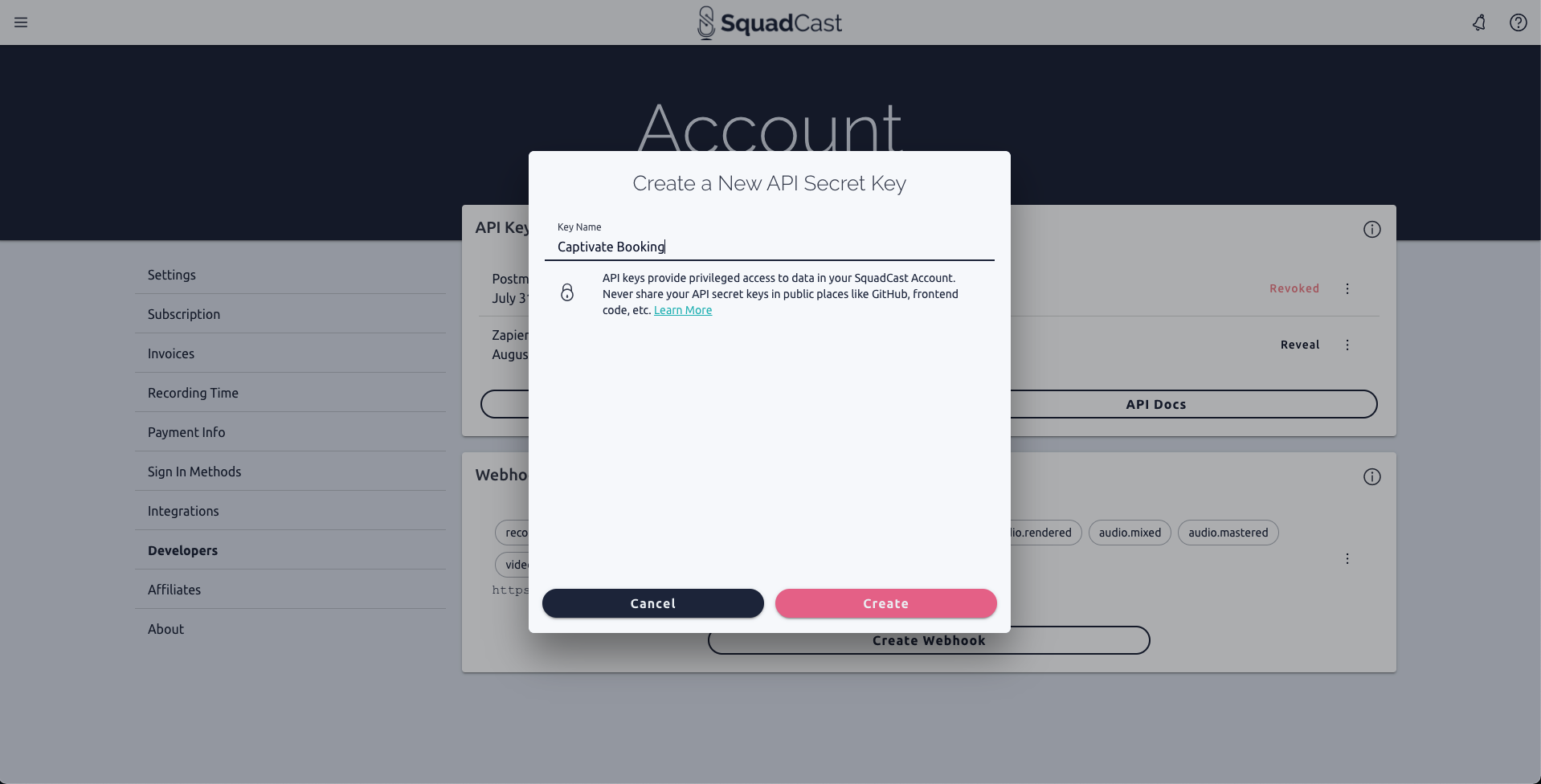
Create a new API Secret Key within your SquadCast Account Settings. We recommend the name “Captivate Booking.”
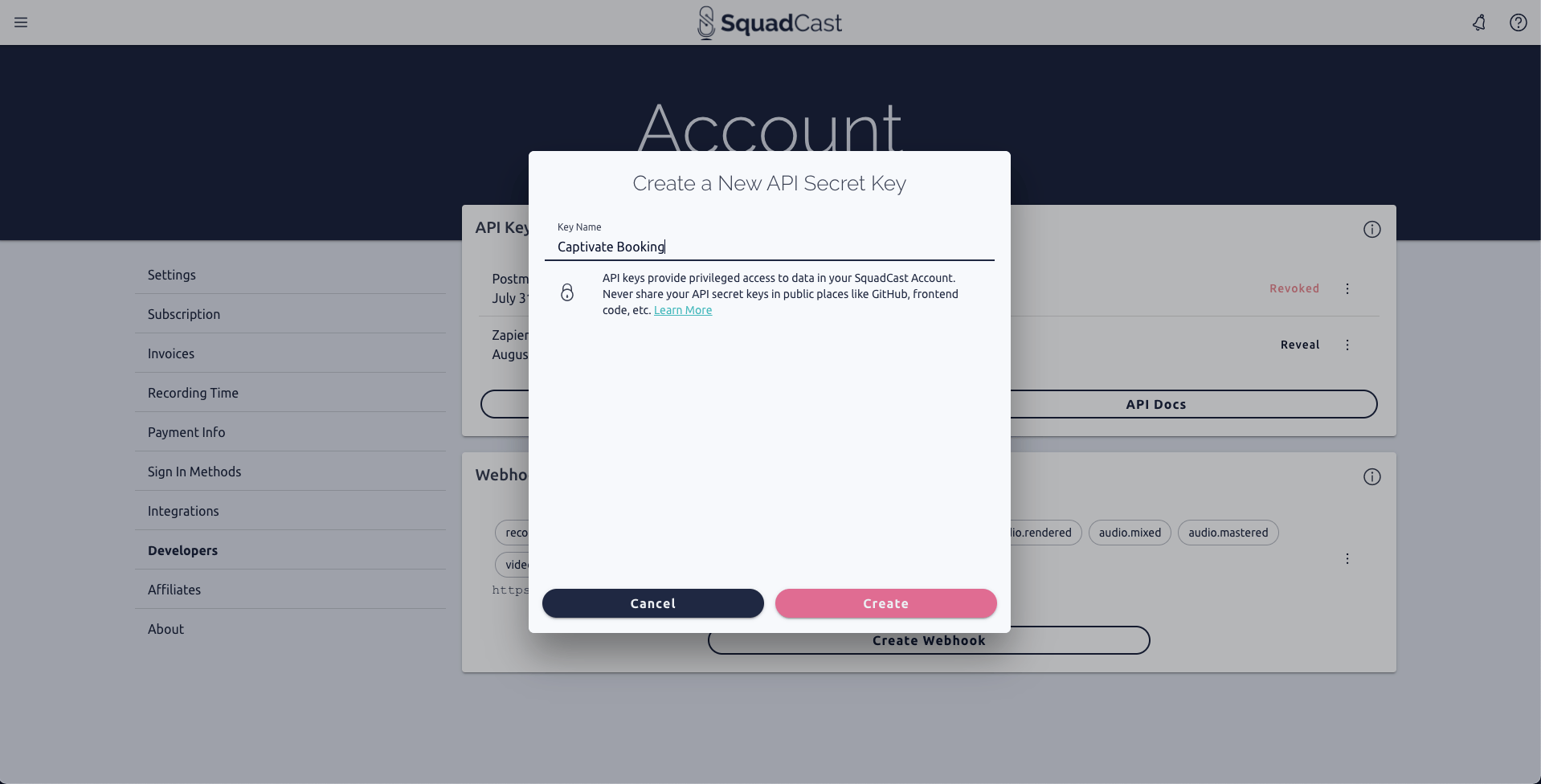
- Copy the new API Key to your clipboard.
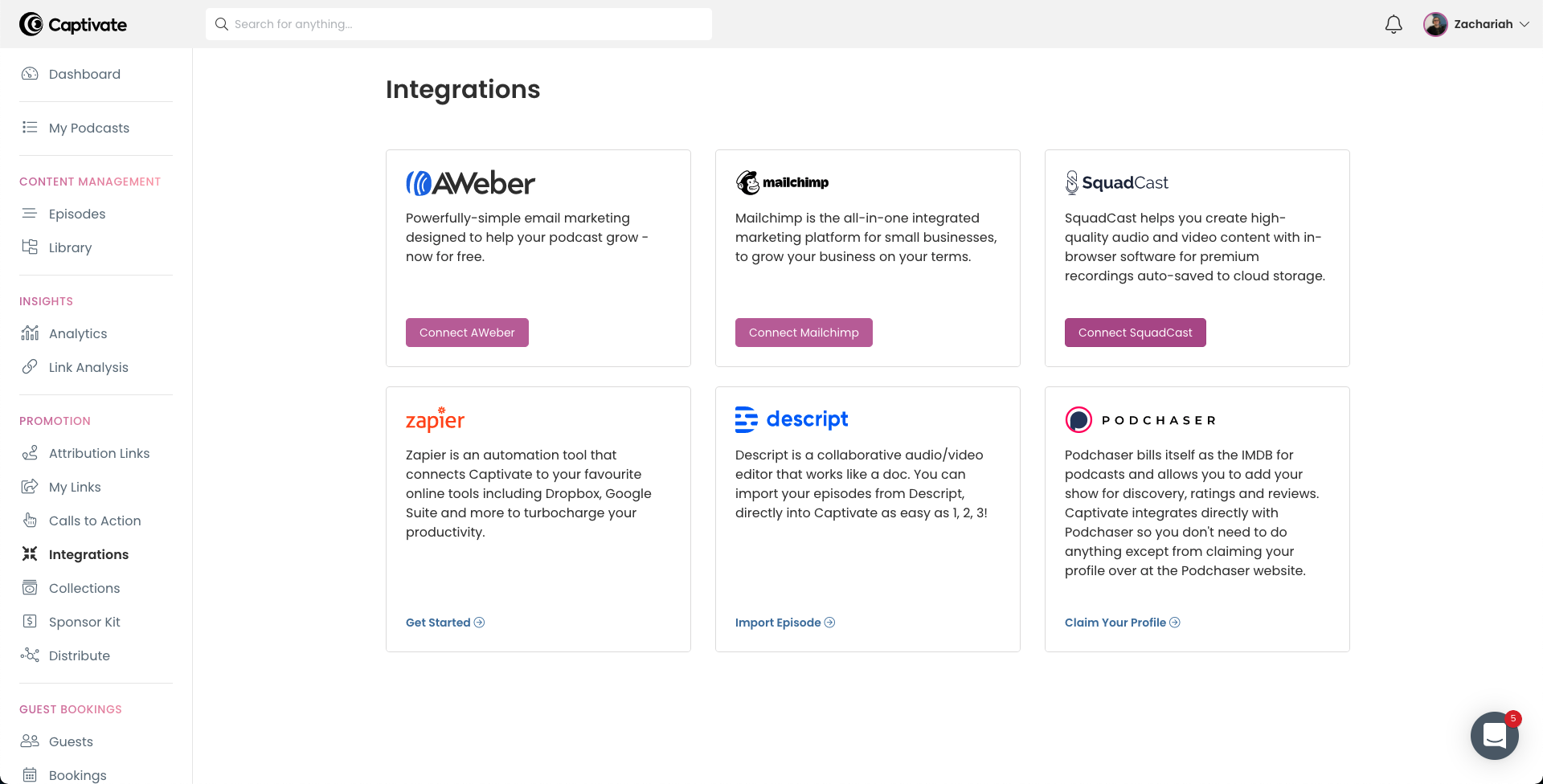
- Navigate to your Captivate Dashboard.
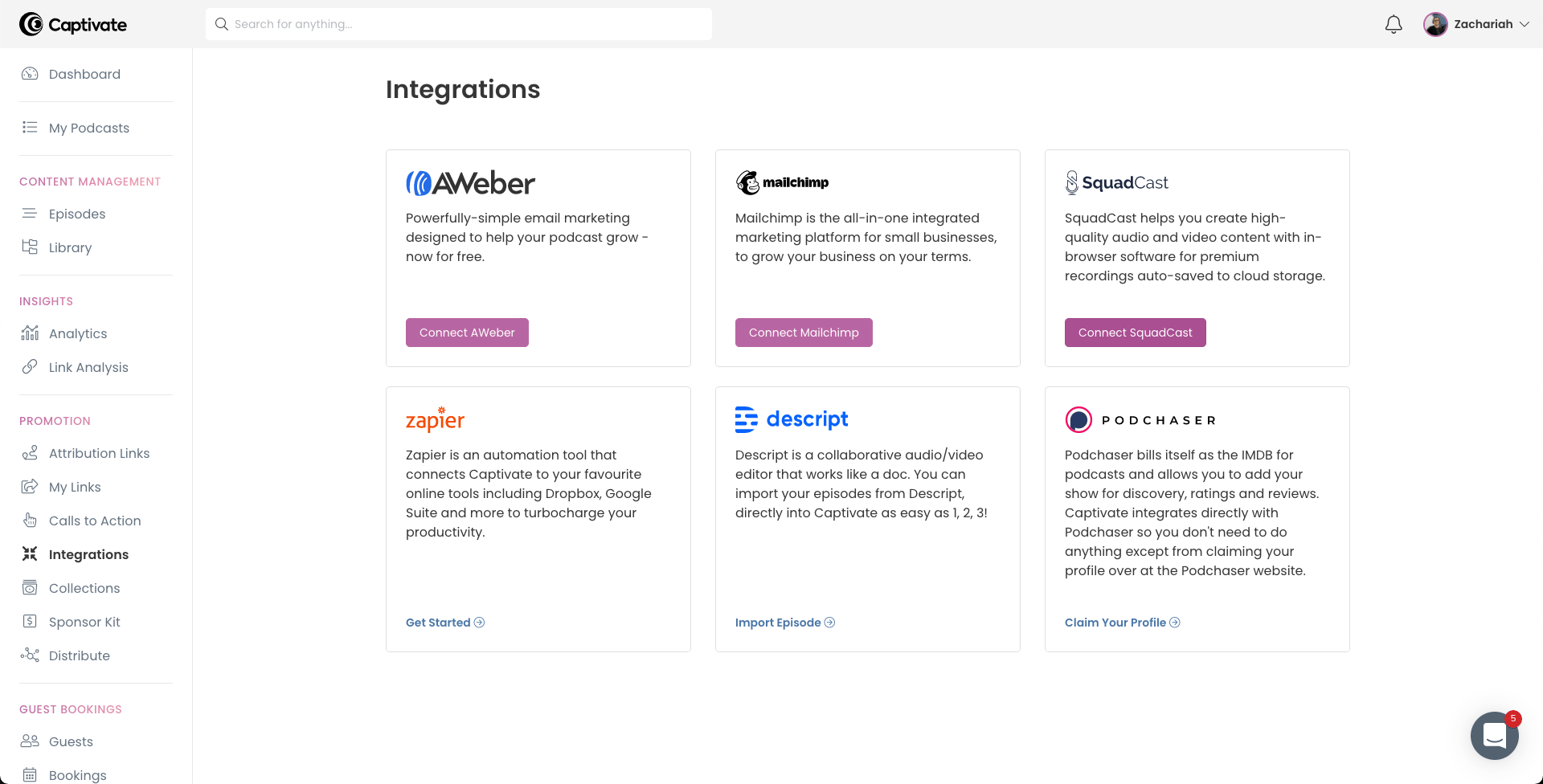
- Select Integrations under the Promotion section within the sidebar on the left.
-
Click the Connect SquadCast button.
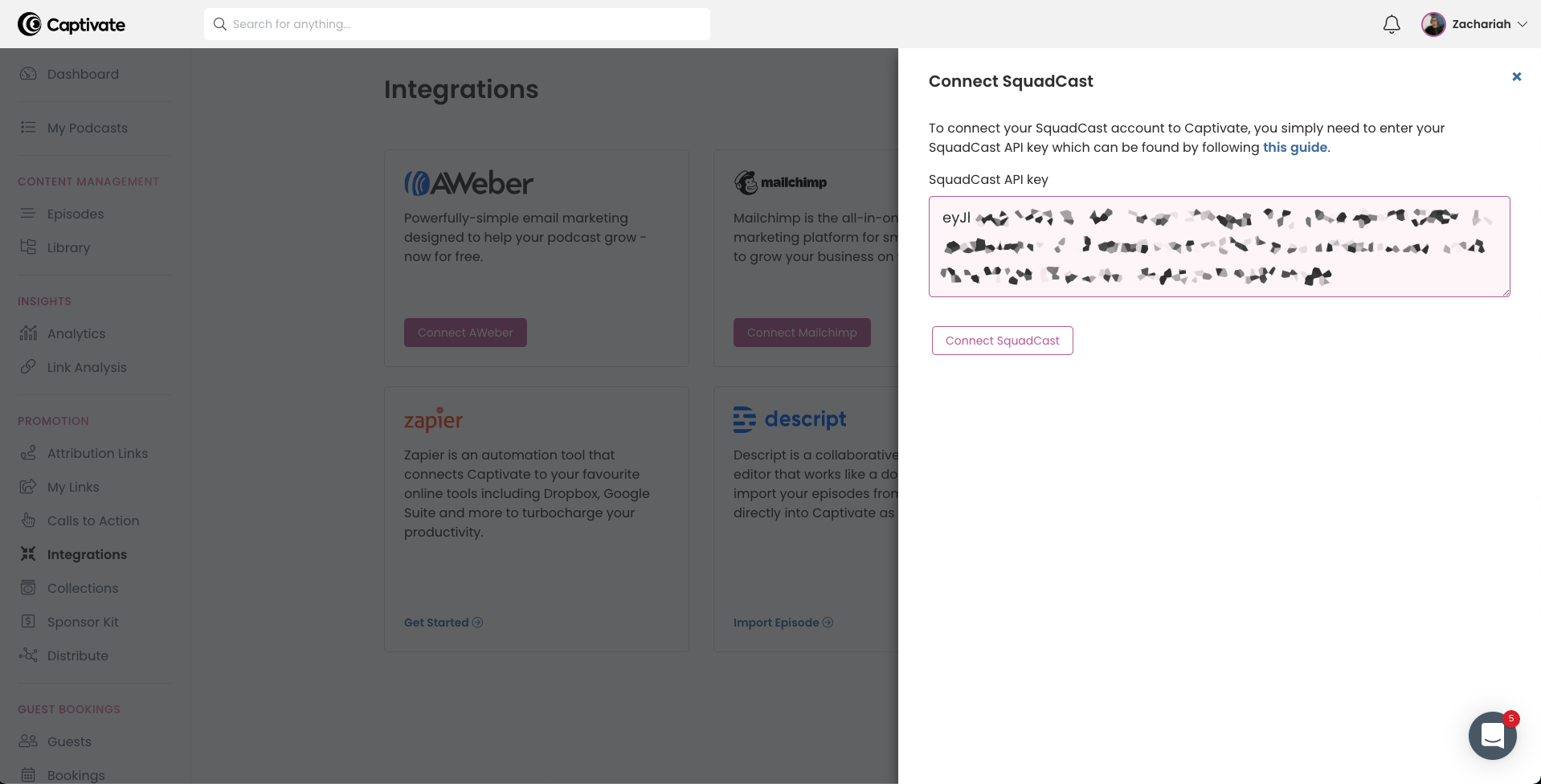
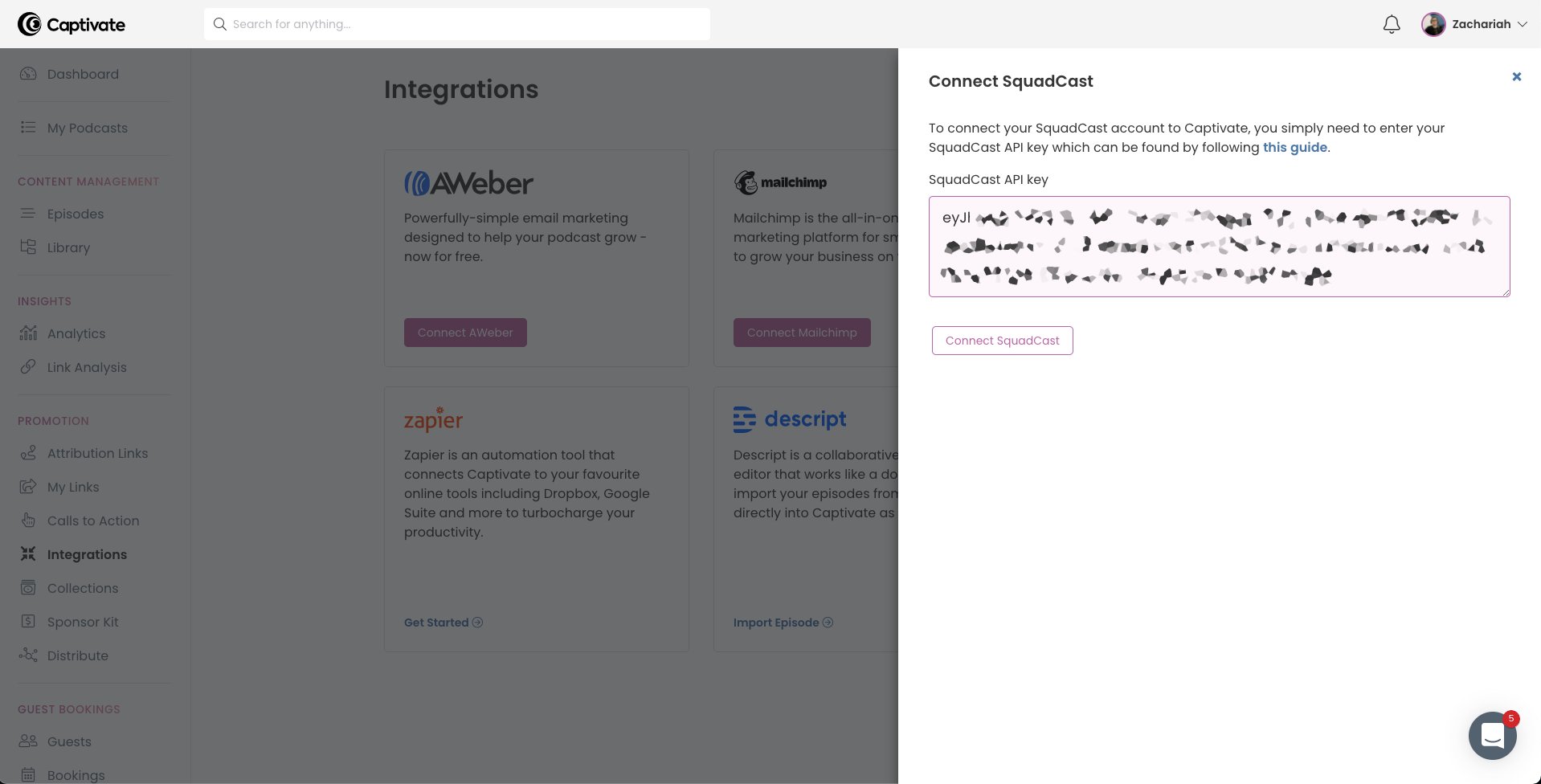
- Paste the new API Key into the SquadCast API Key field.
-
Click the Connect SquadCast button to save it.
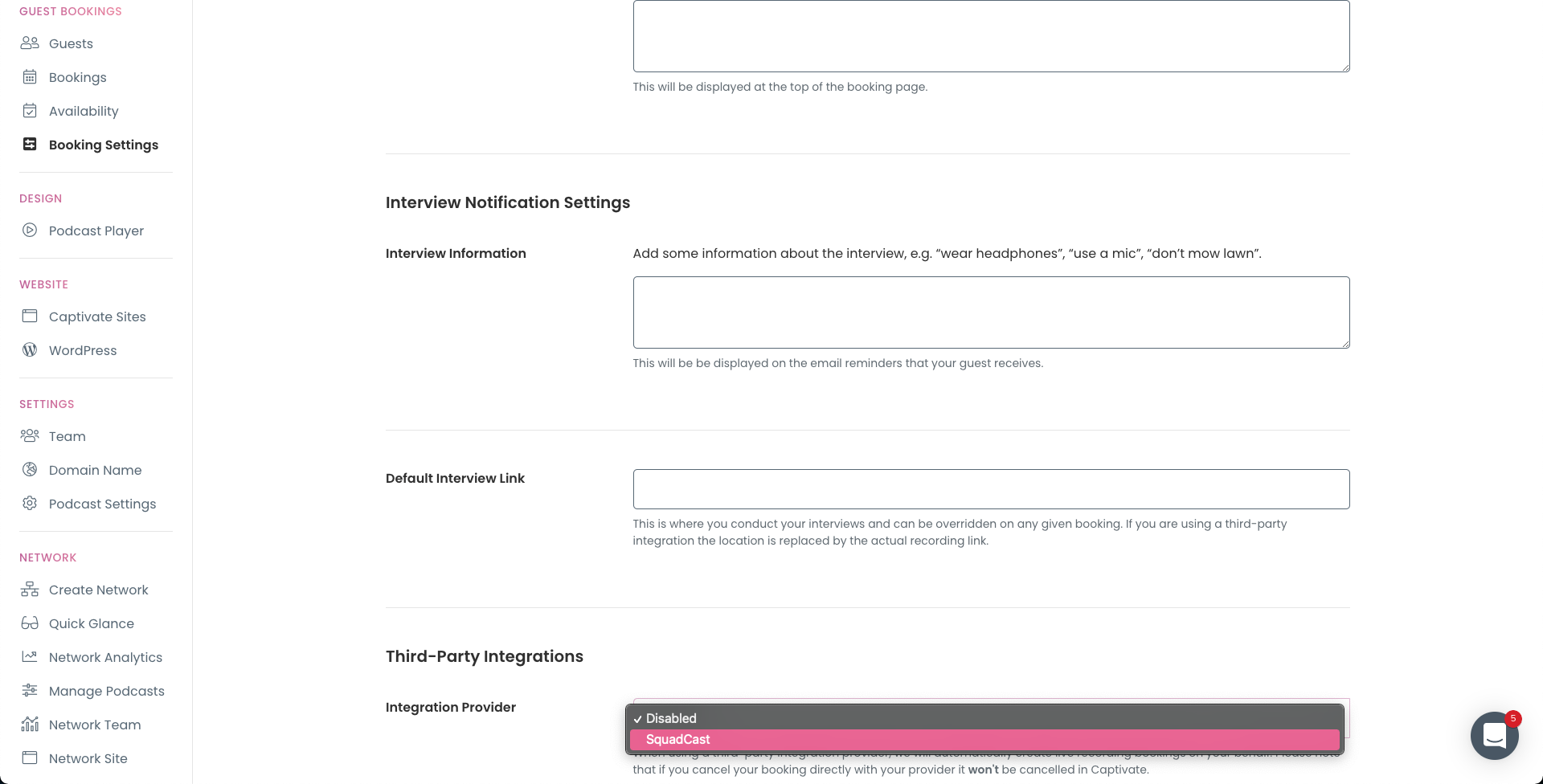
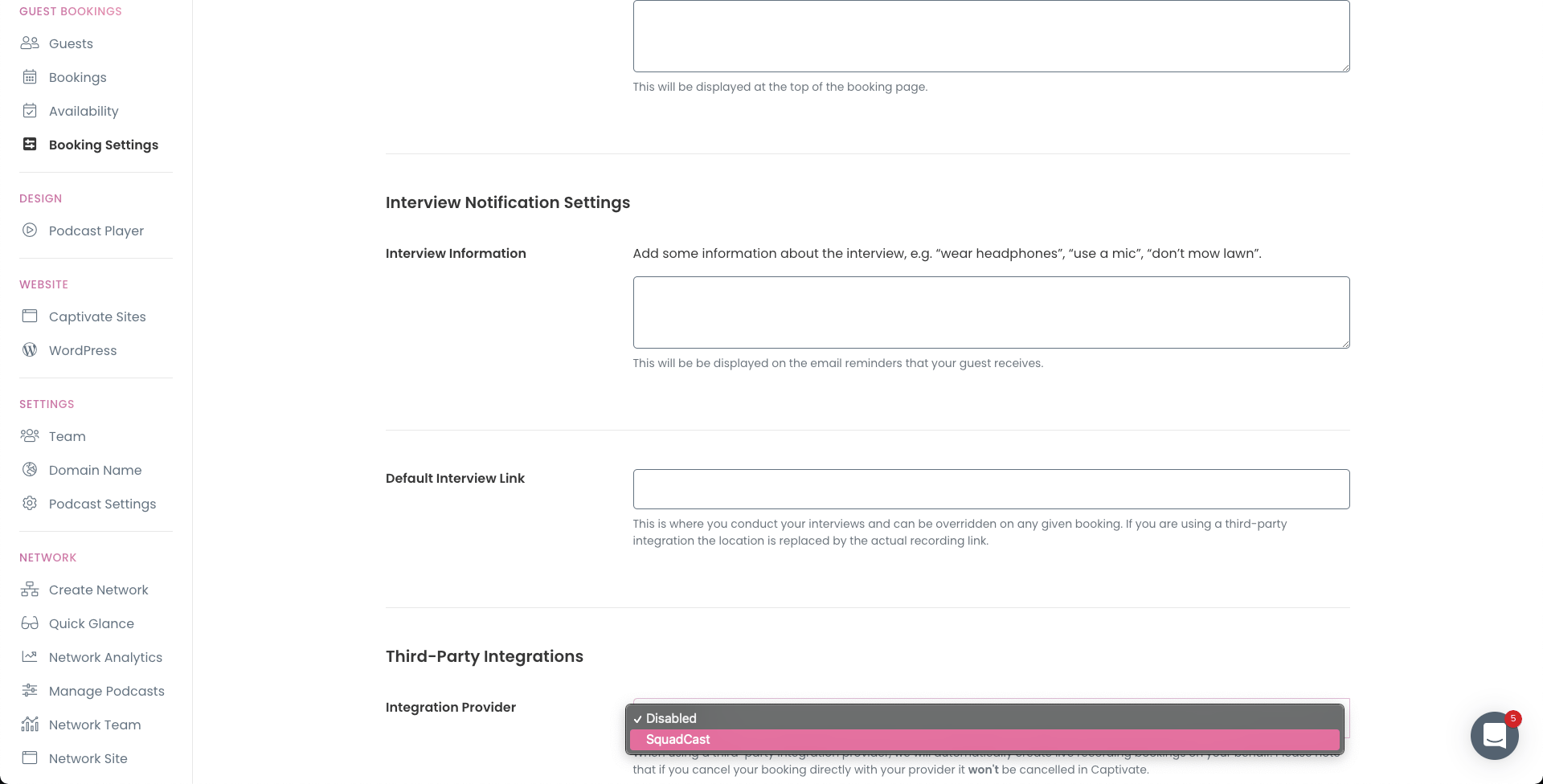
- Select Booking Settings under the Guest Bookings section within the sidebar on the left.
- Scroll down to the Third-Party Integrations section and click the Integration Provider dropdown menu.
-
Select SquadCast and click the Save Changes button to lock it in.
SquadCast guest booking with Captivate
Connect SquadCast with Captivate so guest bookings automatically create recording sessions.
With SquadCast connected to Captivate guest booking, a guest booking a time slot automatically creates the SquadCast session you’ll both join to record.