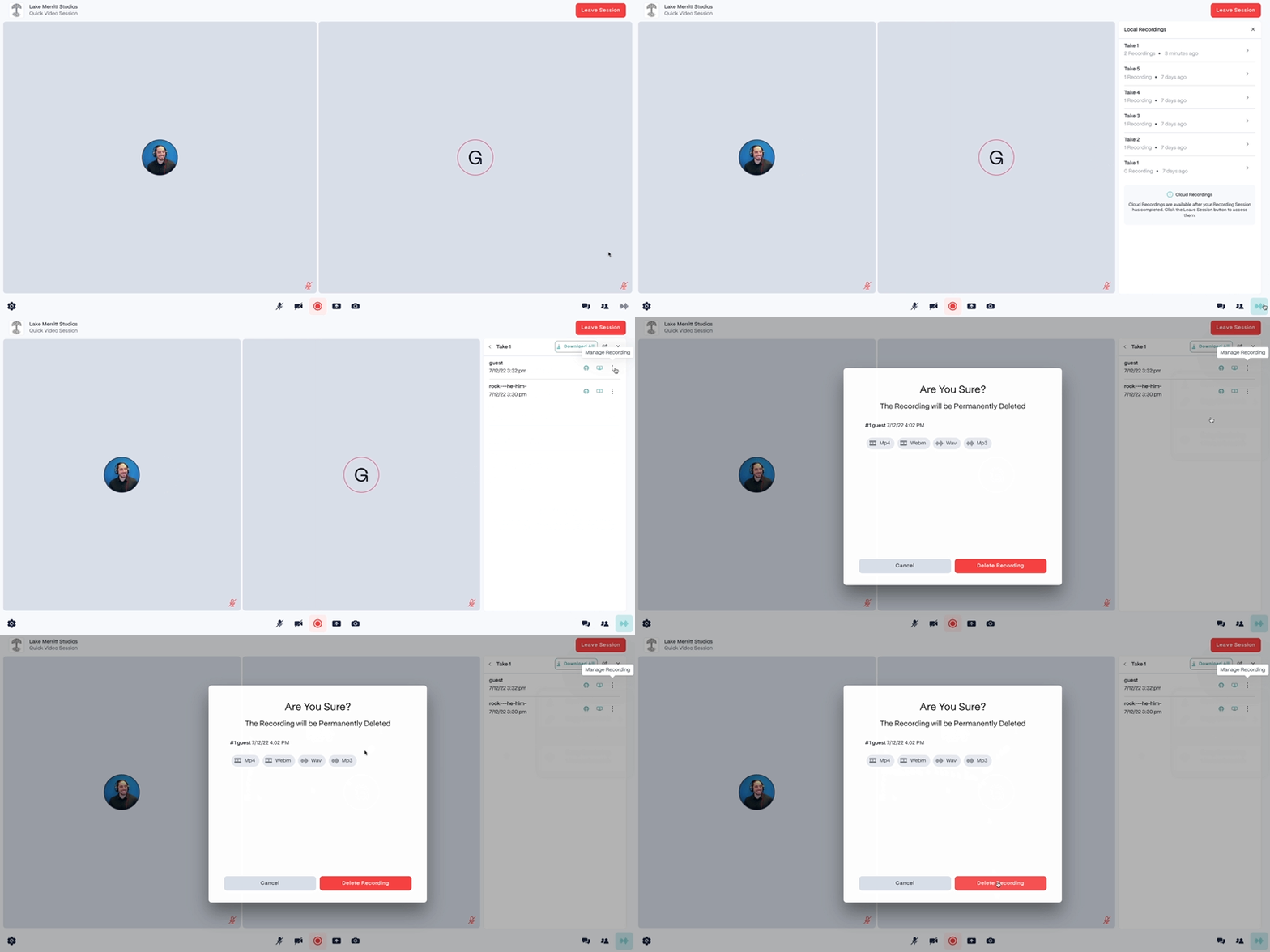
Deleted recordings cannot be recoveredPlease note that deleting recordings is a permanent action that cannot be reversed. Deleted recordings will be removed from our servers and cannot be recovered.
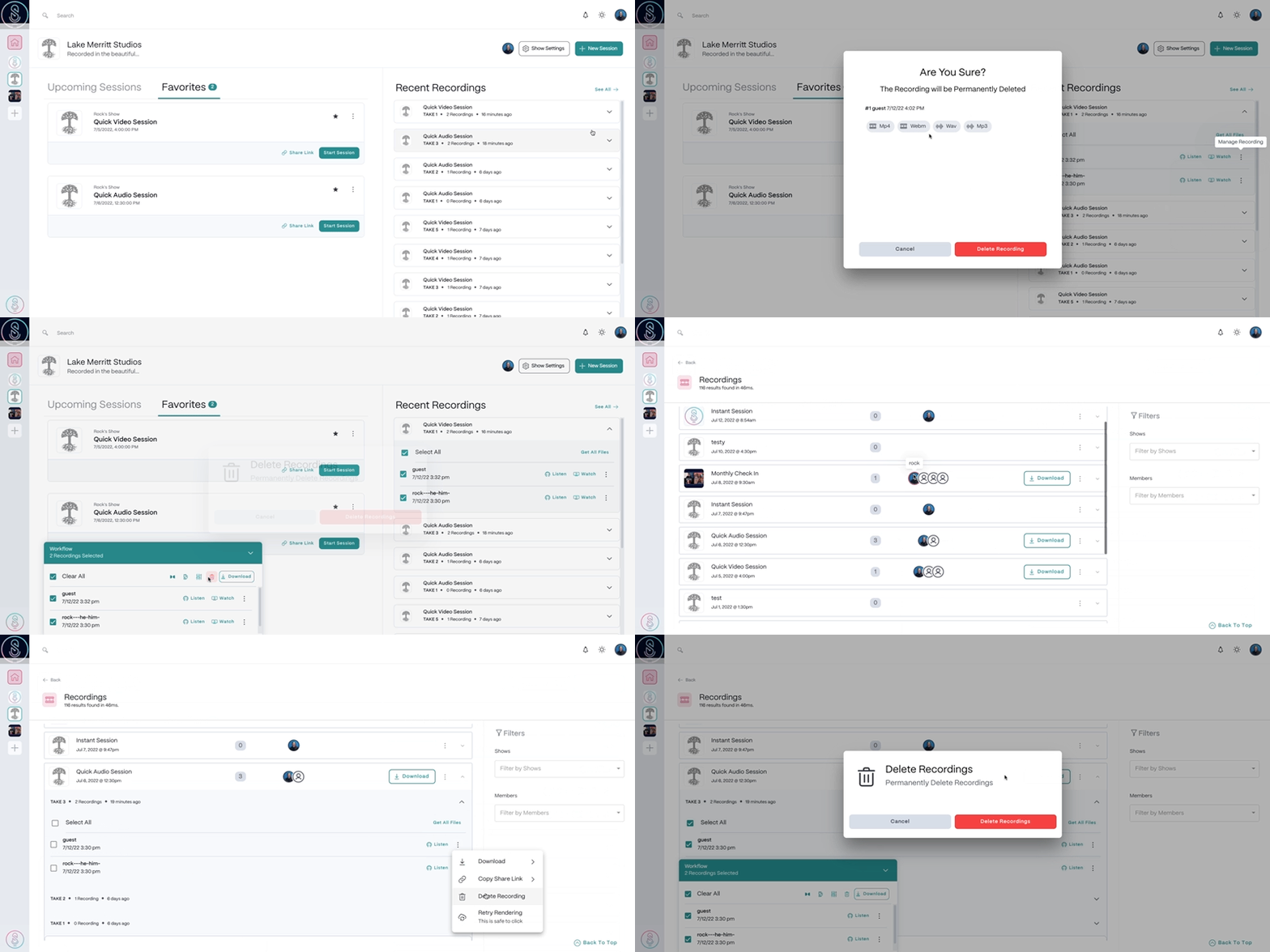
Delete recording files from the Dashboard
- Select the Recordingstab in the top left corner of the SquadCast Dashboard.
- Locate and select the session you would like to delete files from, then select the Take.
- Select the
 Manage Recordingbutton next to the file, then select Delete Recording.
 - In the confirmation window that appears, select Delete Recordingagain to confirm deletion. The recording file will now be permanently deleted.
Delete recording files from the SquadCast Studio
- From within a session, click the recordings button in the lower right corner, or press
Command + 8(macOS) orControl + 8(Windows). - Locate and select the Take you would like to delete files from.
- Select the Manage Recordingbutton next to the file, then select Delete Recording.
- In the confirmation window that appears, select Delete Recordingagain to confirm deletion. The recording file will now be permanently deleted.