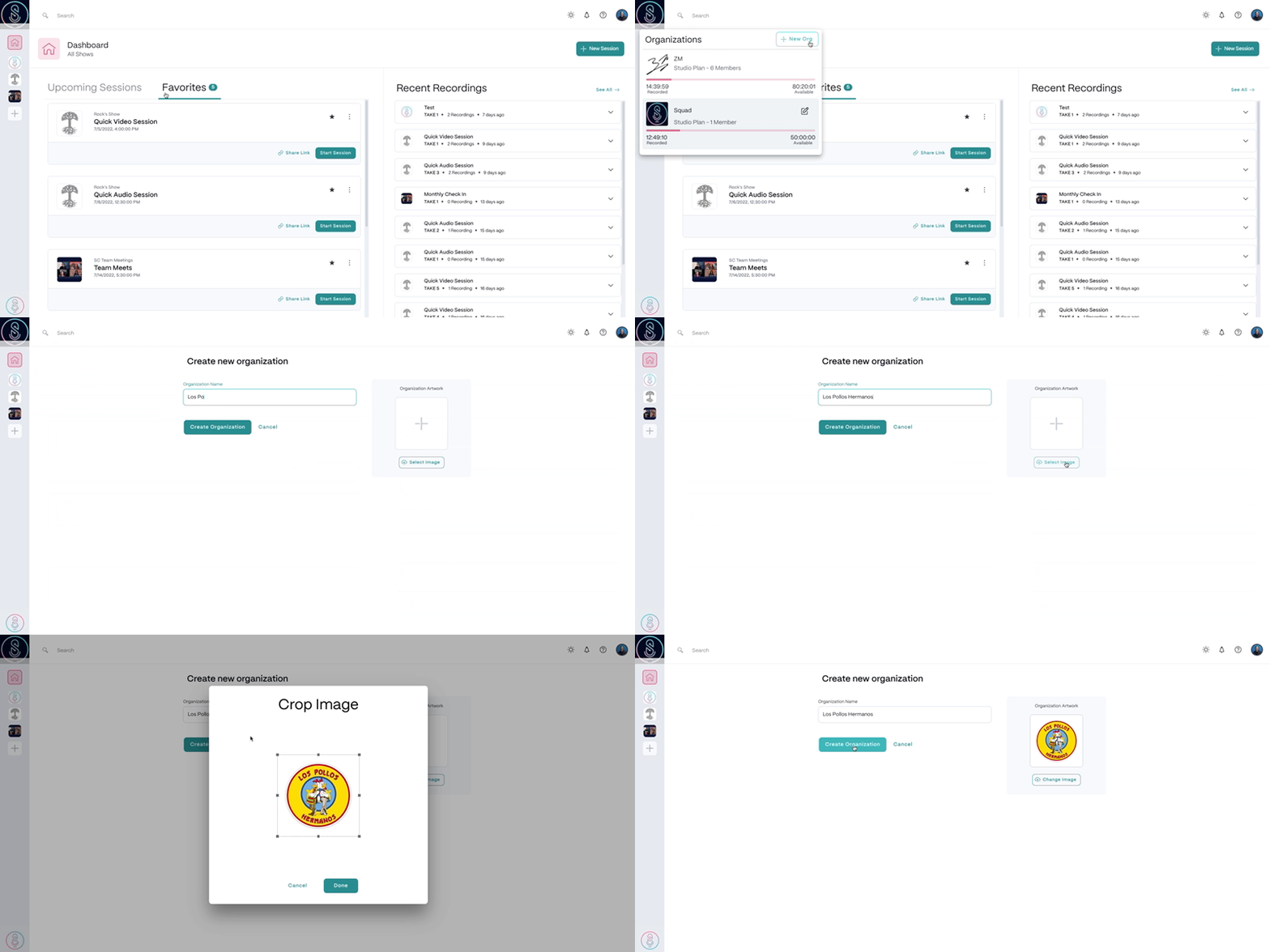
To create a new organization, in the top left corner of your Dashboard
- Select the Organization icon and click Add Organization.
- Enter and Organization Name.
- Select Organization Artwork.
- Then, finish by selecting Create Organization.
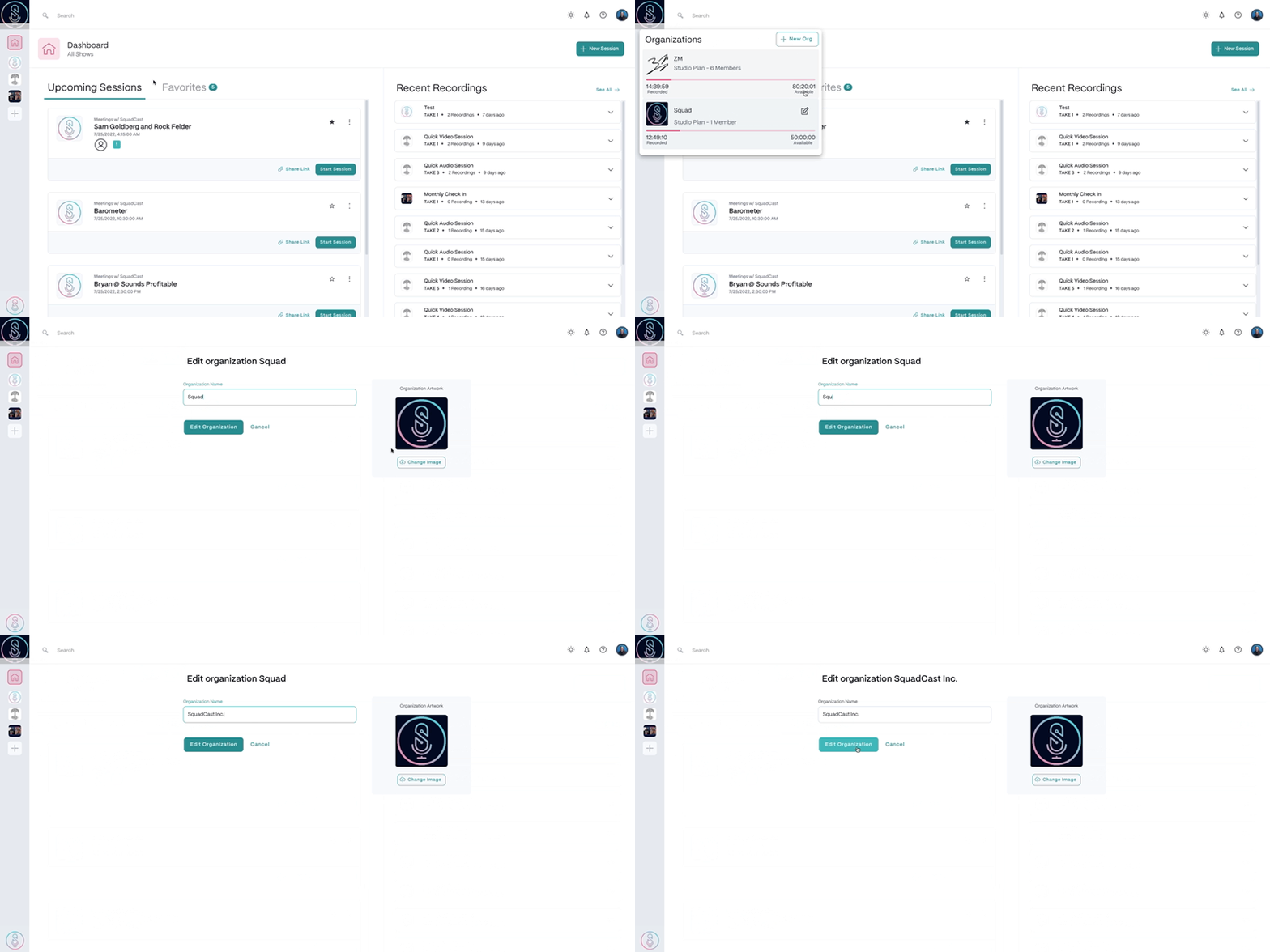
To edit an organization, in the top left corner of your Dashboard
- Select the Organization icon and click the edit icon.
- Make necessary changes.
- Confirm the changes made.