

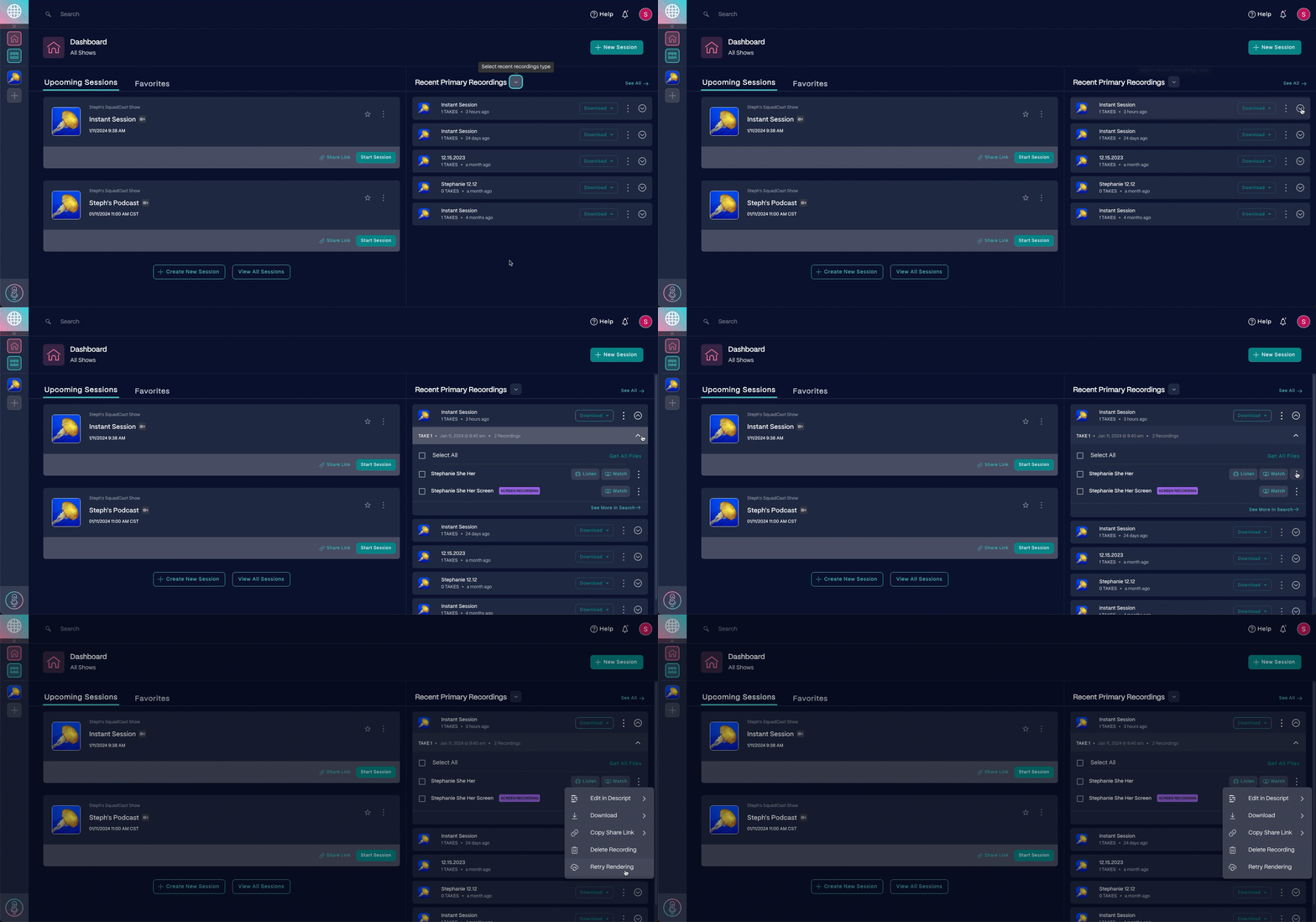
How to Re-render a Video in SquadCast That Has Not Finished Uploading or Processing?
Retry a stuck render from your SquadCast dashboard.
If a recording gets stuck processing in SquadCast, retry the render from your dashboard. Expand the session under Recent Primary Recordings, open the recording’s manage menu, and choose Retry render:

If a primary recording isn’t available for any reason, you can download the session’s cloud backup recordings - SquadCast continuously records Cloud backups of every session in case a primary recording is missing or fails to generate fully. This ensures the session host always has content from a session.
Cloud backups are available from your dashboard once all participants have left the session. If a session has just finished, it may take time for the cloud backups to become available after each participant leaves. Instructions for accessing Cloud backups can be found on the Access Cloud Audio + Video Recordings page.


