Transport
The transport is the main playback and navigation control center, located at the top of the Timeline.
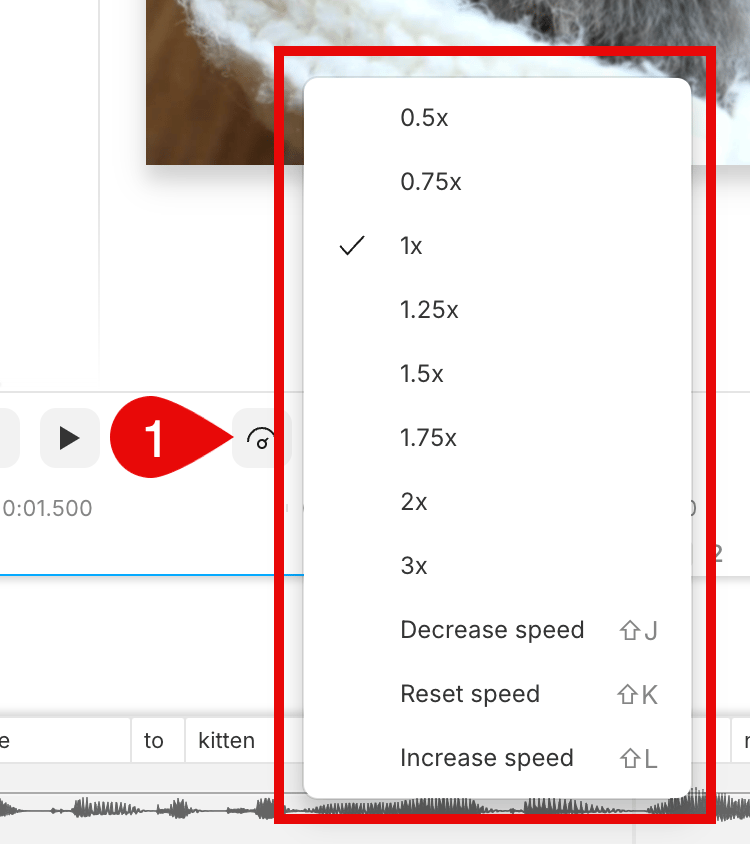
Playback speed
Changing your playback speed lets you listen at up to 3x the normal speed while editing. This only adjusts playback within the Descript editor. To adjust the speed of clips in your exported files, see looping and clip speed adjustment. To adjust playback speed, click the
Playhead
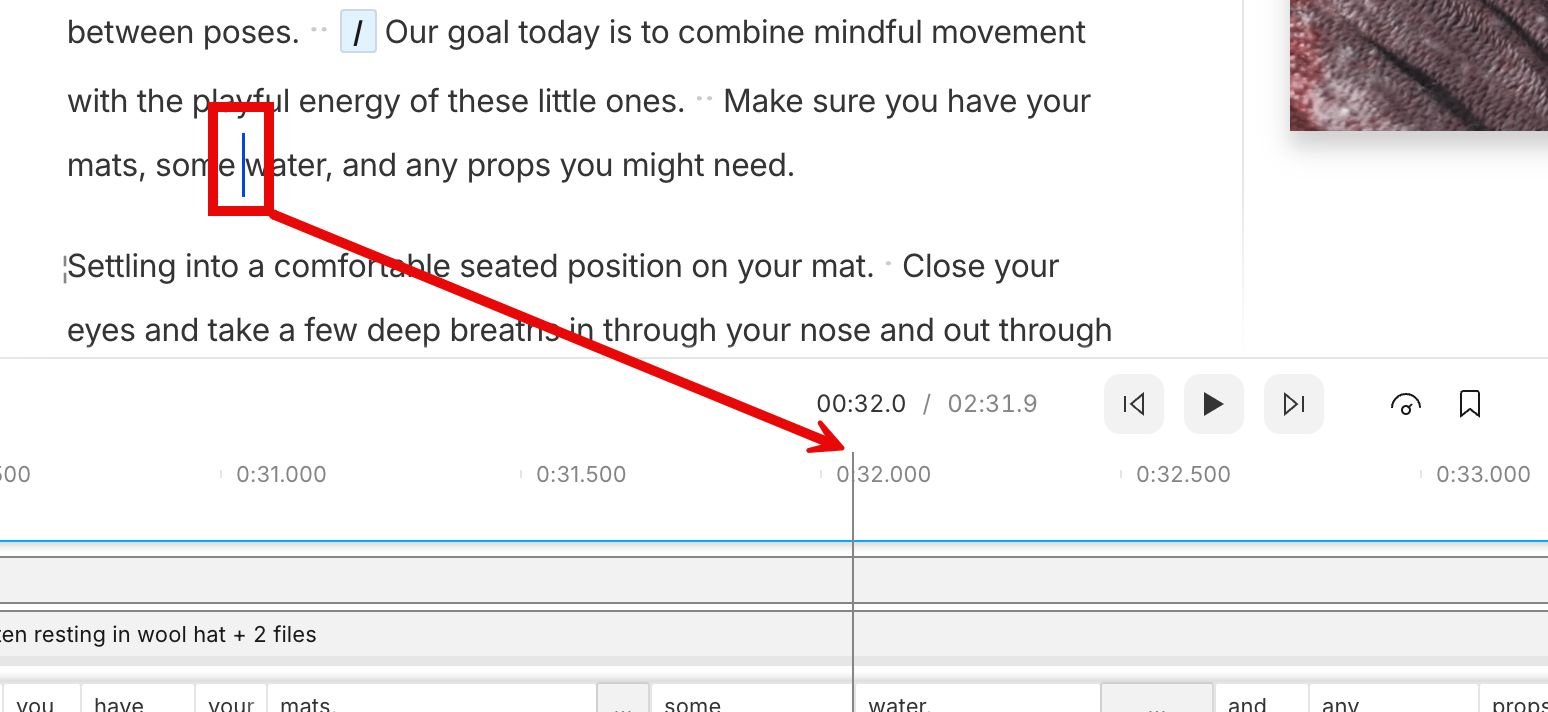
The playhead indicates the starting position of your playback media. It appears as a blue cursor in the Script editor and a vertical blue line in the Timeline. During playback, the playhead also highlights the current word in your script.