

Billing name, address, tax ID / VAT number: Add this before an invoice is finalized. It cannot be added to or changed on invoices that have already been generated, and it does not apply retroactively.
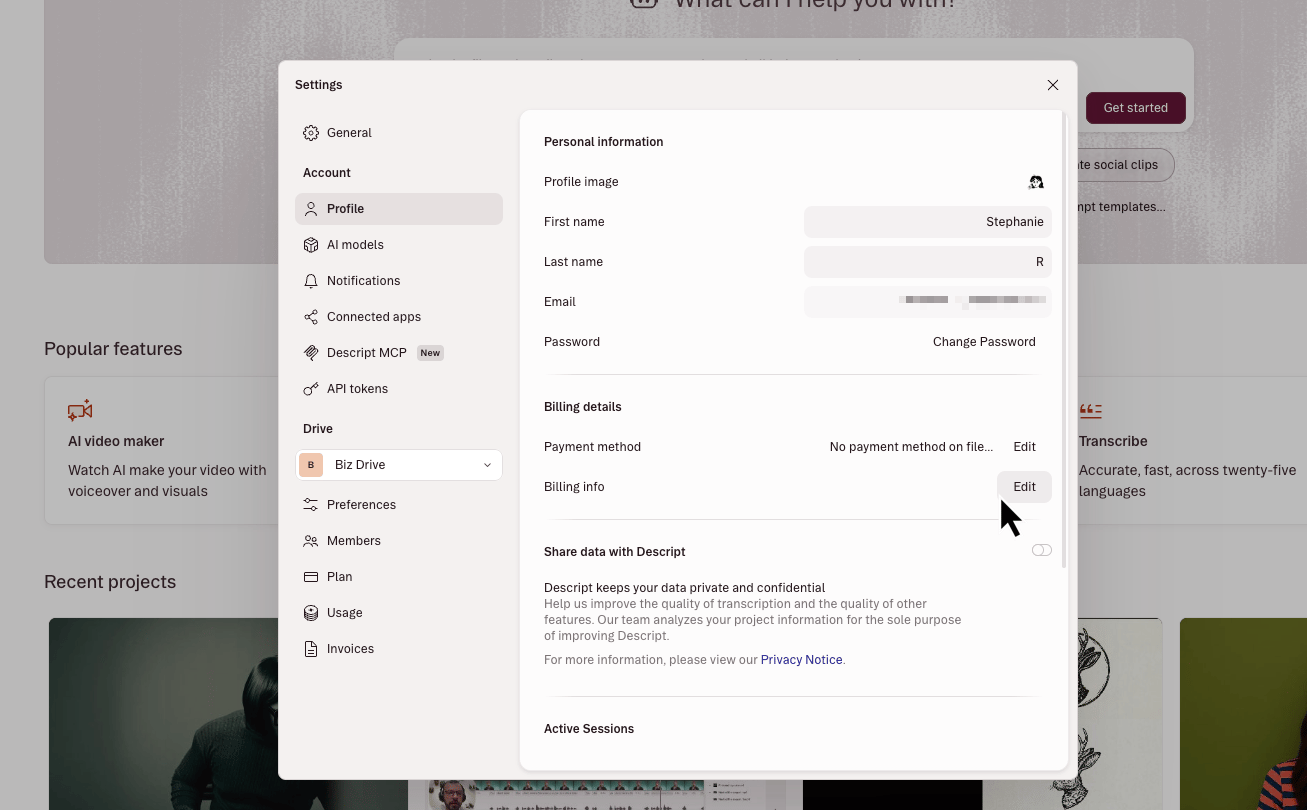
- Open your account settings:
- Go to your Descript account settings webpage.
- Or, in the app, click your profile icon in the top right corner, then select Settings.
- Select the Profile tab from the left sidebar.
- Then, click the Edit button next to the Billing info label.\
- A Stripe billing page will open in your default browser. Add or update your billing details there.\
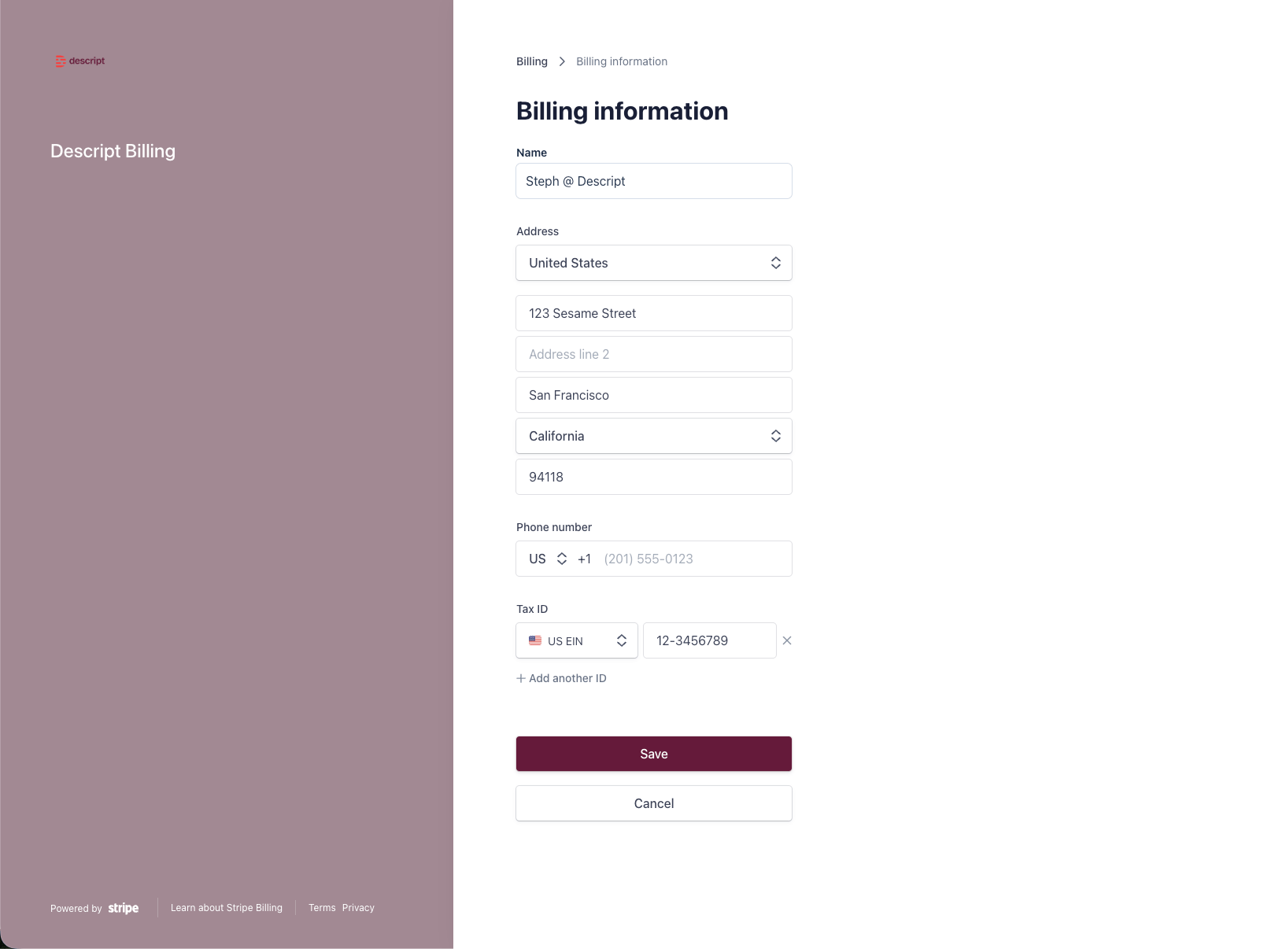
- When you’re done, click Save at the bottom of the page.