

- Open App Settings with
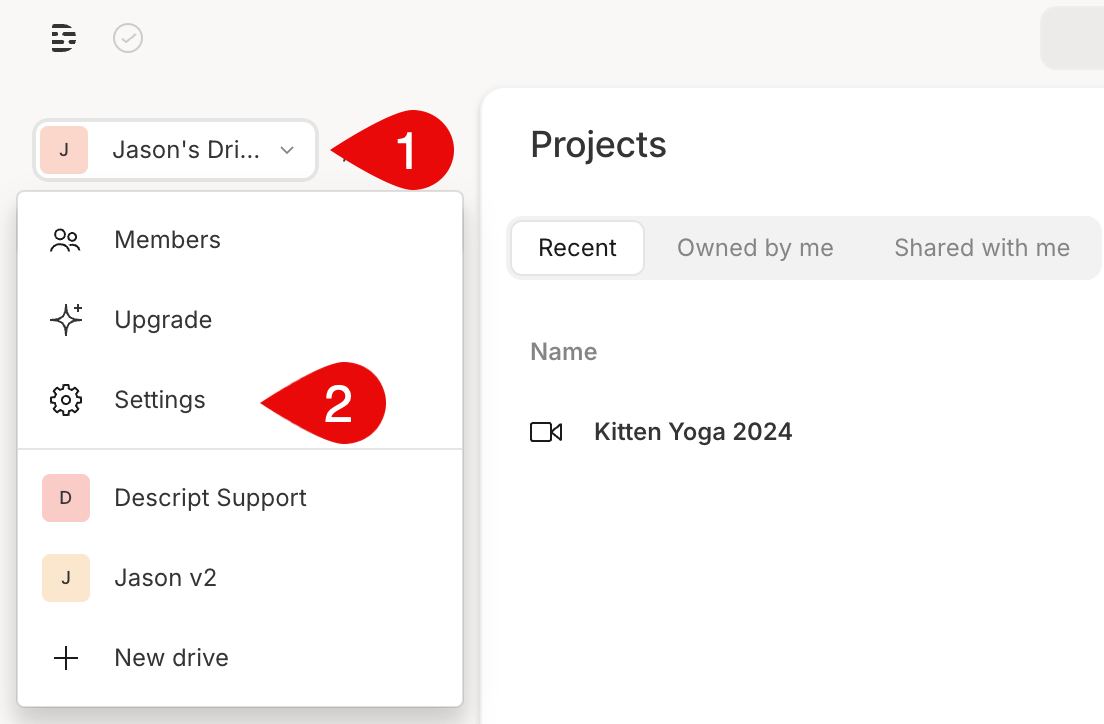
Command/Control + , (comma) - From the Drive view, click the Drive selector in the upper-left corner. If you’re part of multiple Drives, select the one you want to view.
- In the same menu, click

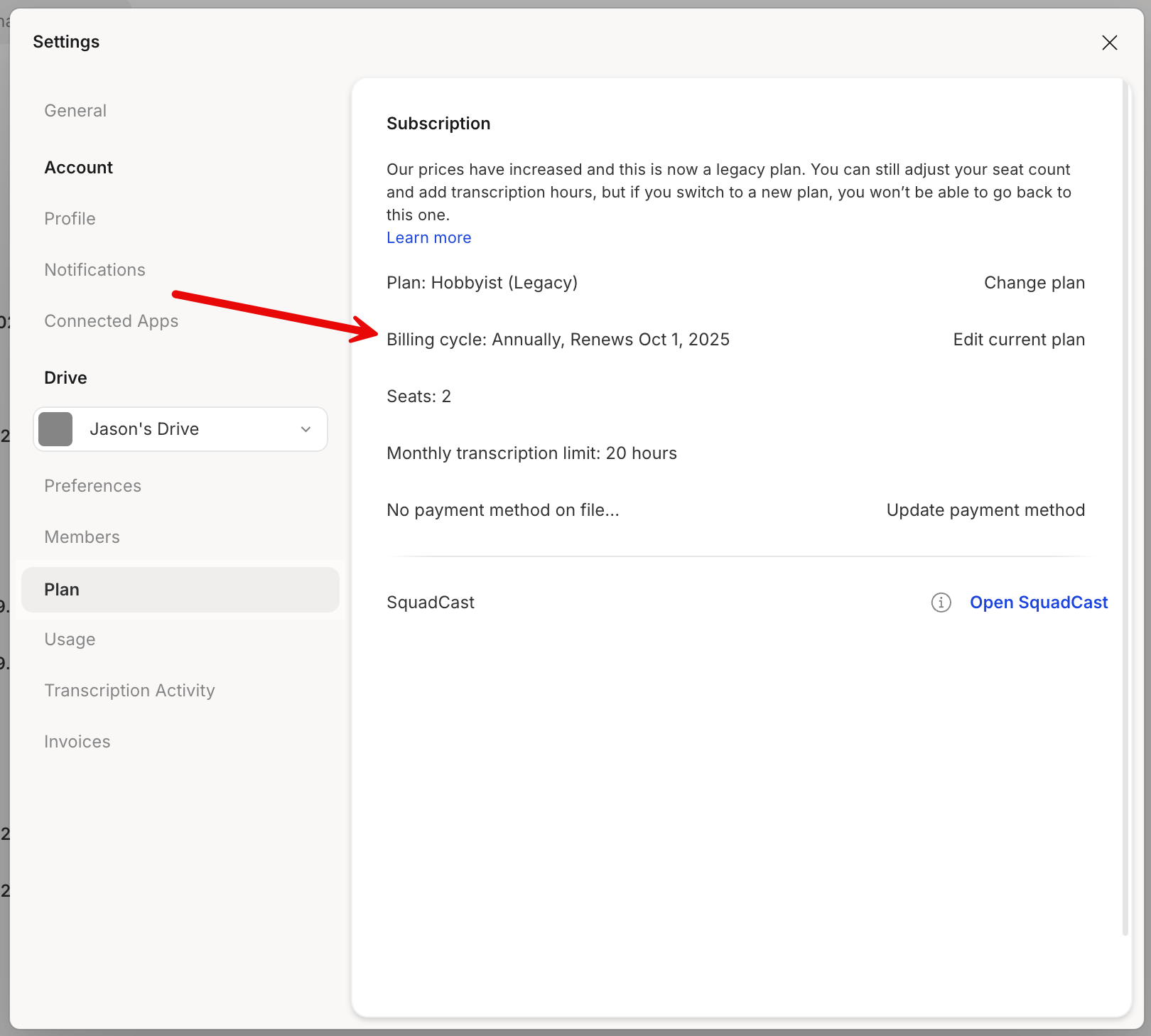
- In the Plan section, look for Billing cycle. This shows the date, time, and timezone your subscription will renew. \
How can I see when my subscription renews?
Find your Descript subscription renewal date in drive settings.
Your renewal date is when your plan auto-renews and your card is charged.