

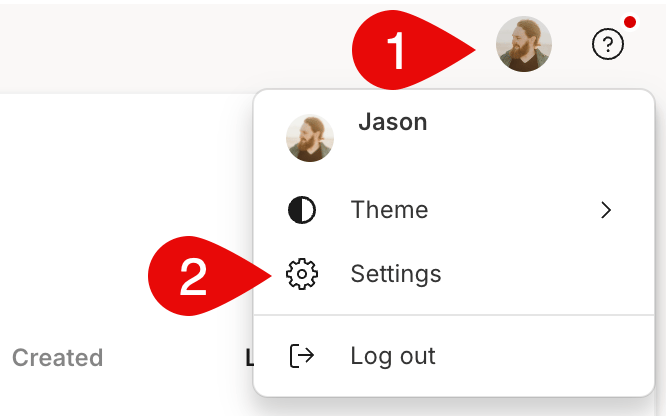
Option 1 — From your profile icon
- Sign in to your account at web.descript.com or open the desktop app.
- Open App Settings, keyboard shortcut
Command/Control + , (comma) - Go to the Plan tab.
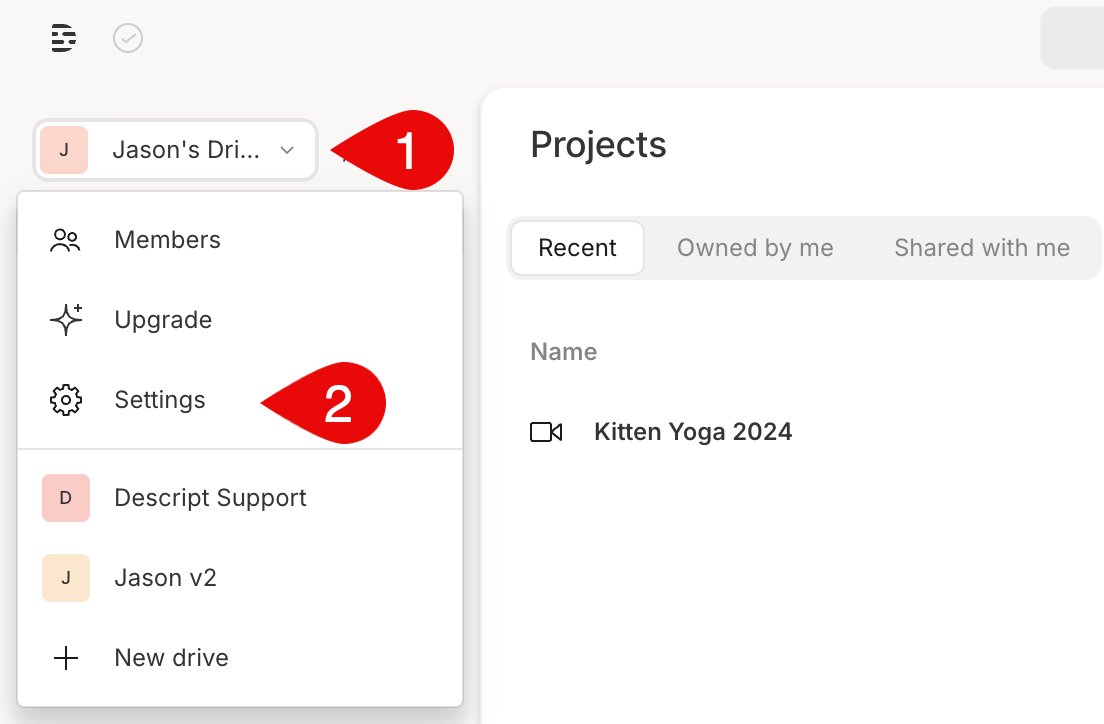
Option 2 — From your Drive selector
- Click your Drive name in the top-left corner of the Descript window.
- Choose Settings from the dropdown menu. This will open directly to the Plan tab.
Need additional media minutes or AI Credits?If you reach your monthly limit, you can add more Media minutes or AI Credits by purchasing a Top up from the Usage tab in your App Settings. Top ups are shared across your Drive and are available for one-time use without changing your subscription plan. Learn more about Top ups.