

Brand Studio permissions are only available to Drives on an Enterprise planBrand Studio permissions require an Enterprise Drive. If you’re on a Business plan and want to learn about Brand Studio’s other features, see our Brand Studio article.
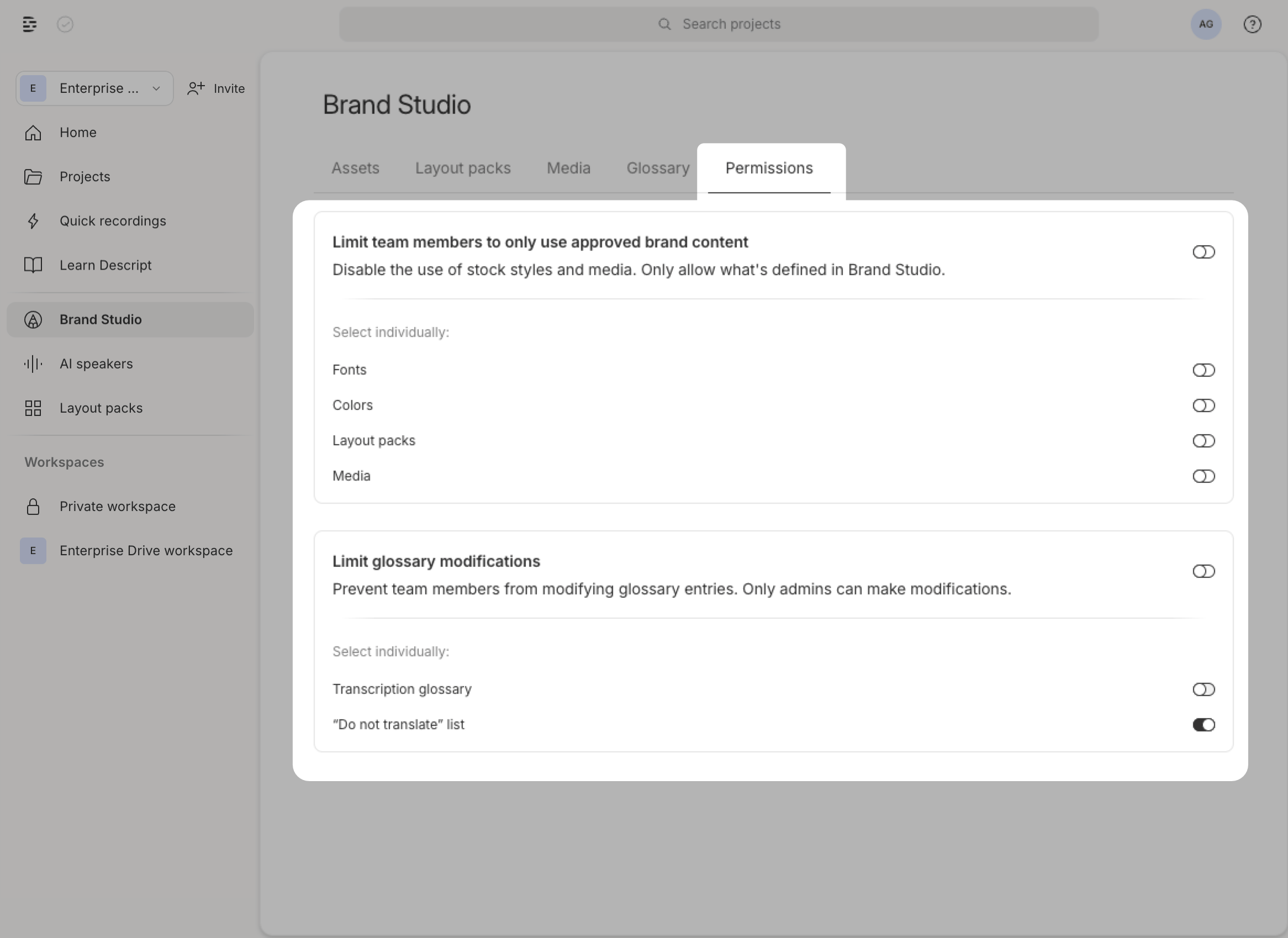
How to set permissions for brand assets
- In the Drive view, click Brand Studio in the left sidebar.
- Click the Permissions tab.
- Select the asset type you want to restrict: Fonts, Colors, Layout packs, or Media.
- Click Save to apply your changes.
Transcription glossary and do not translate permissions
When toggled on, only Drive owners and admins can modify the transcription glossary and do not translate lists:- In the Drive View, click Brand Studio in the left sidebar
- Click the Permissions tab
- Under Glossary, toggle the setting to prevent team members from modifying entries
- Click Done to save