

On a Legacy or Sunset plan?This article explains how the Non-profit / Education plan works with Descript’s current plans. If you’re on a Legacy or Sunset plan, details may be different. See our Understanding your Legacy and Sunset plan guide for more info.
How to apply
The Non-profit / Education plan is available to:- Nonprofit organizations with valid charitable status (501(c)(3) or equivalent)
- Students, educators, and administrators at accredited educational institutions
- Create a free Descript account using your nonprofit or school email address.
- Add a payment method (you won’t be charged yet).
- Submit the application form. Our team will review your request and follow up by email.
What’s included
The Non-profit / Education plan includes all features of the Hobbyist plan at a discounted price. For a full feature list, visit our pricing page and refer to the Hobbyist column. The EDU/NFP subscription is the only Descript plan available at a discounted rate. We’re proud to support educators and nonprofit organizations of all sizes, and we’re excited when you want to bring Descript to your team. The plan allows up to 3 Editor seats per Drive. If you need more than 3 Editor seats or higher usage limits, consider our Creator, Business, or Enterprise plans to better support your workflow. See Editor seat limits by plan.Switch your plan after approval
Once your application is approved, switch your Drive to the EDU/NFP subscription:- Sign in to Descript from the desktop app or at web.descript.com.
- Open App Settings, keyboard shortcut
Command/Control + , (comma) - Go to the Plan tab. If you have multiple Drives, use the Drive selector to confirm you’re updating the correct one.
- Click Change plan.
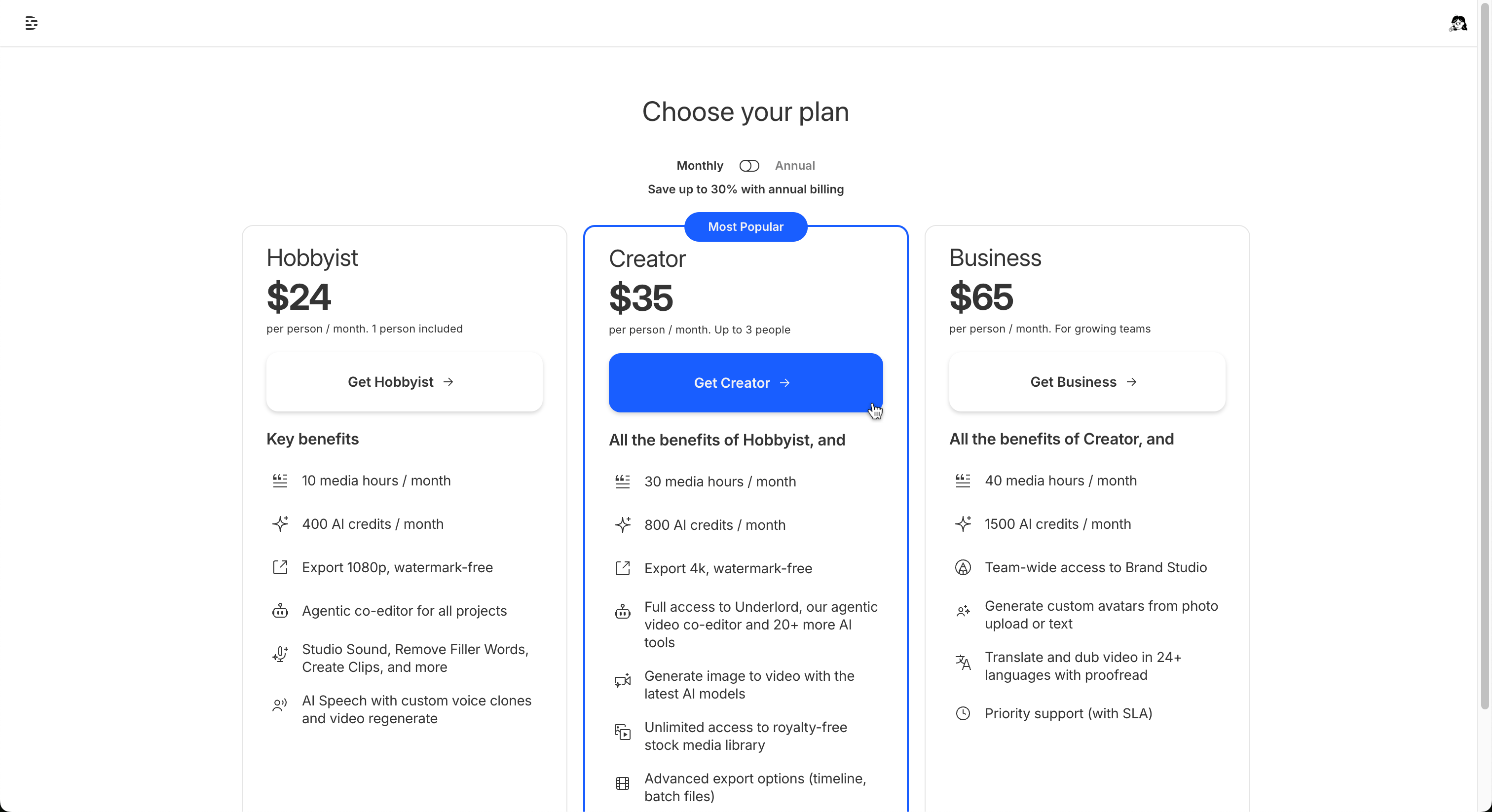
- In the window that opens, select any one of the available paid plan options to continue (you won’t be charged yet).\
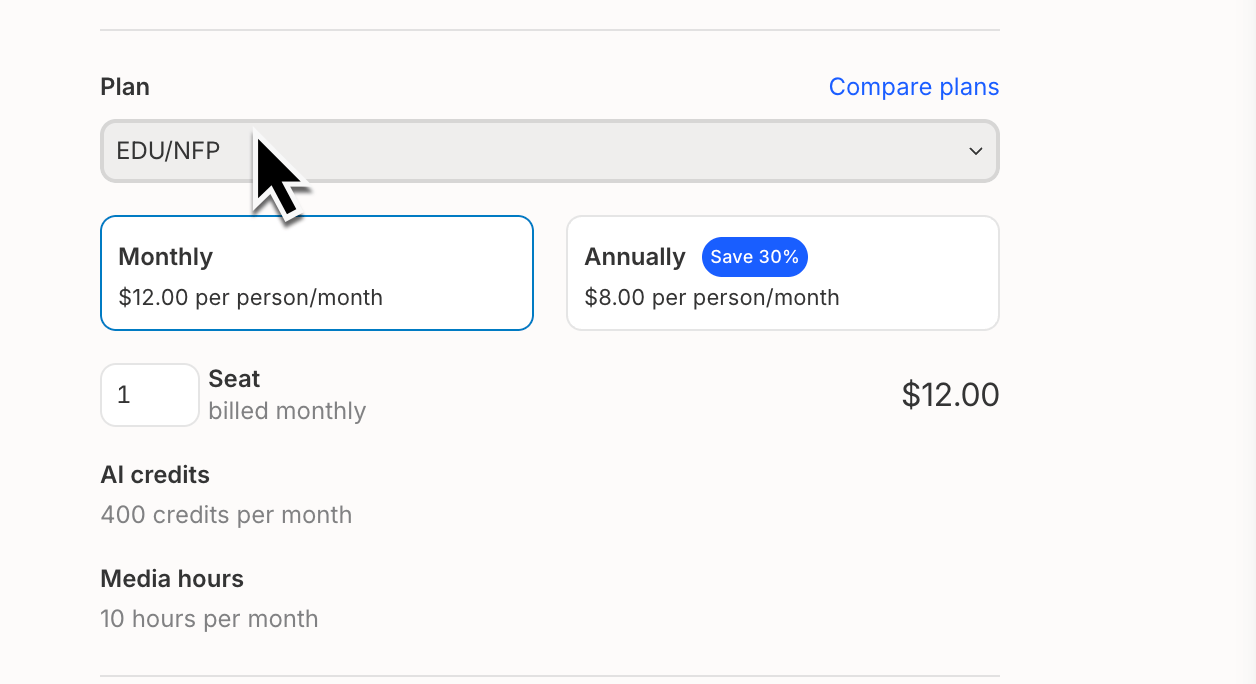
- On the next screen, under the Plan section, select the EDU/NFP option from the dropdown menu.
- On the final screen, adjust your Editor seat count as needed. The EDU/NFP plan allows up to 3 Editor seats.\
- Add your payment method, then click Save changes to complete the payment.