

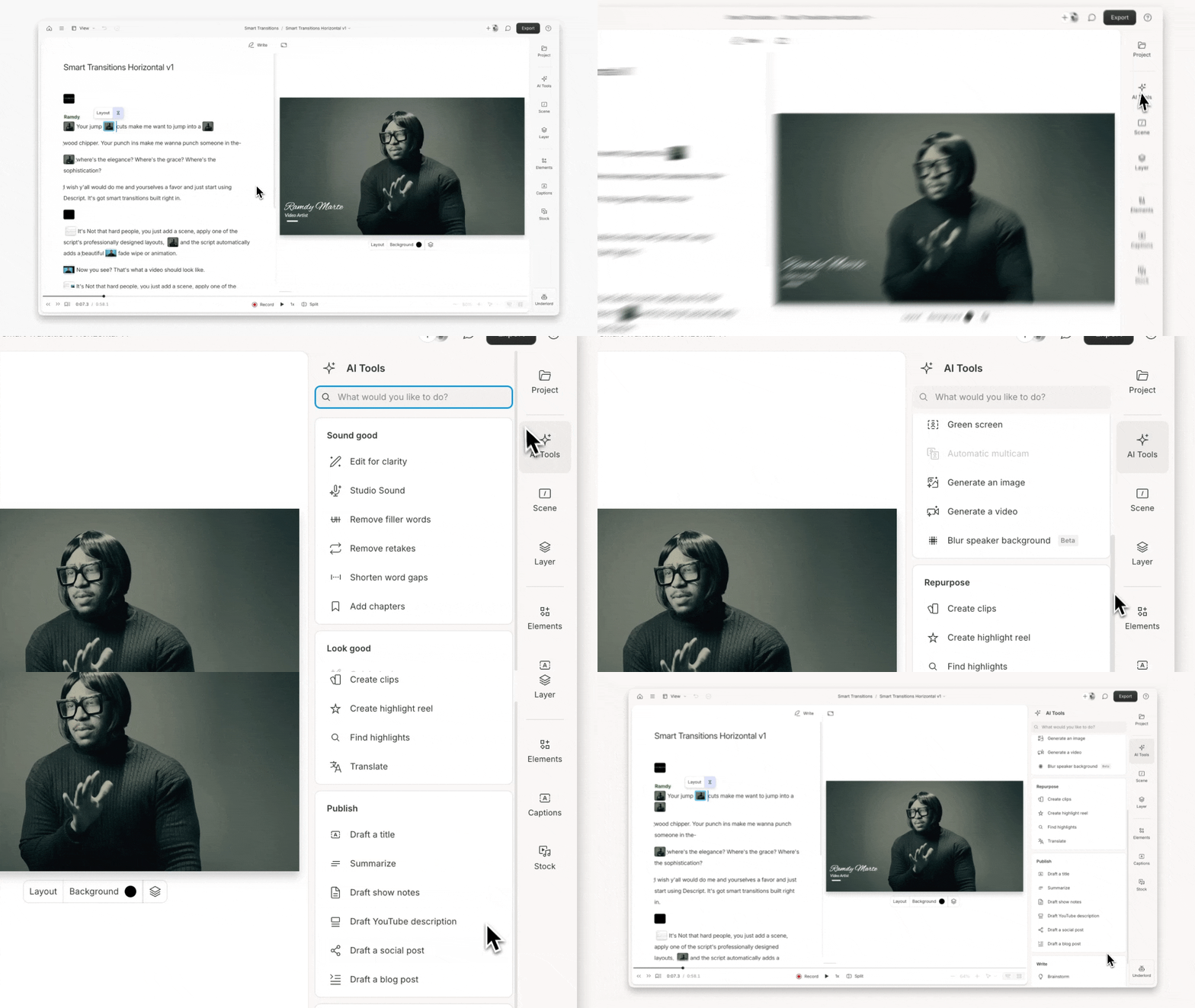
Publish with AI Tools

AI tools in the Publish category help you prepare content for distribution. Use them to generate titles, summaries, YouTube descriptions, podcast show notes, blog posts, and social captions.

Run these actions after you’ve finished editing to get your project ready for sharing. If no text is selected, the tool analyzes your entire composition. To focus on something specific, select that text in your script before running the action.

Publish tools in Descript

Usage note

On current plans, this feature uses AI Credits. Learn more about tracking your Media Minutes and AI Credits.

Legacy and Sunset plans track usage differently. See our Understanding your Legacy and Sunset plan guide for details.

Draft a title

Generate title options for your project. Shape results with style or format cues (e.g. make it punchy, use a listicle style, match this format: [paste example]).

Summarize

Create a clear, concise summary of your project. Guide the output with tone or length instructions (e.g. make it tweet-length, use a warm, conversational tone).

Show notes

Build podcast-style show notes with a summary, chapters, and timestamps. Customize with format or tone cues (e.g. make it punchy and informal, structure it like this: [paste example]).

YouTube description

Write a description that highlights your video’s value and supports SEO. Adjust with quick prompts (e.g. make it high-energy, optimize for SEO, write like a tutorial intro).

Draft a social post

Turn your transcript into a social post. Select a platform and guide the result (e.g. LinkedIn-friendly, casual and emoji-heavy, write 3 short options for Twitter/X).

Draft a blog post

Convert your script into a blog-ready article with a title, headers, and clean structure. Influence the result with clear direction (e.g. write it like a how-to post, make it persuasive, keep it under 600 words).