> ## Documentation Index
> Fetch the complete documentation index at: https://help.descript.com/llms.txt
> Use this file to discover all available pages before exploring further.
# Shape Layers
> Add rectangles, ellipses, lines, or arrows from the Elements panel.
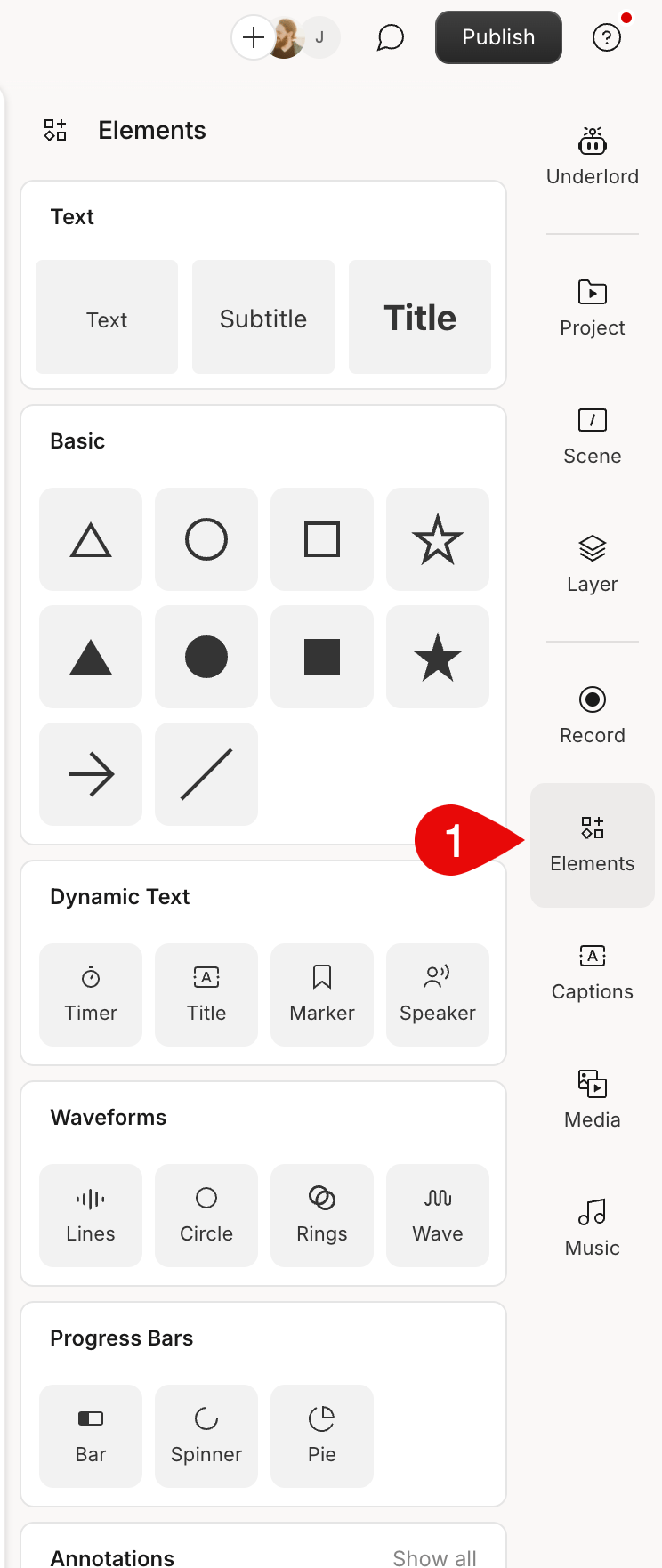
Descript supports adding and customizing shapes in your compositions. You can choose from a few different shape types:
1. Rectangle
2. Ellipse
3. [Waveform](/visuals/waveforms)
4. [Progress bar](/visuals/progress-bars)
5. Line
6. Arrow
[ ](/images/external/descript-16165273813773-c85febbeda.png)
## Adding a shape, waveform, progress bar, or text
Select the **Elements** panel on the right-hand side and choose which shape to add to your project.
](/images/external/descript-16165273813773-c85febbeda.png)
## Adding a shape, waveform, progress bar, or text
Select the **Elements** panel on the right-hand side and choose which shape to add to your project.