> ## Documentation Index
> Fetch the complete documentation index at: https://help.descript.com/llms.txt
> Use this file to discover all available pages before exploring further.
# Create, Edit, and Delete Shows
> Create, edit, and delete Shows to organize your SquadCast recording sessions.
A Show is a way to assign roles to team members and organize recording sessions and content.
## Create a new Show from your Dashboard
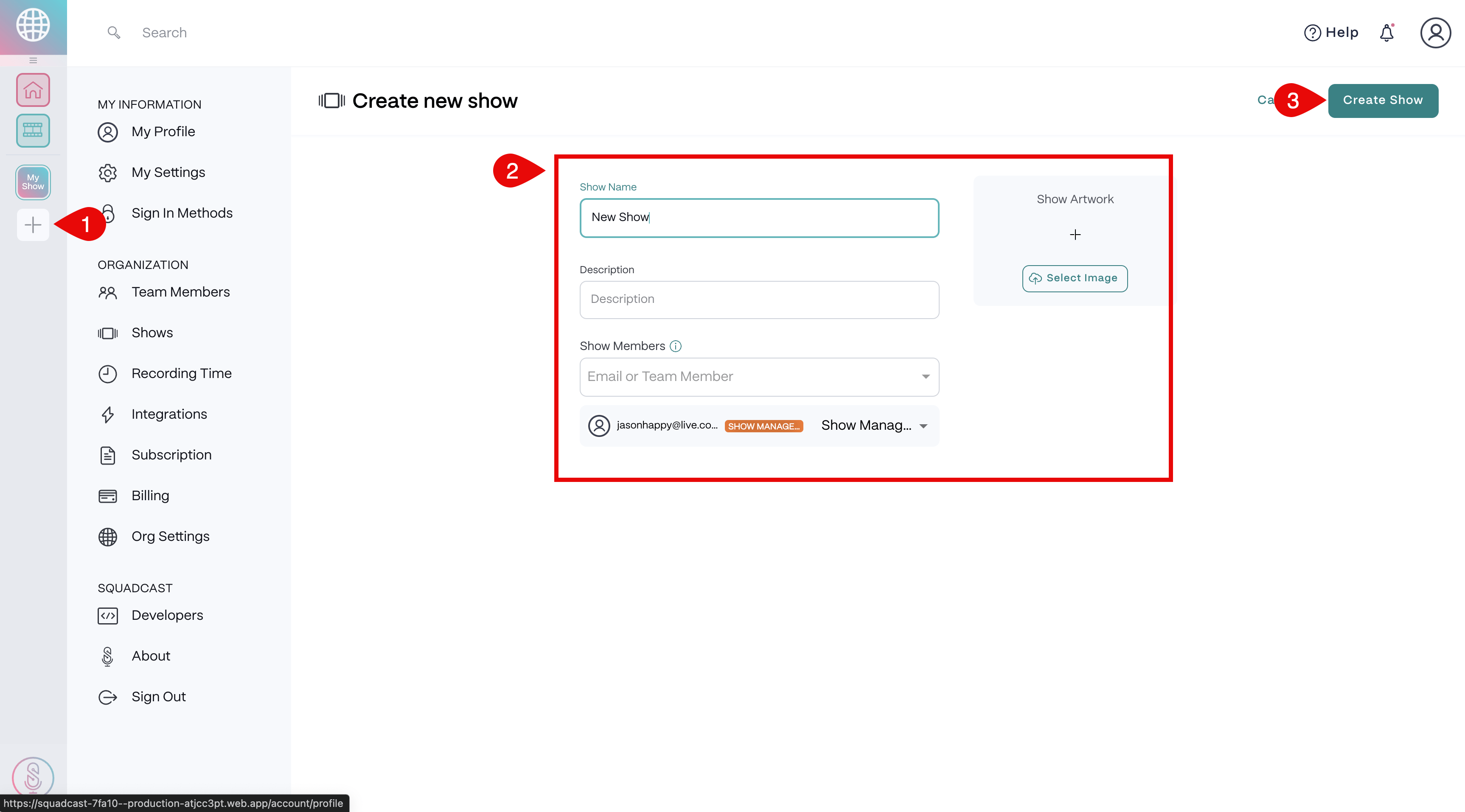
1. Select the **Add Show** button on the left side of the Dashboard.
2. Enter a Show Name and description, and add Show Members.
3. Upload Show Artwork.
4. Click **Create Show** at the bottom to finish. \\
 ## Edit a Show from your Dashboard
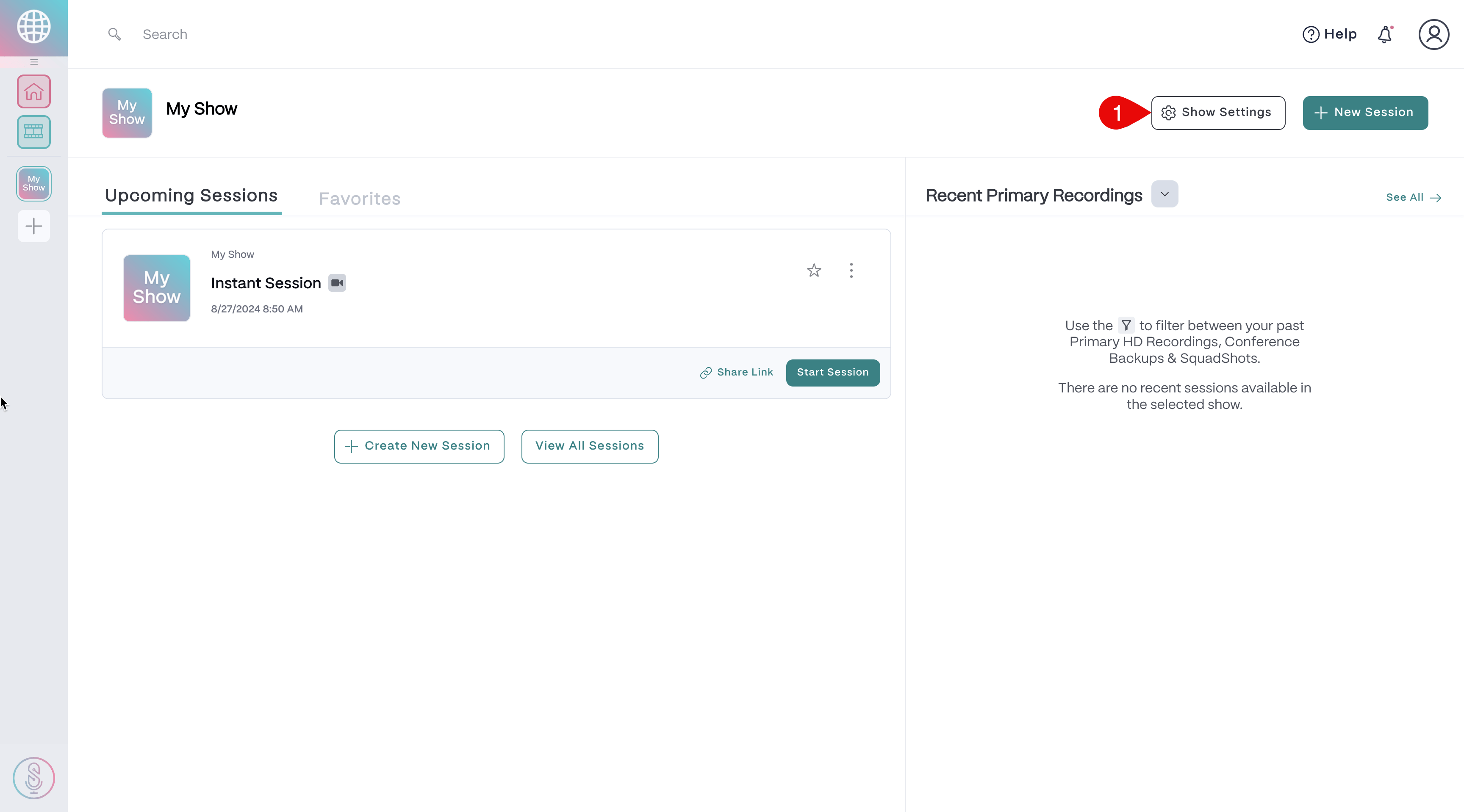
1. Select the Show on the left side of the Dashboard.
2. In the top right corner, select the **Show Settings** button.
3. Make necessary changes.
4. Click **Save Changes** on the top right to update.\\
## Edit a Show from your Dashboard
1. Select the Show on the left side of the Dashboard.
2. In the top right corner, select the **Show Settings** button.
3. Make necessary changes.
4. Click **Save Changes** on the top right to update.\\
 ## Delete a Show from your Dashboard
1. Select the Show on the left side of the Dashboard.
2. In the top right corner, select the **Show Settings** button.
3. Select **Delete Show**at the very bottom.
4. In the confirmation window, select **Delete Show** again to confirm deletion.\\
## Delete a Show from your Dashboard
1. Select the Show on the left side of the Dashboard.
2. In the top right corner, select the **Show Settings** button.
3. Select **Delete Show**at the very bottom.
4. In the confirmation window, select **Delete Show** again to confirm deletion.\\
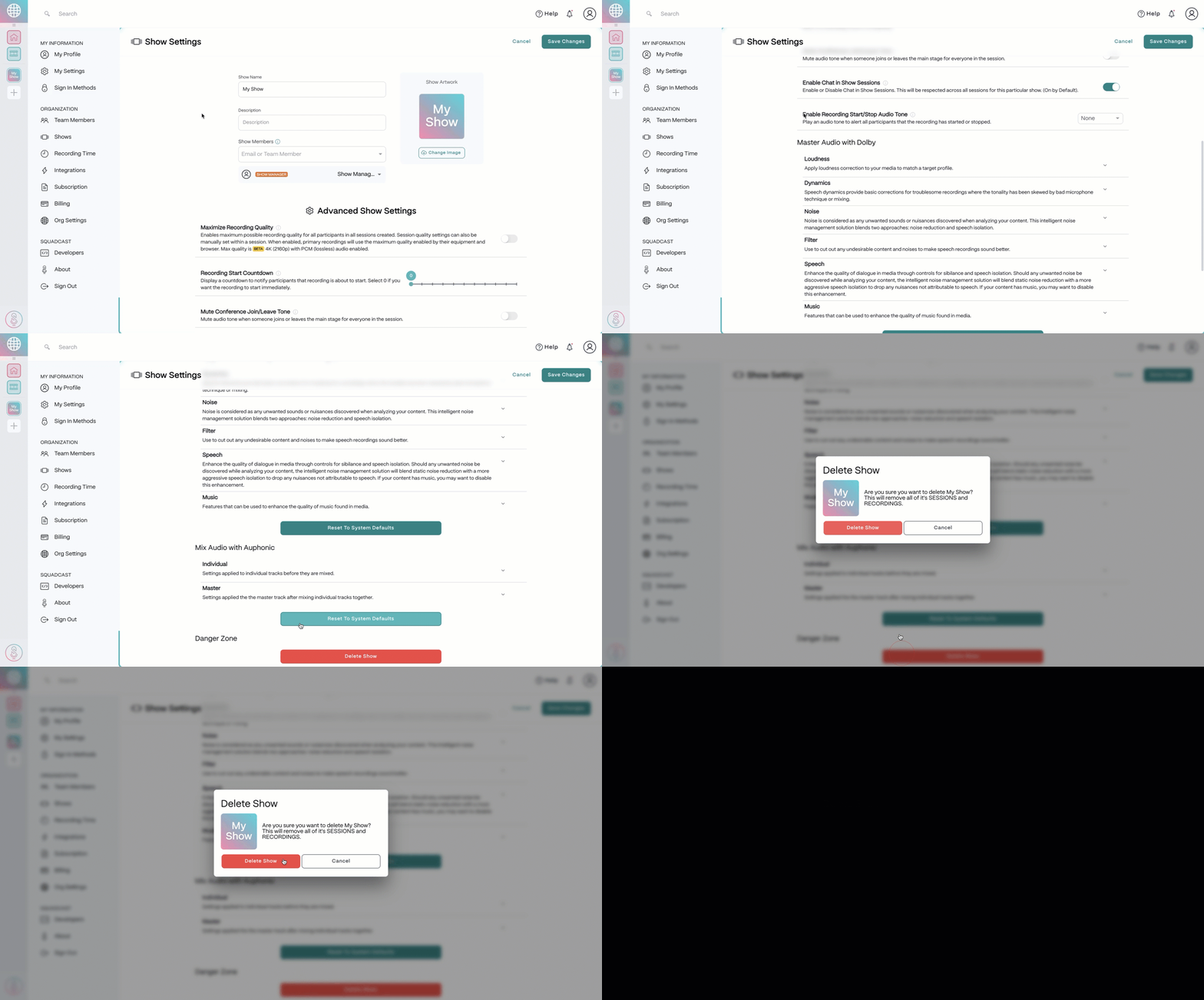 All your Show's data and the content will be deleted and unrecoverable.
**Show Settings page**
Shows can also be created, edited, and deleted on the [Show Settings](https://app.squadcast.fm/account/shows) page.
All your Show's data and the content will be deleted and unrecoverable.
**Show Settings page**
Shows can also be created, edited, and deleted on the [Show Settings](https://app.squadcast.fm/account/shows) page.