> ## Documentation Index
> Fetch the complete documentation index at: https://help.descript.com/llms.txt
> Use this file to discover all available pages before exploring further.
# Share Your SquadCast Audio + Video Recordings
> Copy a link to share your SquadCast recordings from the Dashboard or Studio.
Share a recording with a collaborator by copying its link, from either the Dashboard or the Studio.
## Sharing recording files from the Dashboard
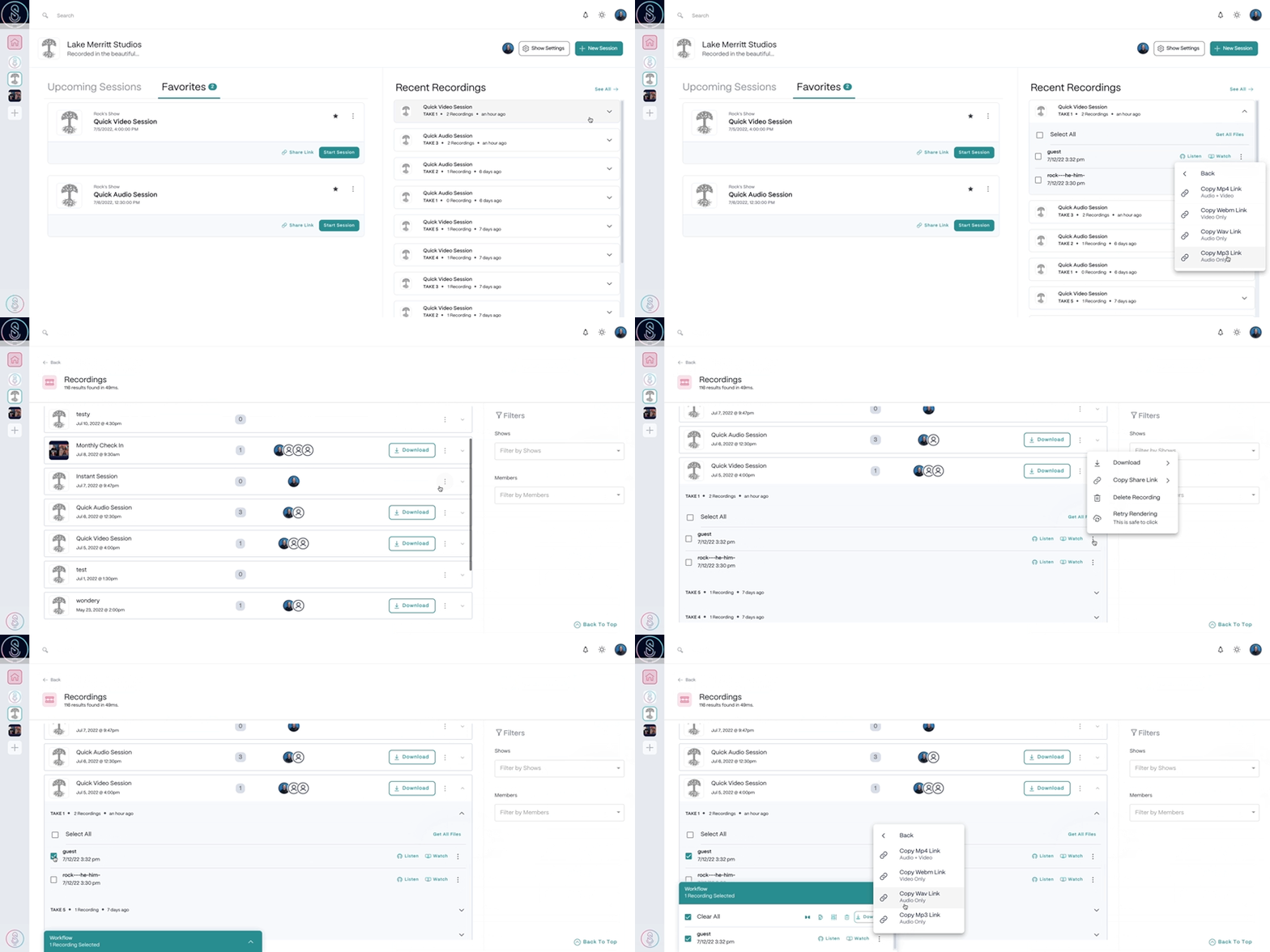
1. Select the **Recordings**tab in the top left corner of the Dashboard.
2. Locate and select the session you would like to share files from, then select the Take.
3. Select the  **Manage Recording**button next to the file, then select **Copy Share Link**and choose your preferred file format to copy the link to your clipboard.
4. Paste the link and provide it directly using the method of your choice (email, messenger tools, etc.).
[
**Manage Recording**button next to the file, then select **Copy Share Link**and choose your preferred file format to copy the link to your clipboard.
4. Paste the link and provide it directly using the method of your choice (email, messenger tools, etc.).
[ ](/images/external/descript-23106318370189-32f7505ec2.gif)
## Sharing recording files from the Studio
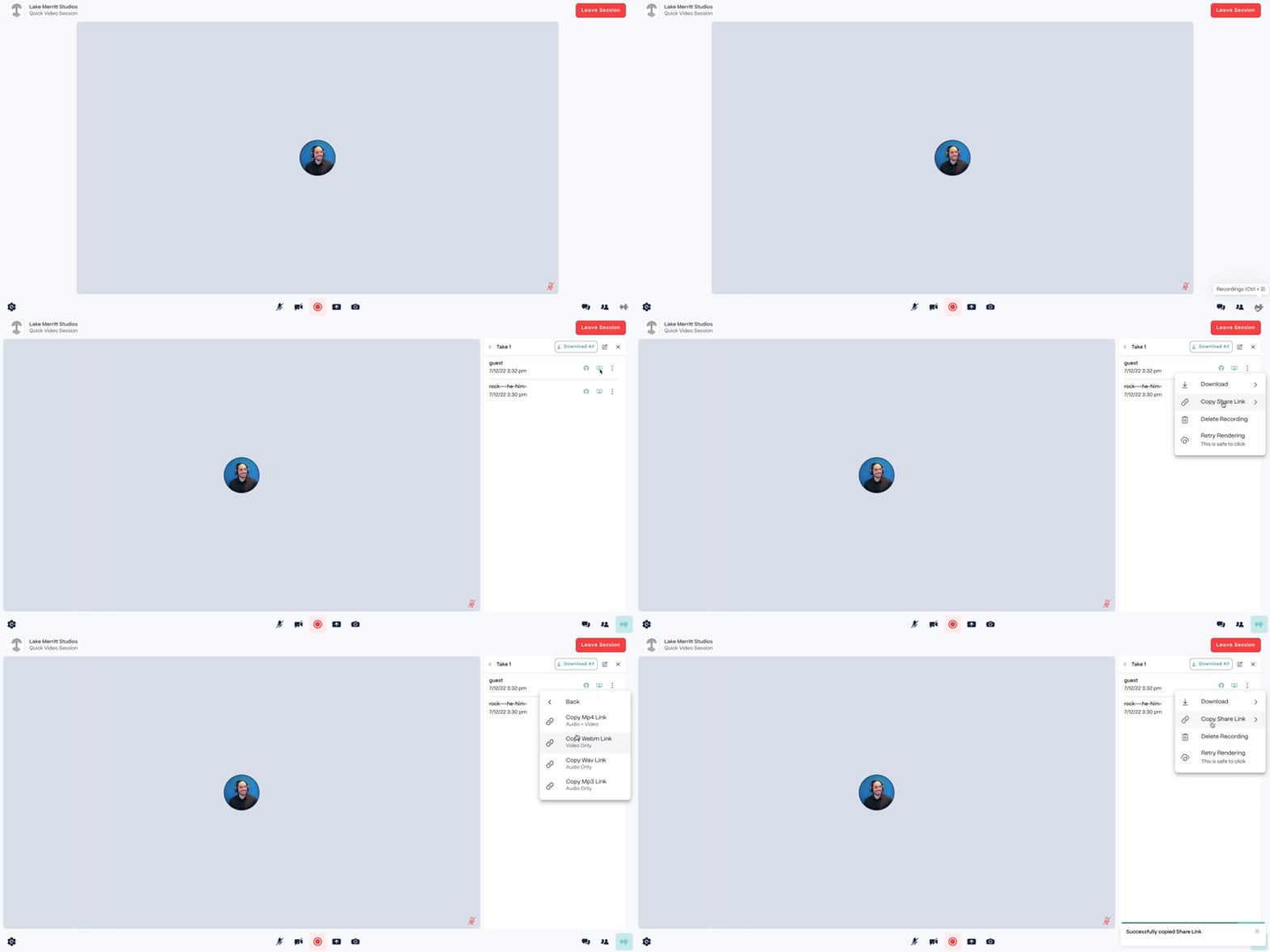
1. From within a session, click the **recordings** button in the lower right corner or press `Command + 8` (macOS) or `Control + 8` (Windows).
2. Locate and select the Take you would like to share files from.
3. Select the **Manage Recording**button next to the file, then select **Copy Share Link**and choose your preferred file format to copy the link to your clipboard.
4. Paste the link and provide it directly using the method of your choice (email, messenger tools, etc.).
[
](/images/external/descript-23106318370189-32f7505ec2.gif)
## Sharing recording files from the Studio
1. From within a session, click the **recordings** button in the lower right corner or press `Command + 8` (macOS) or `Control + 8` (Windows).
2. Locate and select the Take you would like to share files from.
3. Select the **Manage Recording**button next to the file, then select **Copy Share Link**and choose your preferred file format to copy the link to your clipboard.
4. Paste the link and provide it directly using the method of your choice (email, messenger tools, etc.).
[ ](/images/external/descript-23106318371085-e6370056a3.gif)