> ## Documentation Index
> Fetch the complete documentation index at: https://help.descript.com/llms.txt
> Use this file to discover all available pages before exploring further.
# Microphone Sample Rate
> Set your microphone and audio devices to a 48 kHz sample rate for SquadCast.
Some microphones and audio interfaces change your sample rate on their own when you connect them, which can degrade a SquadCast recording. SquadCast works best at 48 kHz, so it's worth confirming your input and output devices are set there.
If you notice audio issues or want to confirm your settings, follow the steps below to check or reset your input and output devices to 48 kHz.
## macOS
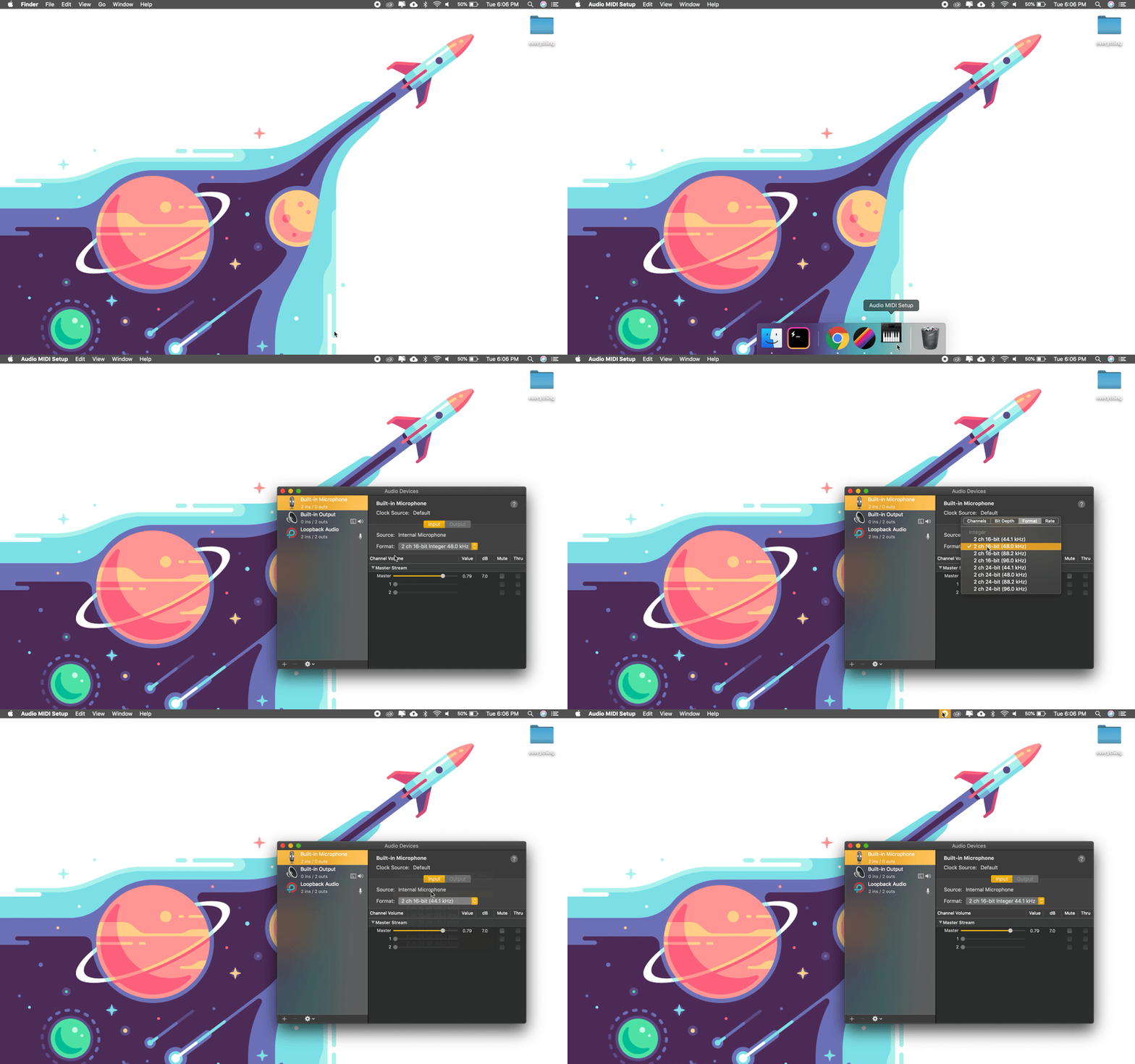
1. Click the magnifying glass icon in the top-right corner of your screen.
2. Search for **Audio MIDI Setup** and open the app.
3. Select your microphone or audio interface in the left-hand panel.
4. Click the **Format** dropdown and select **48kHz**.
5. Close the Audio MIDI Setup app.
6. Return to SquadCast and refresh the page.
[ ](/images/external/descript-23162775733005-c8b29069a2.gif)
## Windows
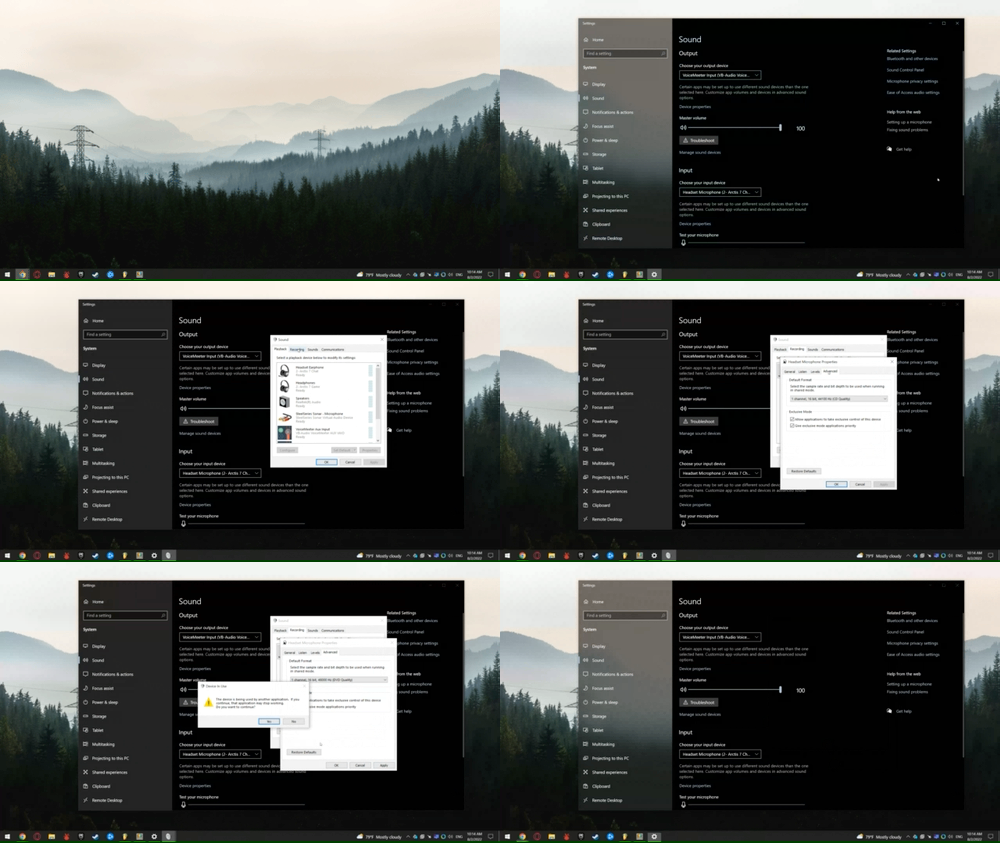
1. Open the **Control Panel**.
2. Go to **Hardware and Sound** **Manage Audio Devices**.
3. In the **Playback** tab, select your output device (e.g. headphones) and click **Properties**.
4. Click the **Advanced** tab.
5. Select **16 bit, 48000 Hz (DVD Quality)** from the dropdown.
6. Click **Apply**, then **OK**.
7. Repeat the same steps in the **Recording** tab for your microphone.
8. Return to SquadCast and refresh the page.
[
](/images/external/descript-23162775733005-c8b29069a2.gif)
## Windows
1. Open the **Control Panel**.
2. Go to **Hardware and Sound** **Manage Audio Devices**.
3. In the **Playback** tab, select your output device (e.g. headphones) and click **Properties**.
4. Click the **Advanced** tab.
5. Select **16 bit, 48000 Hz (DVD Quality)** from the dropdown.
6. Click **Apply**, then **OK**.
7. Repeat the same steps in the **Recording** tab for your microphone.
8. Return to SquadCast and refresh the page.
[ ](/images/external/descript-23162745664653-a5177e33fb.gif)