> ## Documentation Index
> Fetch the complete documentation index at: https://help.descript.com/llms.txt
> Use this file to discover all available pages before exploring further.
# Restore Removed Media
> Restore previously cut parts of your script.
Deleted a section of your script and want it back? Because Descript hides cut media instead of erasing it, **Restore removed media** brings it back exactly as it was.
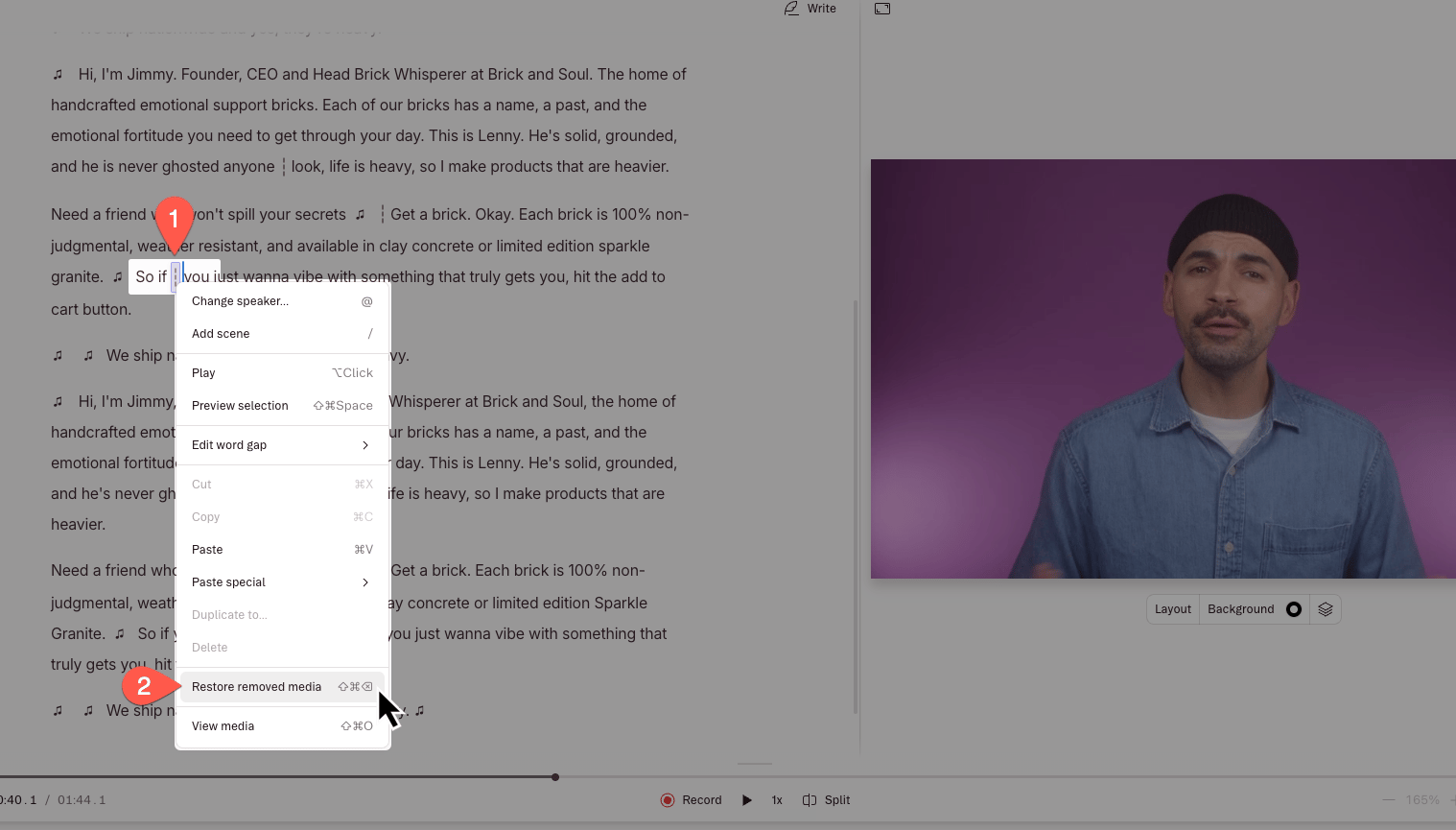
To use this tool, your script must contain removed media. In Descript, removed media is shown with the edit boundary indicator ( ¦ ), which looks like a vertical line that’s been split in half.
**Lost media after applying a layout?**
If layers disappeared when you switched layouts, the restore process is different. See our other article, [How layouts interact with scenes and the script](/templates-and-presets/layouts-behavior) for those steps.
## Restoring a section of removed media
1. Make a selection over the area in the Script editor where you have removed media.
2. Right click on the selection, then click **Restore removed media**.
 #### Can I batch-restore media?
Yes! Any removed media in your selection will be restored.
#### Can I batch-restore media?
Yes! Any removed media in your selection will be restored.