> ## Documentation Index
> Fetch the complete documentation index at: https://help.descript.com/llms.txt
> Use this file to discover all available pages before exploring further.
# Use Your Own Transcript
> Bring your own transcript into a Descript composition.
Already have a transcript you've cleaned up elsewhere? **Replace transcript** and **Import transcript** swap Descript's automatic transcription for your own text file.
In the app, you’ll see **Replace transcript** if your file already has a transcript, or **Import transcript** if it hasn’t been transcribed yet.
**Before you start**
* **English only:** This feature currently supports English-language transcripts only.
* **Speaker labels:** Speaker names should be followed by a colon (`Speaker Name: dialogue text`). Descript will detect and apply labels automatically.
* **Content matching:** Your transcript should closely match the underlying audio or video. Minor differences like filler words ("um," "uh") are okay, but major mismatches may cause issues.
## How to replace or import a transcript
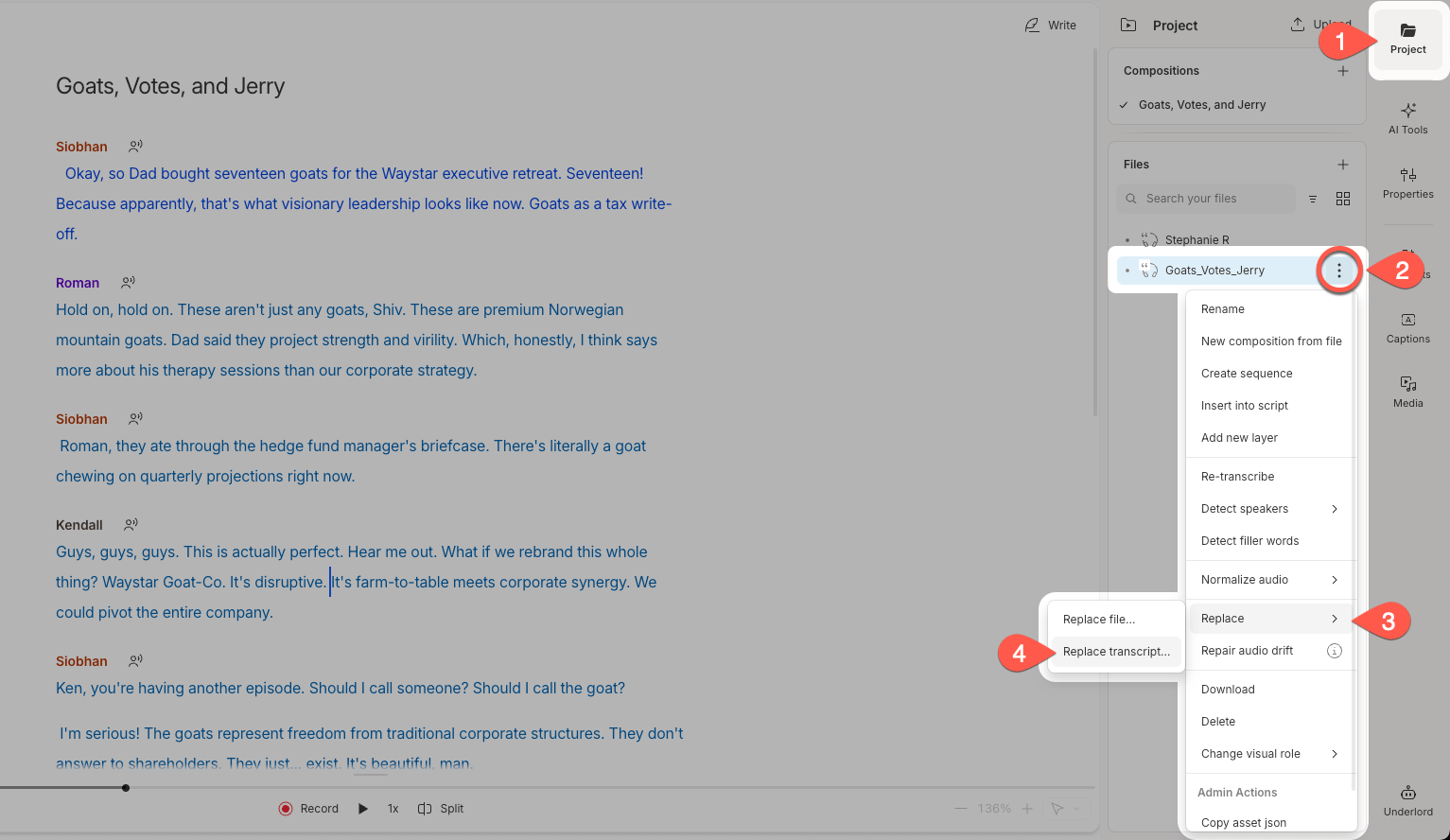
1. pen the **Project** panel in the right sidebar.
2. Click the **•••** menu next to your file.
3. Select **Replace**.
4. Click **Replace transcript…**.
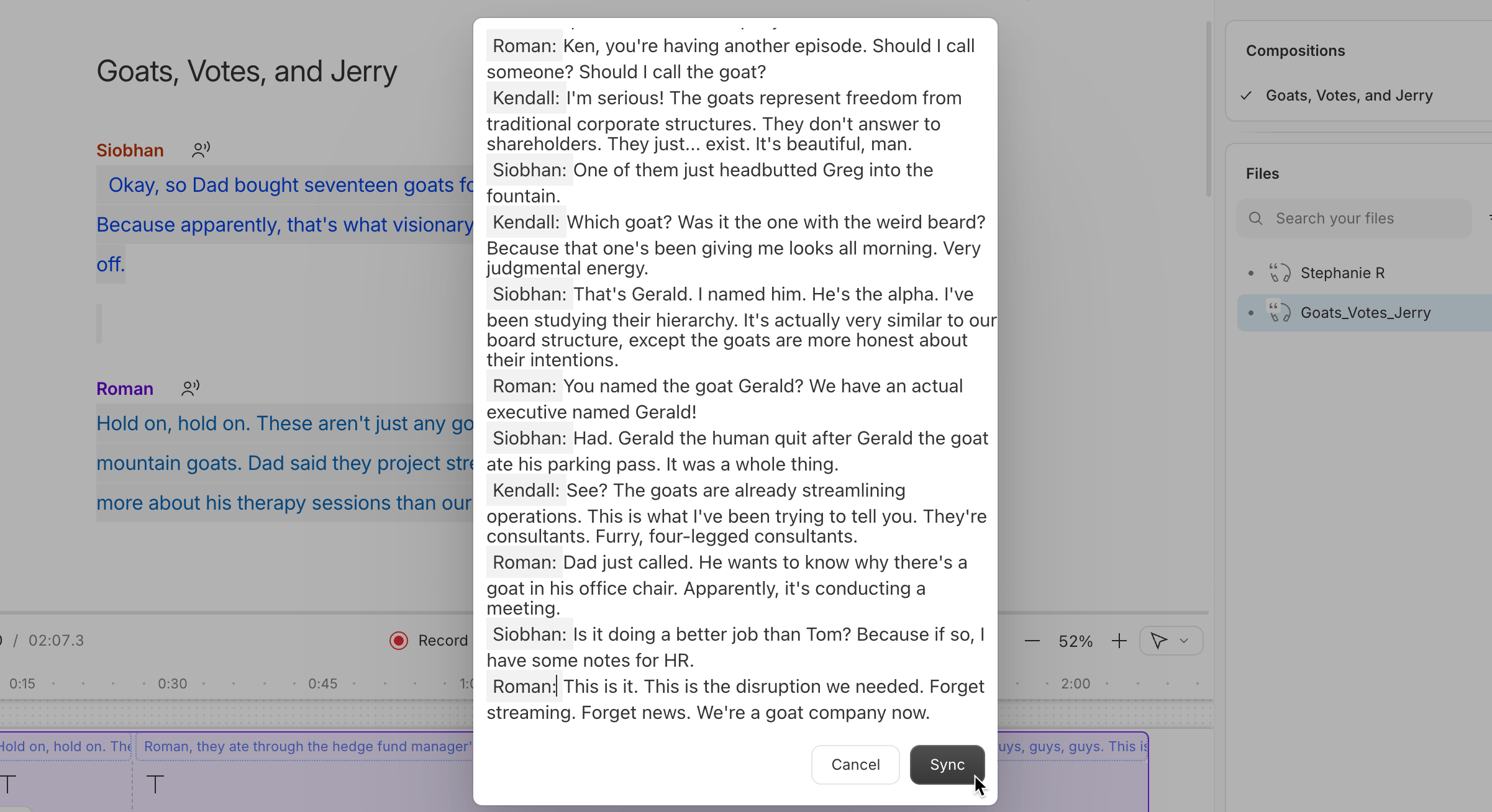
 5. Paste your transcript into the text box that appears.
6. Click **Sync** to apply your imported transcript.
5. Paste your transcript into the text box that appears.
6. Click **Sync** to apply your imported transcript.
 Descript will completely replace your existing transcript with the new one. Your [project file](/add-and-manage-media/project-file-actions) will now use the updated transcript.
**Not seeing the Replace transcript option?**\
If you're working with an untranscribed file, use **Import transcript** from the project file’s actions menu instead.
Descript will completely replace your existing transcript with the new one. Your [project file](/add-and-manage-media/project-file-actions) will now use the updated transcript.
**Not seeing the Replace transcript option?**\
If you're working with an untranscribed file, use **Import transcript** from the project file’s actions menu instead.