> ## Documentation Index
> Fetch the complete documentation index at: https://help.descript.com/llms.txt
> Use this file to discover all available pages before exploring further.
# Edit Boundaries
> Visual "cut-content" indicators in the script.
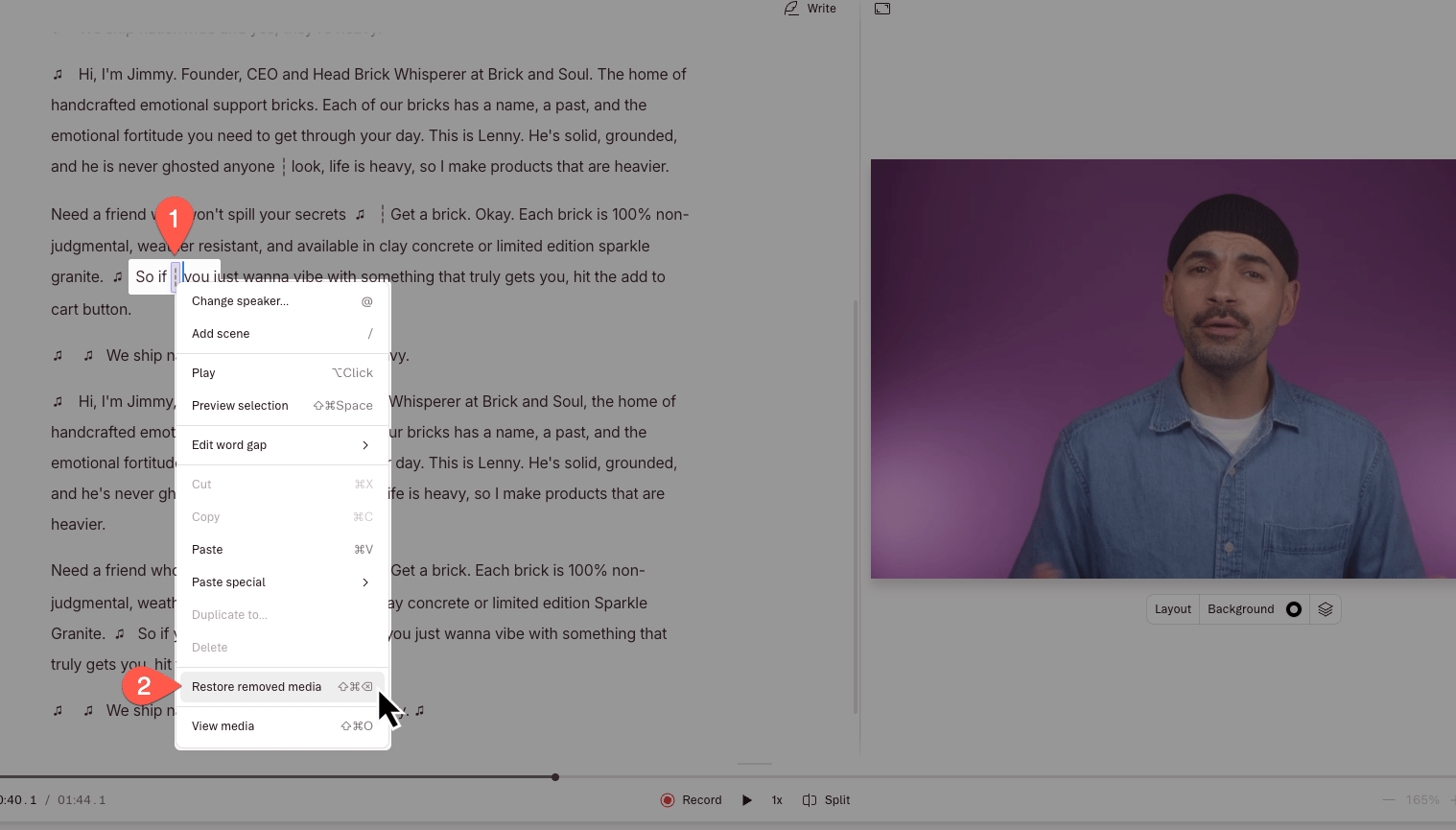
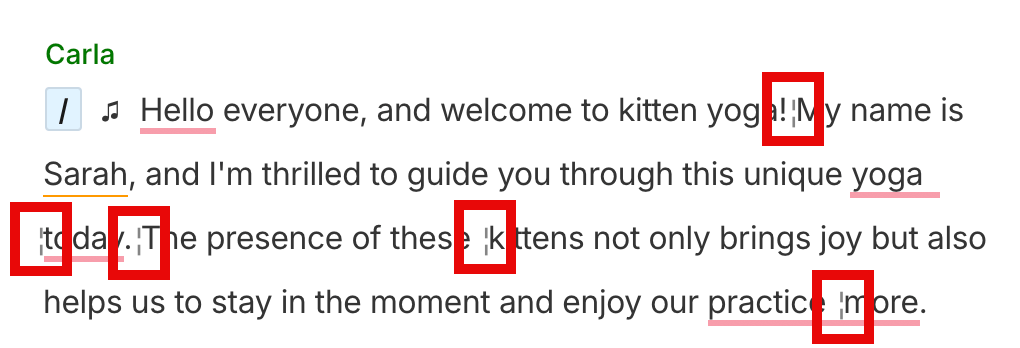
Edit boundaries are represented by ¦ vertical lines that appear in your script. They may look like a gray colon ( **:** ) in your script. They are different from [scene boundaries](/visuals/boundaries) and represent where two [clips](/visuals/working-with-layers-and-clips-overview) in your script meet. Edit boundaries will show up anytime you make an edit in the Script editor or Timeline, so anytime you:
* [Add video or audio to an existing script](/getting-started/import-overview).
* [Delete or ignore](/script-editing/delete-vs-ignore) sections of script.
* Make cuts in your script track with the [Blade tool](/timeline/timeline-tools).
* Insert a [gap clip](/timeline/using-gap-clips) or a [freeze frame](/timeline/freeze-frames) in your script track.
 ## Viewing edit boundaries in your script
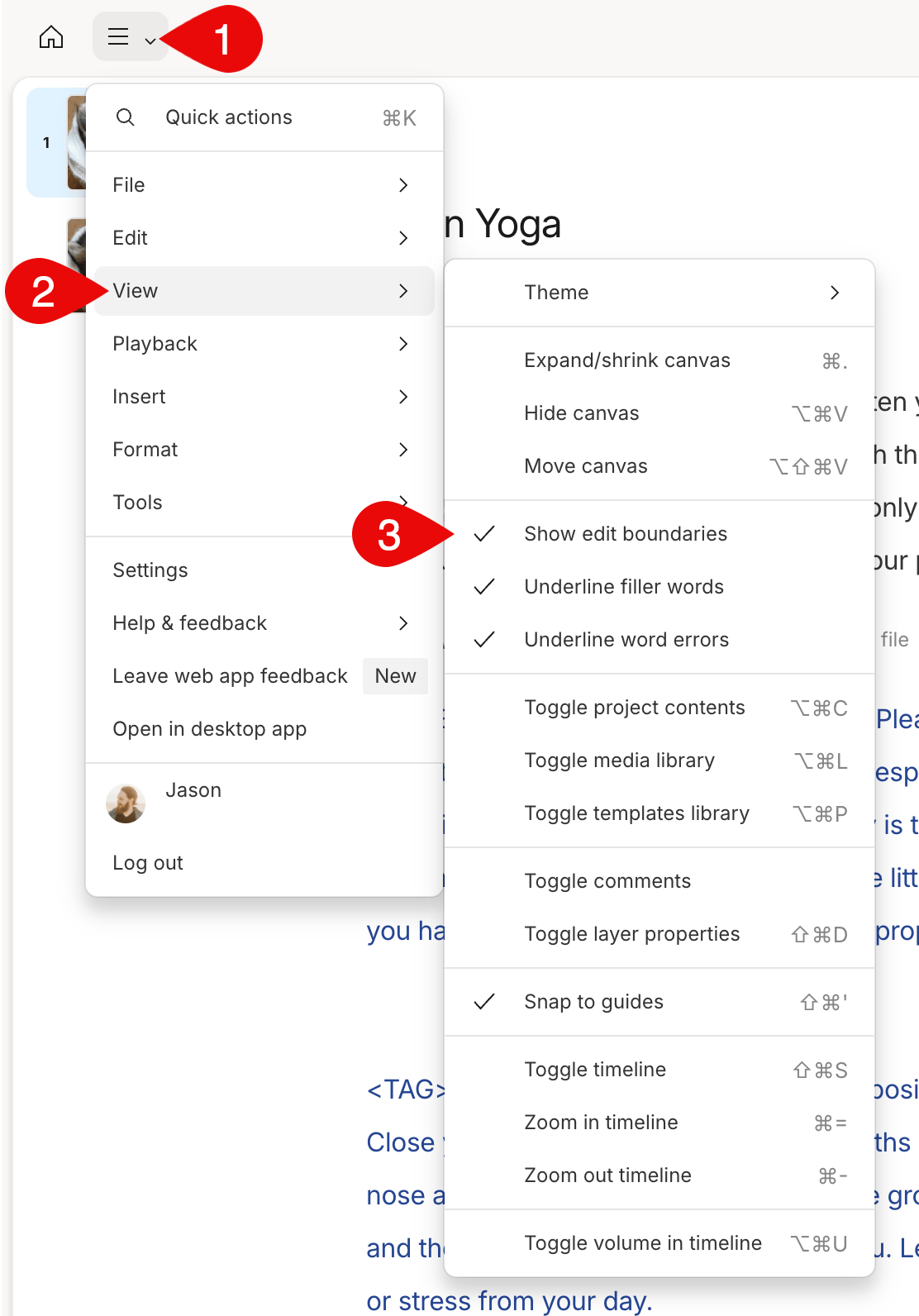
If you want to toggle on or off viewing edit boundaries in your script, open the menu and choose**View > Show edit boundaries**.
## Viewing edit boundaries in your script
If you want to toggle on or off viewing edit boundaries in your script, open the menu and choose**View > Show edit boundaries**.
 ### Smooth edits and restoring media
When edit boundaries are showing, you can quickly access the following additional features:
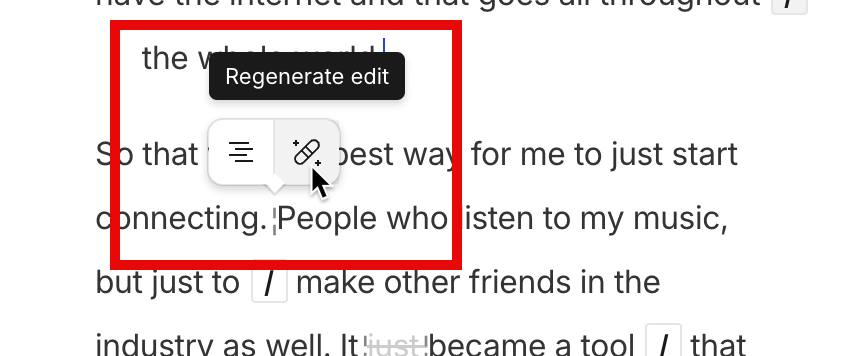
* **Smooth edits**—hover over an edit boundary and click
### Smooth edits and restoring media
When edit boundaries are showing, you can quickly access the following additional features:
* **Smooth edits**—hover over an edit boundary and click  **Regenerate edit** to smooth any jumpy, mismatched, or awkward edits using our Regenerate feature. [Click here to learn more about Regenerate](/script-editing/fix-take).
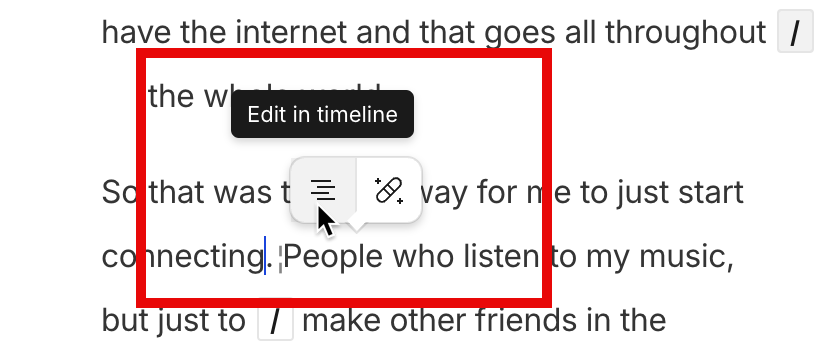
 * **Edit in timeline** — when the timeline is hidden, you can hover over an edit boundary and click
  **Edit in timeline**to quickly open the timeline and view the specific edit. [Click here to learn more about the timeline](/timeline/timeline-overview).\\
 * **Restoring removed media**—if you need restore anything you edited out, select the script surrounding the edit boundary and right-click it, then select **Restore removed media** from the menu. [Click here to learn more about restoring removed media](/script-editing/restore-removed-media).\\