> ## Documentation Index
> Fetch the complete documentation index at: https://help.descript.com/llms.txt
> Use this file to discover all available pages before exploring further.
# Translate Your Captions into Another Language
> Translate the captions on your video into another language, then edit and export the result.
**Translate** copies the captions from your video into another language, each translation as its own composition.
If you want to add a translated voiceover, see our additional guide on [dubbing speech to add a translated voiceover](/repurpose/dubbing).
This article includes:
* [Supported languages for translating captions](#supported-languages)
* [How to translate captions from your original script](#translate-captions)
* [How to manage your translated compositions](#manage-translations)
* [How to edit a translated script with translation proofread](/repurpose/translate-captions) (Business & Enterprise only)
* [Exporting your translated content](/repurpose/translate-captions)
**Usage note**
On current plans, this feature uses **AI Credits**. Learn more about [tracking your Media Minutes and AI Credits](/billing-payments-plans/track-and-understand-your-media-minutes-and-ai-credits).
Legacy and Sunset plans track usage differently. See our [Understanding your Legacy and Sunset plan](/billing-payments-plans/legacy-sunset) guide for details.
## Supported languages
Descript supports caption translation into a wide range of languages.
**Note:** Dubbing (translated voiceover using AI Speakers) is a separate feature with its own supported languages. Learn more in our [Dub speech guide](/repurpose/dubbing).
| Supported languages for translated captions | | |
| ------------------------------------------- | --------------------- | --------------- |
| Afrikaans | German | Romanian |
| Armenian | Greek (Beta) | Russian |
| Assamese | Hausa | Serbian |
| Azerbaijani | Hindi (Beta) | Sindhi |
| Belarusian | Hungarian | Slovak |
| Bengali | Indonesian | Slovenian |
| Bosnian | Italian | Somali |
| Bulgarian | Japanese | Spanish |
| Catalan | Javanese | Spanish (Spain) |
| Chinese (Simplified) | Kazakh | Swahili |
| Chinese (Traditional) | Korean | Swedish |
| Croatian | Latvian | Tamil |
| Czech | Lithuanian | Telugu |
| Danish | Luxembourgish | Thai |
| Dutch | Macedonian | Turkish |
| English | Malay | Ukrainian |
| English (UK) | Malayalam | Vietnamese |
| Estonian | Marathi | Welsh |
| Filipino | Nepali | Xhosa |
| Finnish | Norwegian | Yoruba |
| French (Canada) | Polish | Zulu |
| French (France) | Portuguese (Brazil) | |
| Galician | Portuguese (Portugal) | |
**About regional variants**
Regional language variants—like **Spanish (Latin America)** or **English (UK)**—are available for translated captions only. These options adjust spelling and phrasing to match local usage, but the [dubbed voiceover](/repurpose/dubbing) will remain in the standard version of that language without a regional accent or dialect.
## Before getting started
* **Style captions first** — Your original caption style carries over to your translated version. If you update styles later, you'll need to re-translate to apply those visual changes to the translated composition. [Learn more about styling captions.](/visuals/captions#style-your-captions)
* **Transitions and animations** — Custom transitions aren’t supported. Use [Smart Transitions](/effects-animations-transitions/smart-transitions) before translating.
* **Performance tip** — Translating into more than four languages at once may cause slowdowns.
## Translate captions
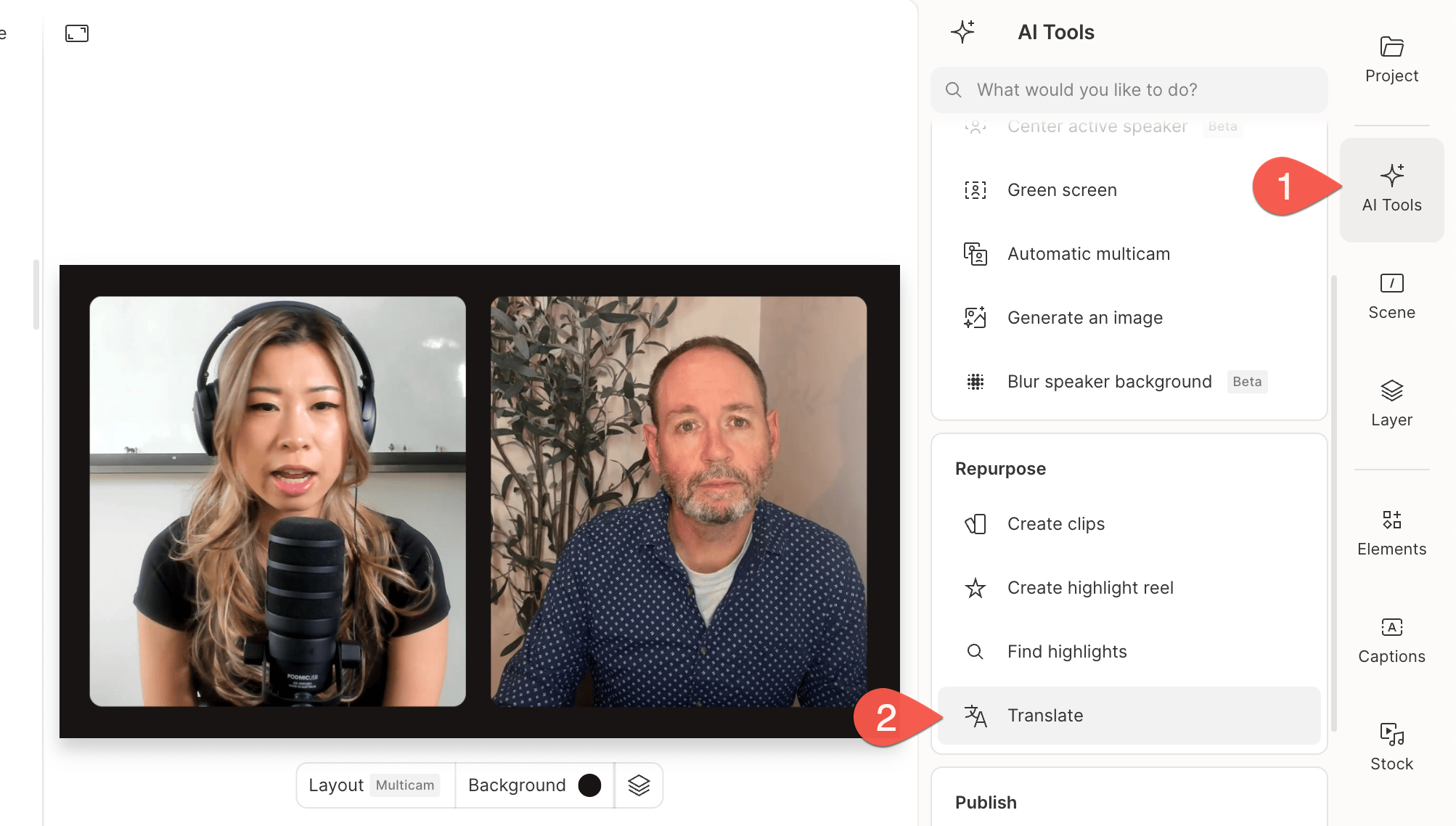
1. Open the [AI Tools panel](/descript-tour/ai-tools-overview) and select **Translate** under the **Repurpose** section.\\
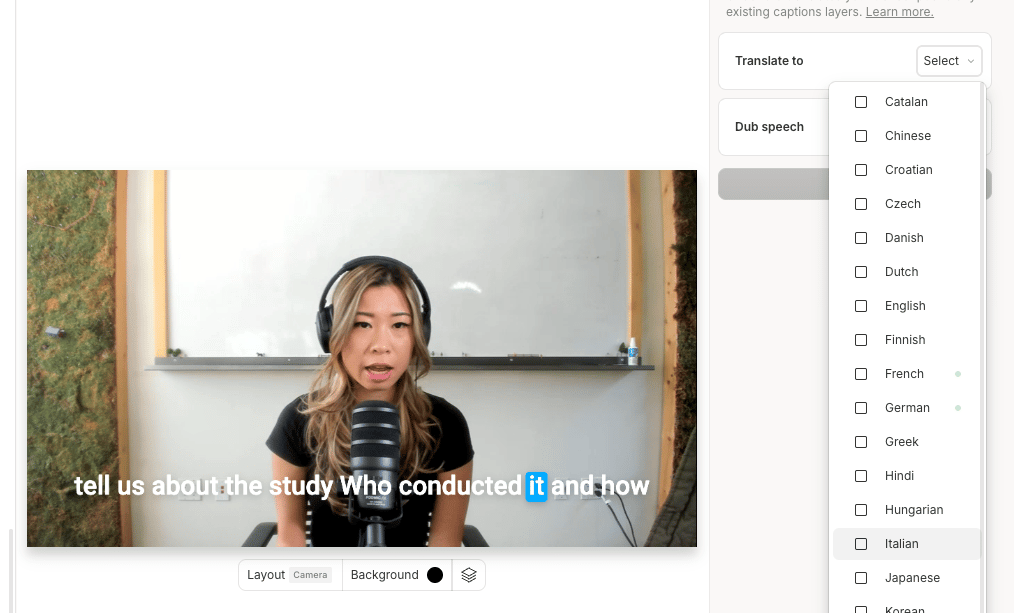
 2. In **Translate to**, choose your target languages. Any language you've already translated to will display a green dot. Re-translating will overwrite the existing version, including any manual edits.\\
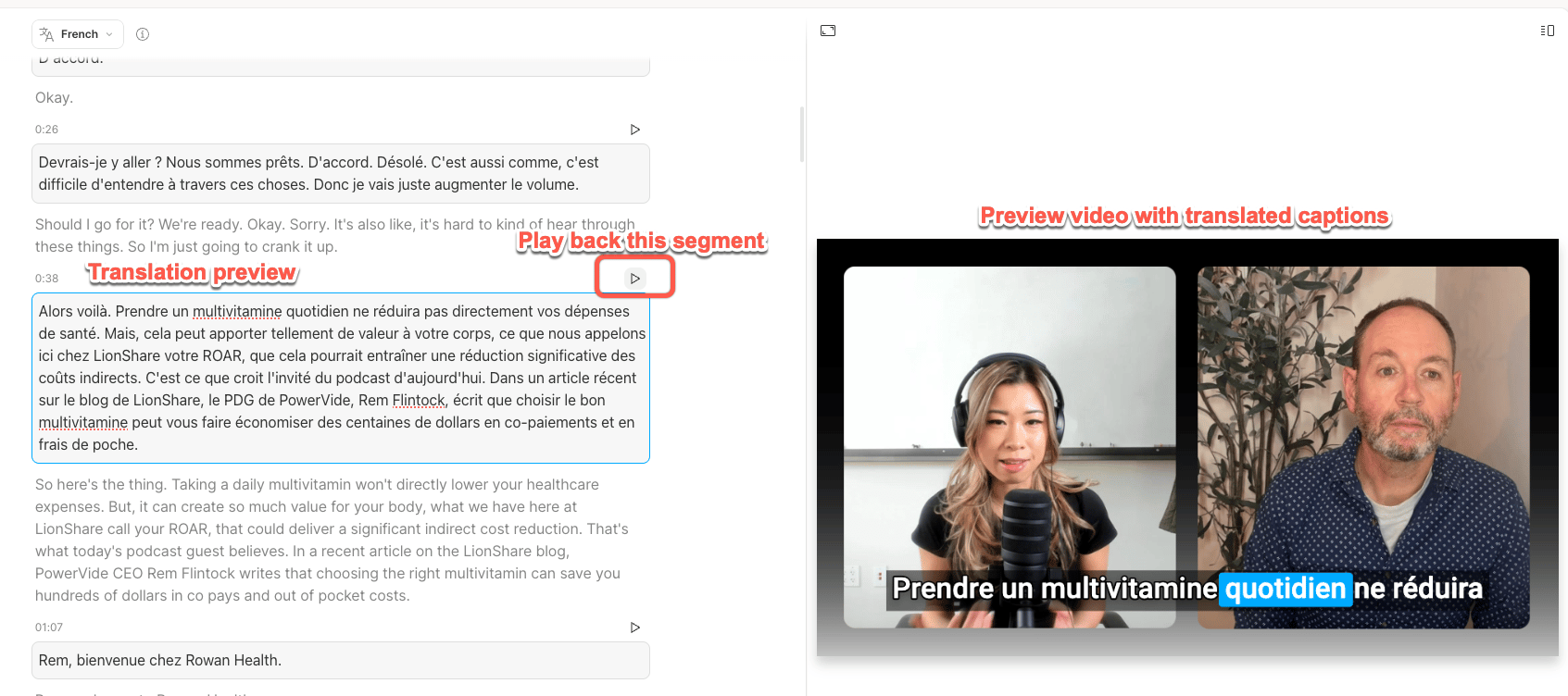
 3. Descript creates a new composition with translated captions. In the new composition, you'll see the translated captions divided into sections. Use the play button in the top-right corner of each section to preview your translated composition.\\
 ## Manage translations
### Edit your original composition
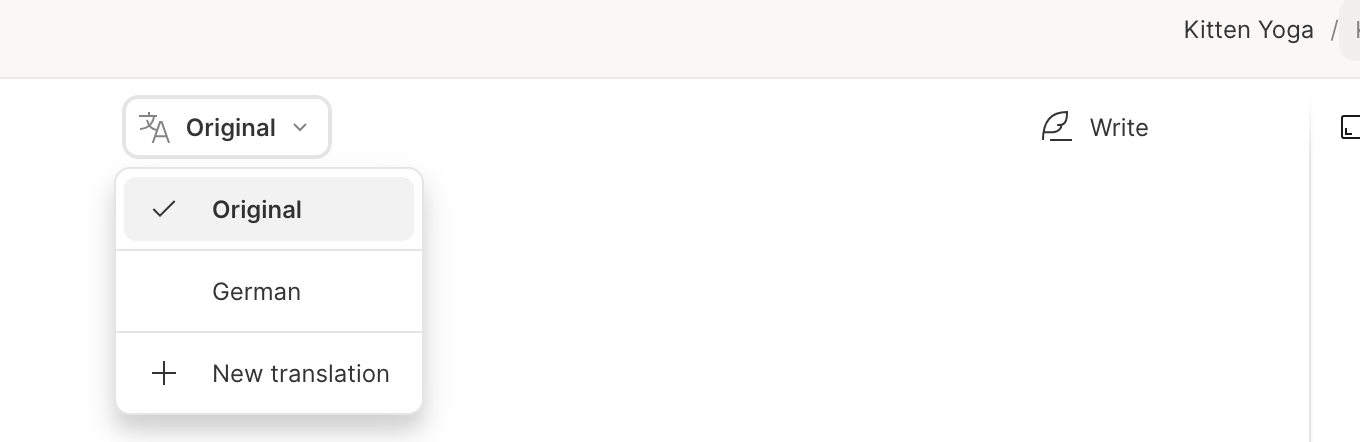
To edit your original script instead of the translation, switch to the **Original** view. Any changes you make there won’t appear in translated versions unless you re-translate.
## Manage translations
### Edit your original composition
To edit your original script instead of the translation, switch to the **Original** view. Any changes you make there won’t appear in translated versions unless you re-translate.
 ### Open or add a translation
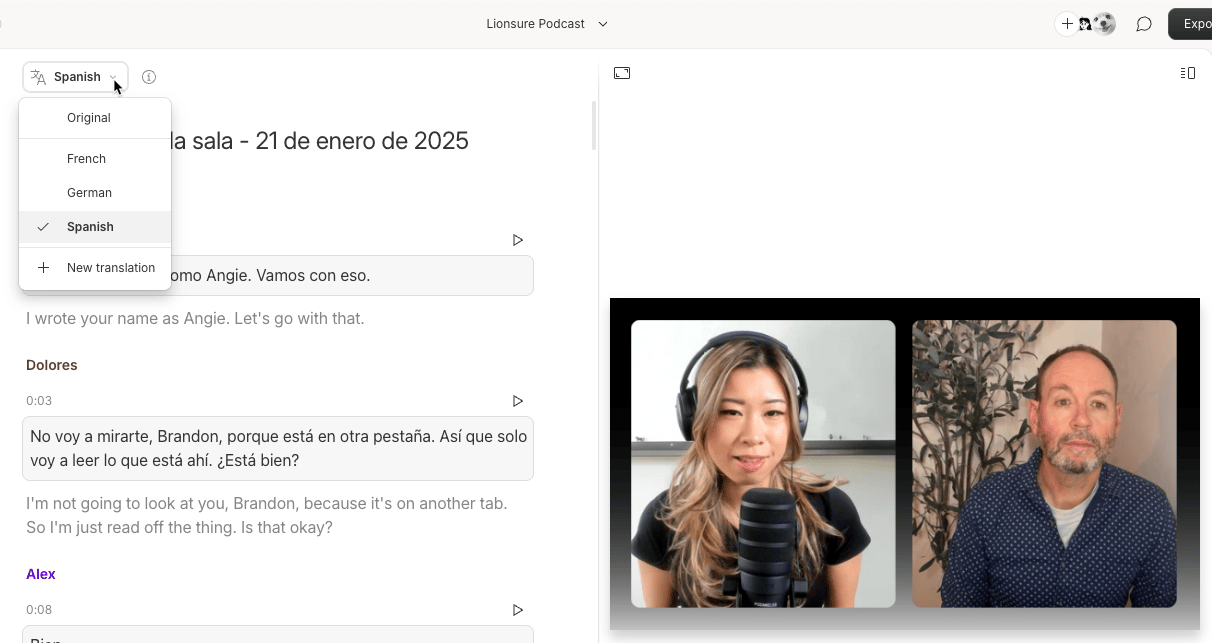
Use the language dropdown to switch between translations, or click **New translation** to add another.
### Open or add a translation
Use the language dropdown to switch between translations, or click **New translation** to add another.
 ### View and manage translations
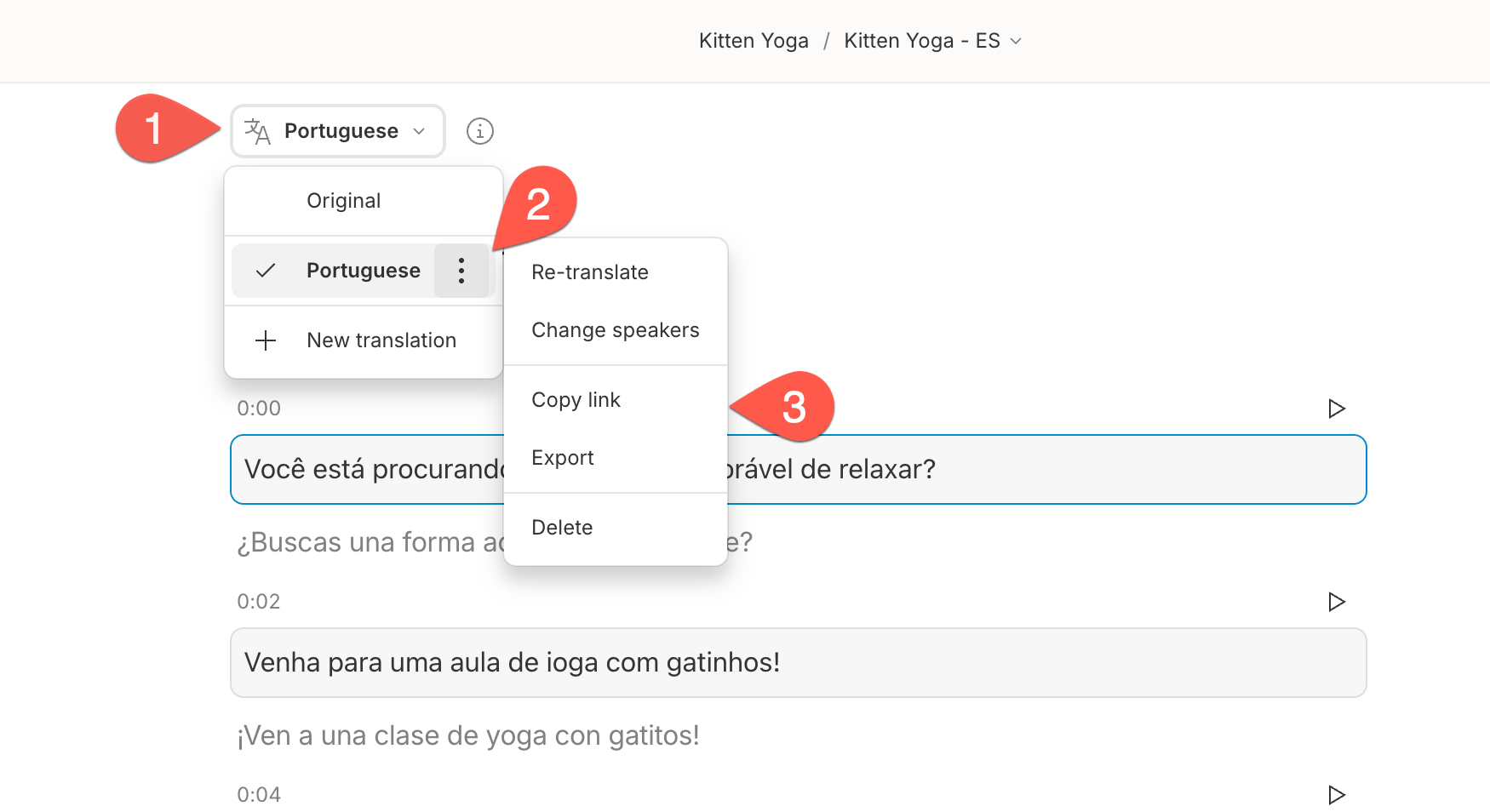
Use the menu next to each translation to re-translate, export, share, or delete it.
### View and manage translations
Use the menu next to each translation to re-translate, export, share, or delete it.
 ### Manual syncing
Updates to your original script don’t sync automatically. Re-translate to refresh translations—this will overwrite manual edits.
## Edit with translation proofread (Business & Enterprise only)
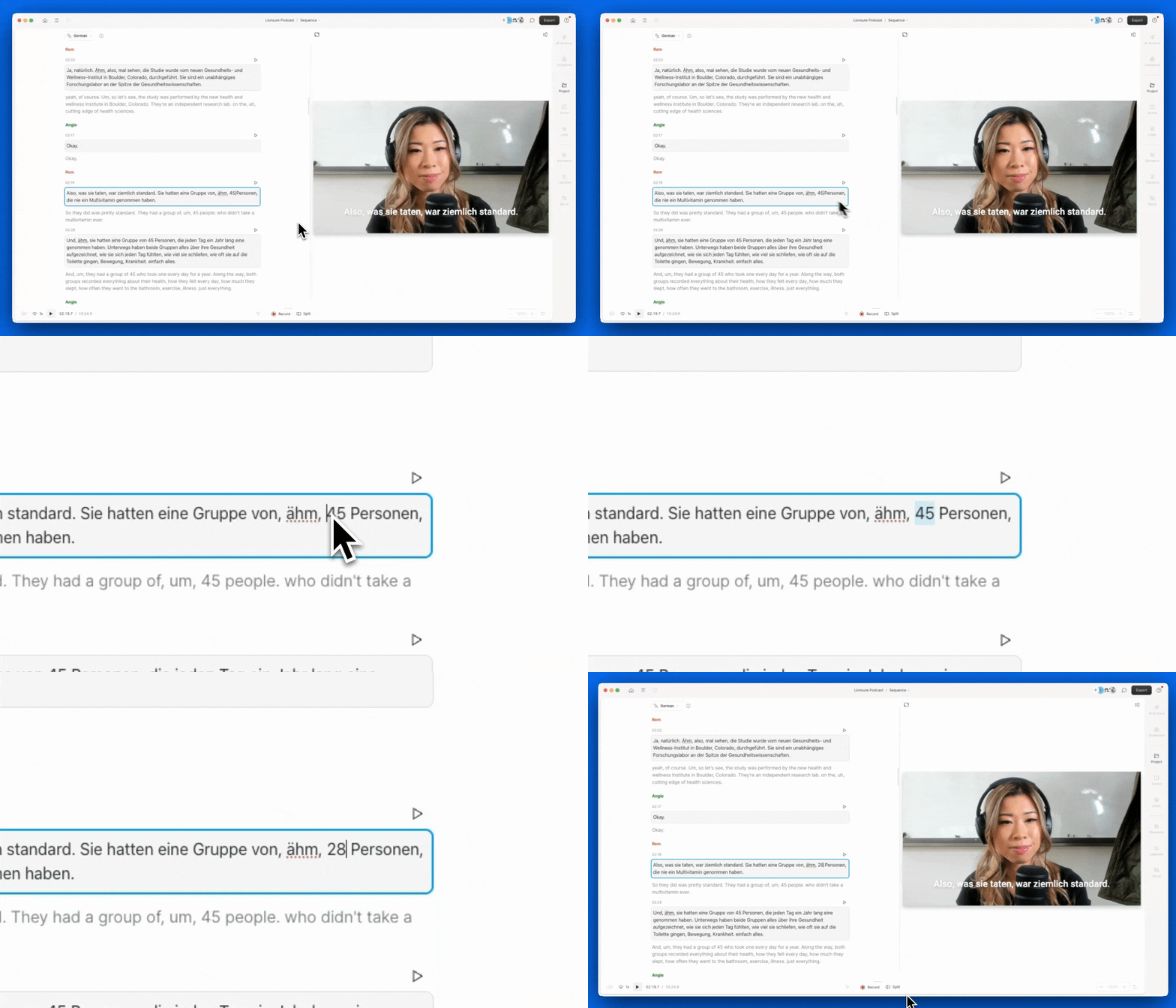
On Business and Enterprise plans, you can play back and correct translations directly in the script.
### Manual syncing
Updates to your original script don’t sync automatically. Re-translate to refresh translations—this will overwrite manual edits.
## Edit with translation proofread (Business & Enterprise only)
On Business and Enterprise plans, you can play back and correct translations directly in the script.
 ## Export translations
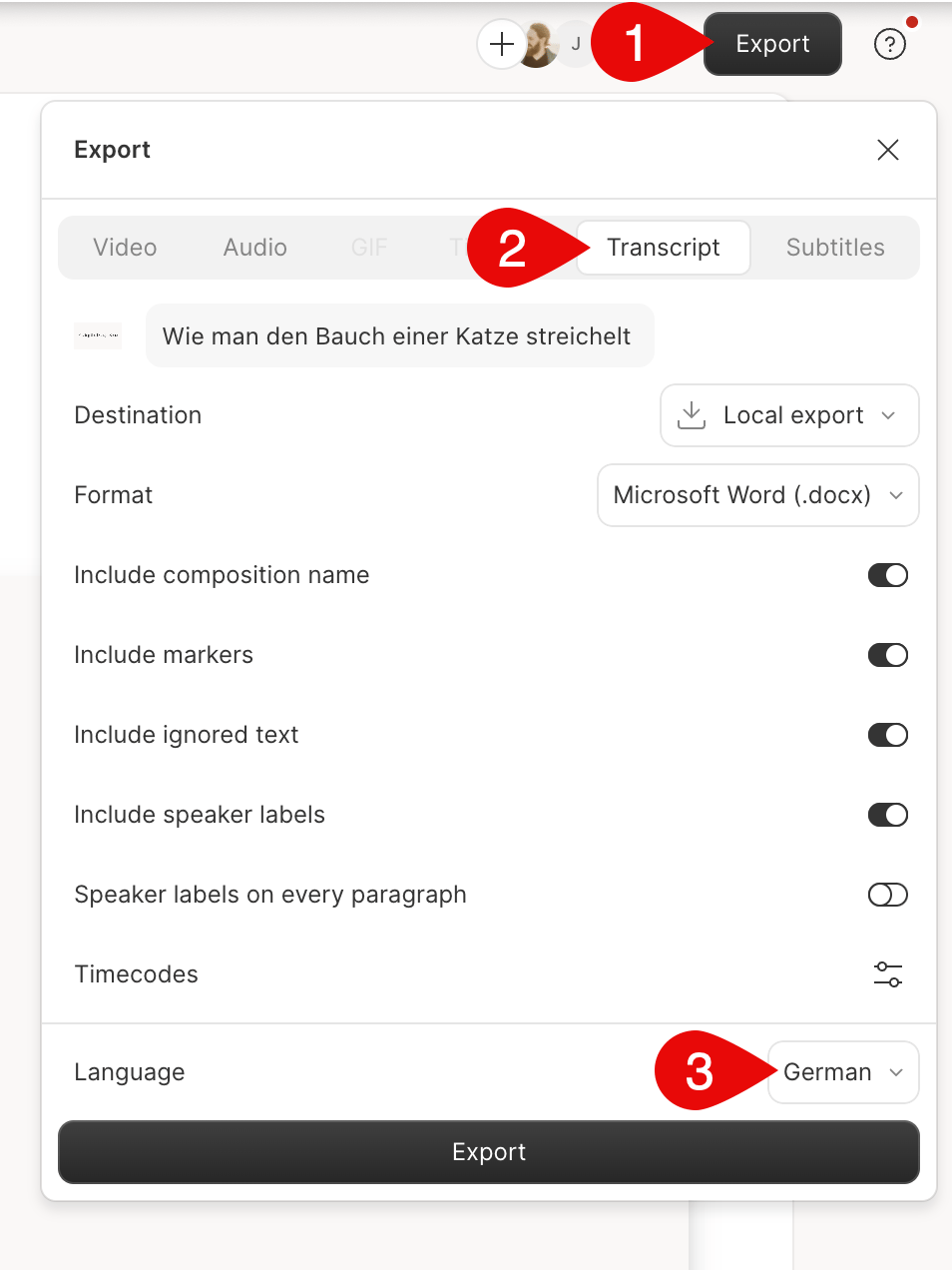
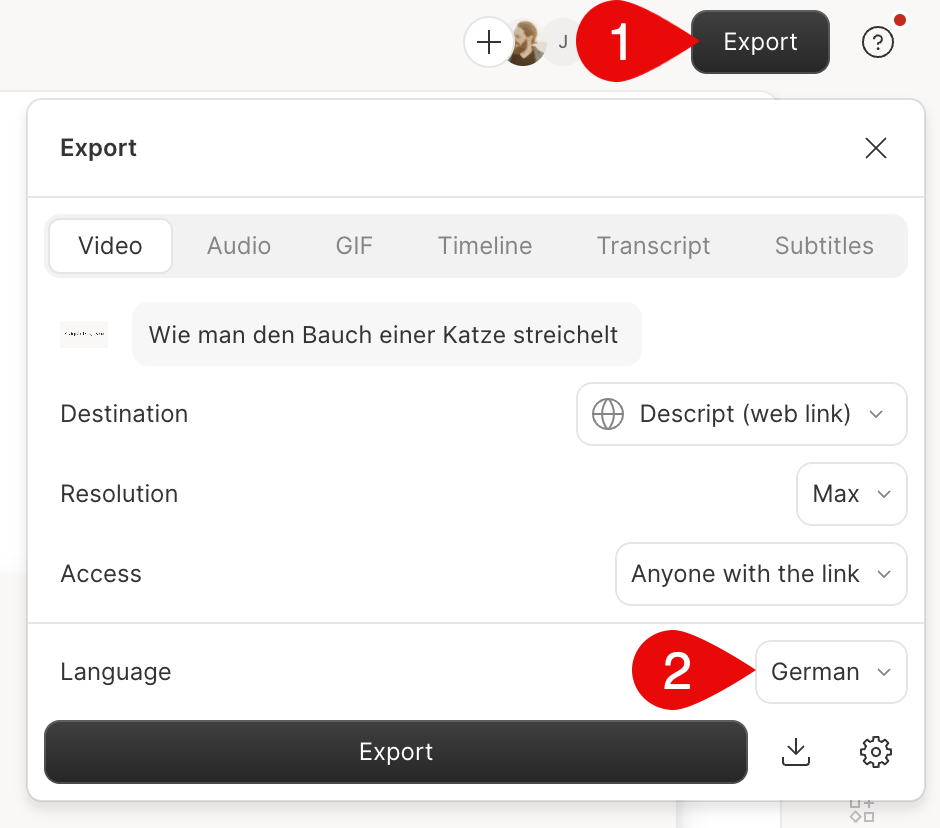
Use the **Export** button in the top-right corner to save your translated content.
### Export a single translation
Choose one translated language to download that version only.
## Export translations
Use the **Export** button in the top-right corner to save your translated content.
### Export a single translation
Choose one translated language to download that version only.
 ### Export multiple translations
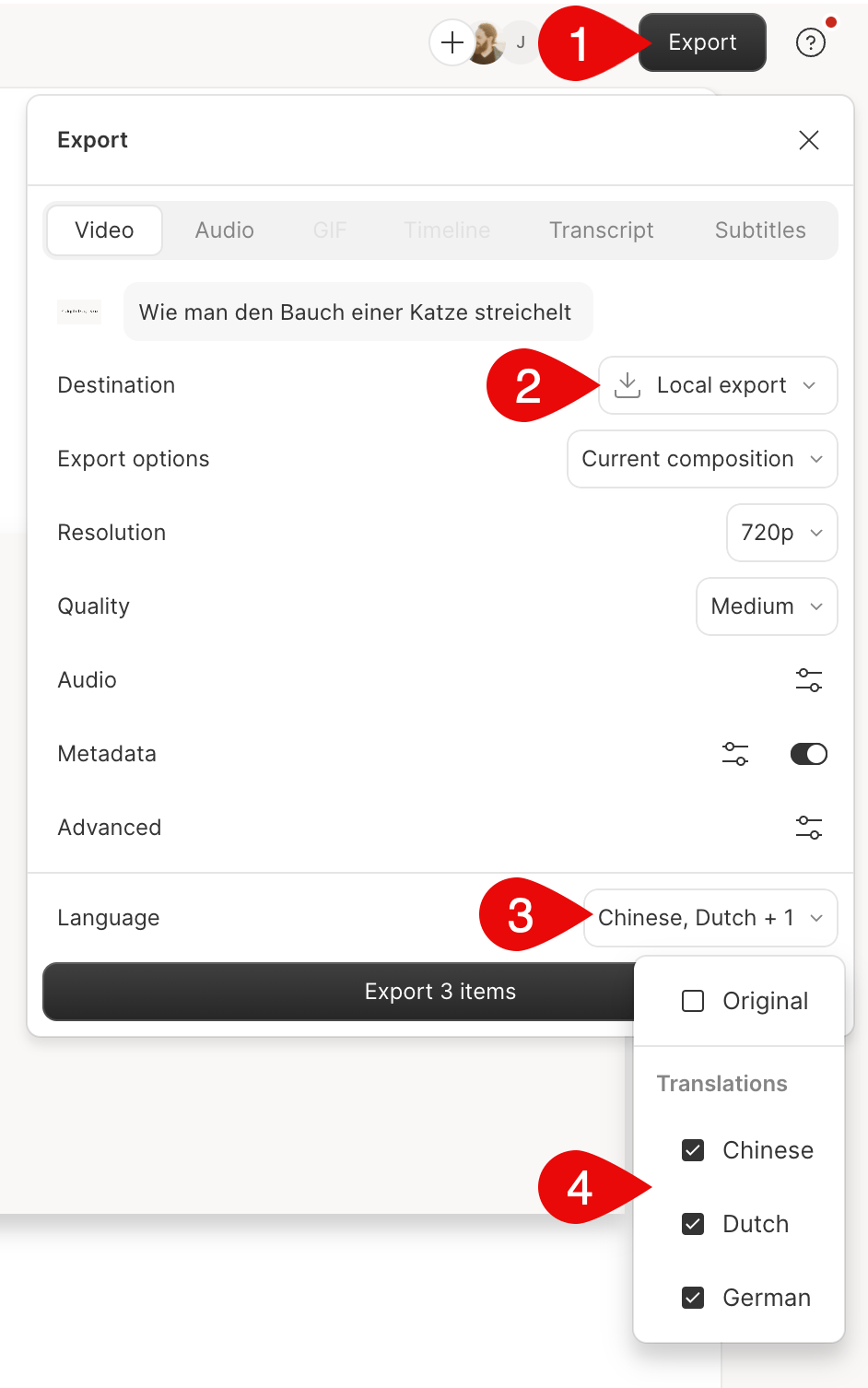
Select **Local export** and choose multiple languages for a batch export.
### Export multiple translations
Select **Local export** and choose multiple languages for a batch export.
 ### Export subtitles or transcripts
In export settings, select **Transcript** or **Subtitles** to download as `.txt`, `.srt`, or `.vtt` files.
### Export subtitles or transcripts
In export settings, select **Transcript** or **Subtitles** to download as `.txt`, `.srt`, or `.vtt` files.