> ## Documentation Index
> Fetch the complete documentation index at: https://help.descript.com/llms.txt
> Use this file to discover all available pages before exploring further.
# Control Room Overview
> The Control Room is a backstage environment in Descript Rooms available to users on paid plans.
In [Descript Rooms](/record/rooms-overview), the Control Room is where producers run the show without appearing in it. Anyone in it stays off-stage: not visible, not recorded, never in the final output.
Control Room participants can watch the session unfold, provide discreet support, and communicate directly with those in the Recording Room.
**New to Descript Rooms?**
Rooms are collaborative spaces for live, multi-participant recording sessions. [Learn how Descript Rooms work.](/record/rooms-overview)
## Who can access the Control Room?
* Only users with the **Producer or Viewer** role can access the Control Room
* **Hobbyist, Creator,** and **Education** plans support up to 3 Viewers/Producers
* **Business** and **Enterprise** plans support up to 10 Viewers/Producers
* Producers do not need to be Drive members
**Note:** Viewers count toward the Control Room participant limit, even though they don’t interact with Producers or manage technical settings. [Learn more about roles in Descript Rooms](/record/roles)
| Ability | Free | Hobbyist | Creator | Business | Enterprise |
| --------------------------------------------------------- | ---- | -------- | ------- | -------- | ---------- |
| Control Room access (Co-host, Producer, and Viewer roles) | ❌ | ✅ | ✅ | ✅ | ✅ |
| Max Producers and Viewers in Control Room | — | 3 | 3 | 10 | 10 |
| Push-to-talk to all participants or individuals | ❌ | ✅ | ✅ | ✅ | ✅ |
| Chat with participants and send DMs | ❌ | ✅ | ✅ | ✅ | ✅ |
| Leave comments during recording | ✅ | ✅ | ✅ | ✅ | ✅ |
## Recording Room, Control Room, and Viewer Room
When a Room is live, there are distinct participant environments:
* **Recording Room (on-stage):** Where Hosts, Co-hosts, and Guests appear on camera, contribute to the recording, and are visible to other participants.
* **Control Room (backstage):** Where Producers monitor the session, coordinate with the team, and provide support—without being seen or recorded.
* **Viewer Room (private/off-stage):** where viewers can watch the recording session and chat with Rooms participants without being recorded or appearing on-stage
**Producers and Viewers stay invisible—but present**
Producers can see and hear everything happening in the Recording Room. No one on stage can see or hear a Producer—unless the Producer uses push-to-talk or chat to reach them. Viewers can communicate only via text chat.
## What the Control Room looks like
The Control Room doesn't have a dedicated or separate interface. Instead, Producers see the same participant layout and tools as Hosts and Co-hosts—but they remain completely off-stage and are never recorded or visible.
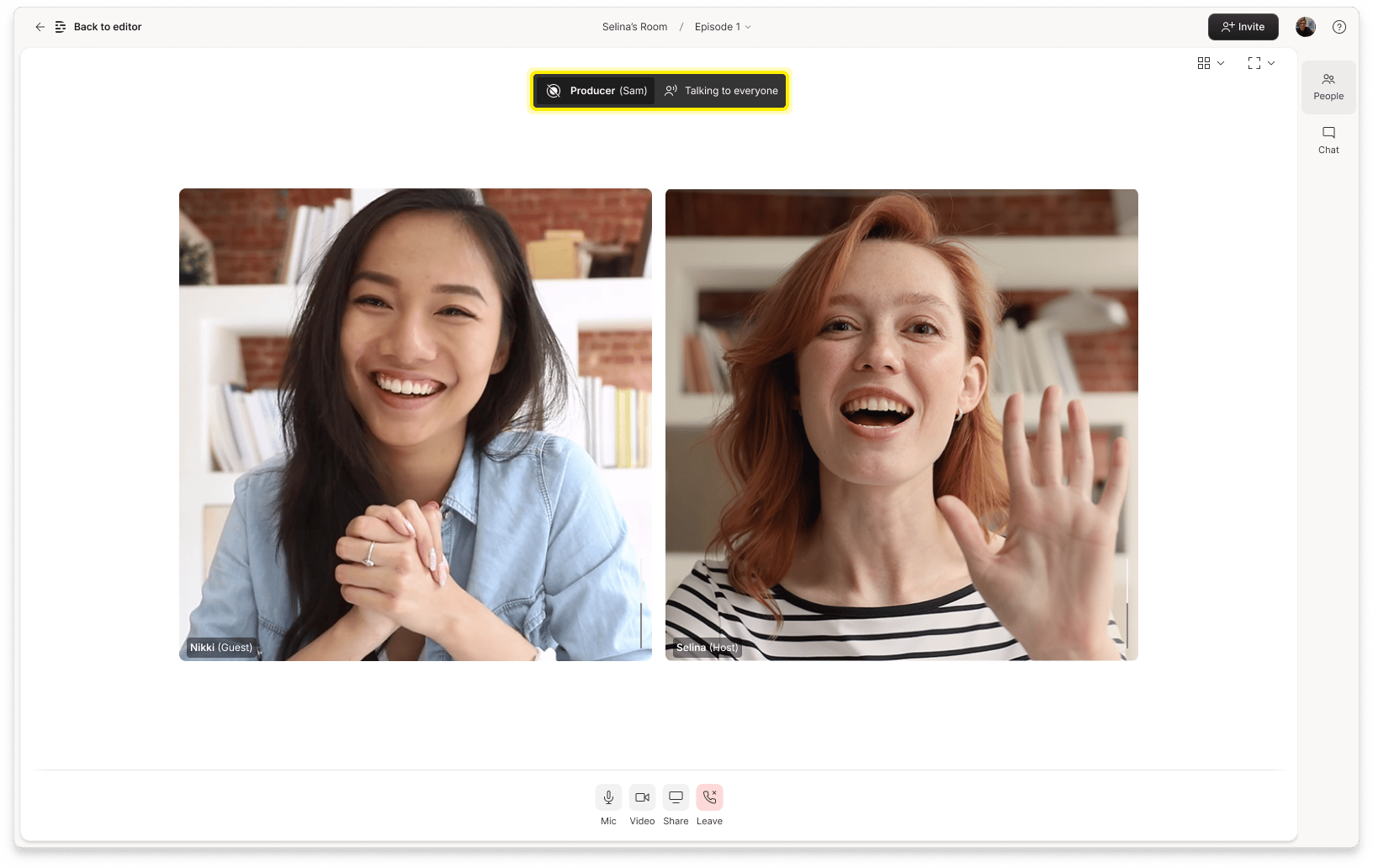 Producers (and Viewers) appear in the **Not Recorded** section of the People tab, so everyone knows who’s present. This transparency ensures that if a Producer or Viewer uses push-to-talk or appears in chat, other participants can clearly see that they're authorized to be there.
Producers have the same admin controls that Hosts and Co-hosts have. The main difference in their experience is that Producers need to use push-to-talk to speak with participants in the Recording Room or to speak to Viewers.
Producers (and Viewers) appear in the **Not Recorded** section of the People tab, so everyone knows who’s present. This transparency ensures that if a Producer or Viewer uses push-to-talk or appears in chat, other participants can clearly see that they're authorized to be there.
Producers have the same admin controls that Hosts and Co-hosts have. The main difference in their experience is that Producers need to use push-to-talk to speak with participants in the Recording Room or to speak to Viewers.