> ## Documentation Index
> Fetch the complete documentation index at: https://help.descript.com/llms.txt
> Use this file to discover all available pages before exploring further.
# Leave Editor Comments During a Live Room Session
> During a live session in Descript Rooms, Hosts , Co-hosts , and Producers can leave Editor Comments—internal notes that are added to the Descript project.
Leave Editor Comments during a live Room session to flag moments as they happen: a fumbled take, a follow-up question, a spot to trim later. They stay private to your team and land in the project when recording wraps.
**Related resources**
This article focuses on using Editor Comments during a live Room session. For other types of comments and to better understand who can leave them, check out:
* [Commenting in projects](/collaboration/project-comments)
* [Commenting on a share page](/export-and-share/share-page-settings#comment-on-a-share-page)
* [Roles in Descript Rooms](/record/roles)
## Leave a comment during a live Room session
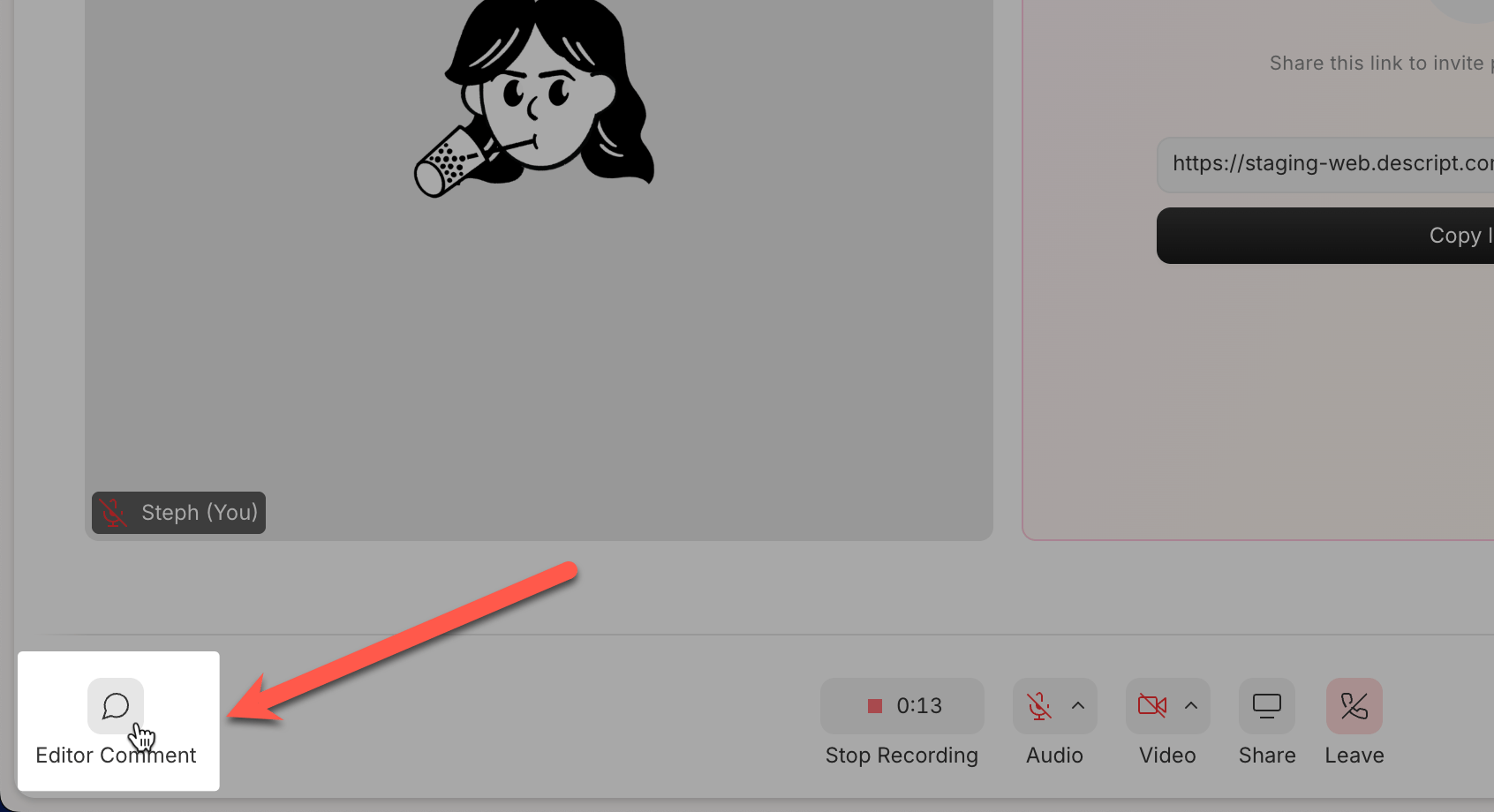
1. Click the **Comment** icon in the lower-left corner of the Room window.
2. Type your comment and click submit.
3. Your comment appears in the **Editor Comments** panel during the session and is added to the script after the recording ends.
 ## Where comments appear after the session
After recording ends:
* Editor Comments are added to the resulting Descript project
* Comments are time-stamped and clickable.
* You can reply to, resolve, or delete them just like any other Descript comment. [Learn more about commenting in a Descript project](/collaboration/project-comments)
## Editor comments vs. chat
During a Room session, you may see both Editor Comments and chat messages—but they serve different purposes.
**Use Editor Comments** to leave notes that stay with the project. **Use chat** when you need to communicate in real time.
| Feature | Editor Comments | Chat (to everyone) | Chat (DM) |
| -------------------------------- | ---------------------------------------------------- | ---------------------------------- | ---------------------------------- |
| **Who can see it?** | Hosts, Co-hosts, Producers (not Guests) | Everyone in the Room | Only the recipient |
| **Where it shows up later** | In the resulting Descript project | Nowhere (disappears after session) | Nowhere (disappears after session) |
| **Best for** | Internal notes, edit requests, time-stamped feedback | Real-time group communication | Private real-time communication |
| **Appears in exported project?** | No, but linked to transcript for review | No | No |
## Where comments appear after the session
After recording ends:
* Editor Comments are added to the resulting Descript project
* Comments are time-stamped and clickable.
* You can reply to, resolve, or delete them just like any other Descript comment. [Learn more about commenting in a Descript project](/collaboration/project-comments)
## Editor comments vs. chat
During a Room session, you may see both Editor Comments and chat messages—but they serve different purposes.
**Use Editor Comments** to leave notes that stay with the project. **Use chat** when you need to communicate in real time.
| Feature | Editor Comments | Chat (to everyone) | Chat (DM) |
| -------------------------------- | ---------------------------------------------------- | ---------------------------------- | ---------------------------------- |
| **Who can see it?** | Hosts, Co-hosts, Producers (not Guests) | Everyone in the Room | Only the recipient |
| **Where it shows up later** | In the resulting Descript project | Nowhere (disappears after session) | Nowhere (disappears after session) |
| **Best for** | Internal notes, edit requests, time-stamped feedback | Real-time group communication | Private real-time communication |
| **Appears in exported project?** | No, but linked to transcript for review | No | No |