

Create a new drive
- Sign in to Descript.
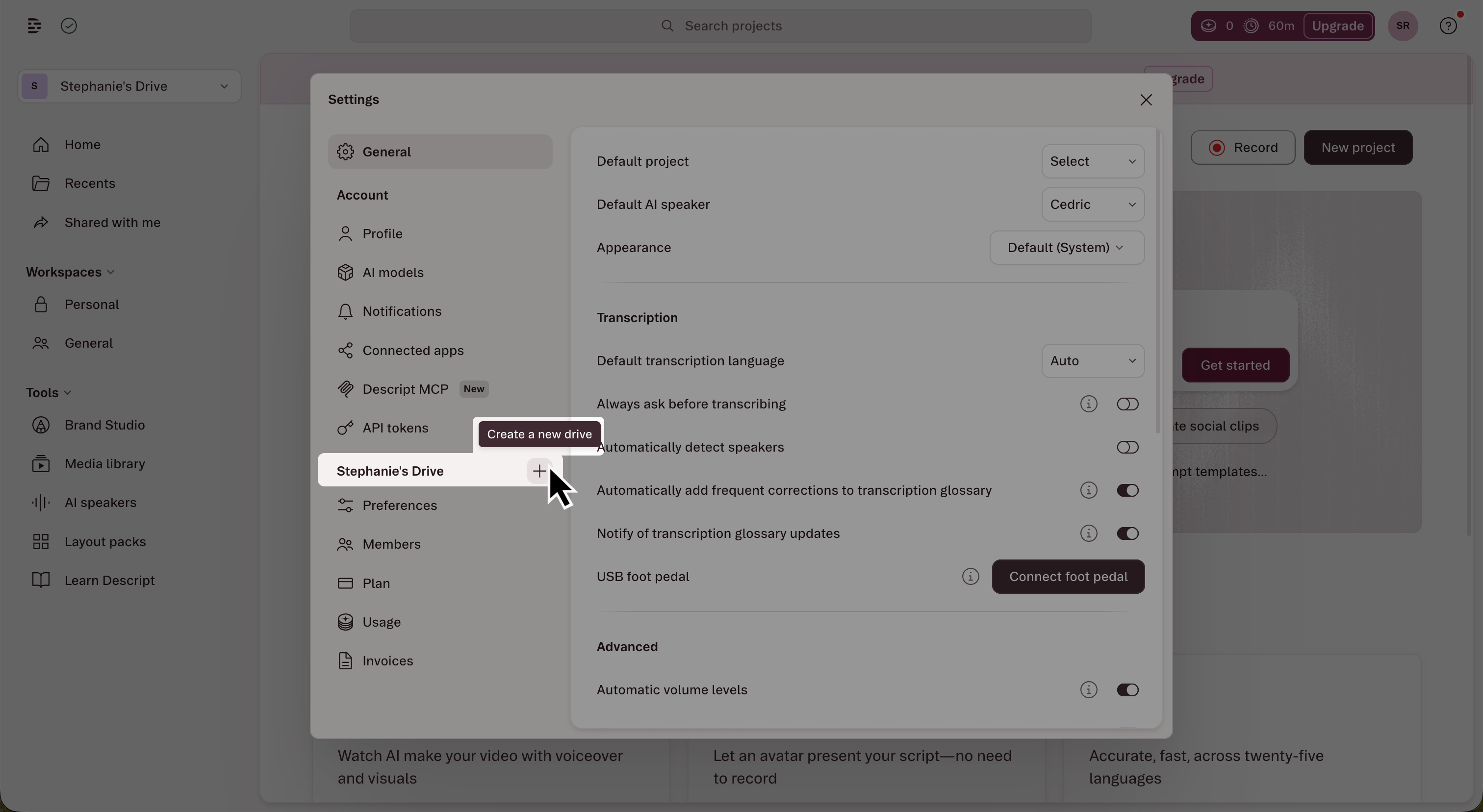
- Open Settings with
Cmd/Ctrl + ,or navigate to App Settings manually. - In the left sidebar, click the + button next to the Drive section header.\
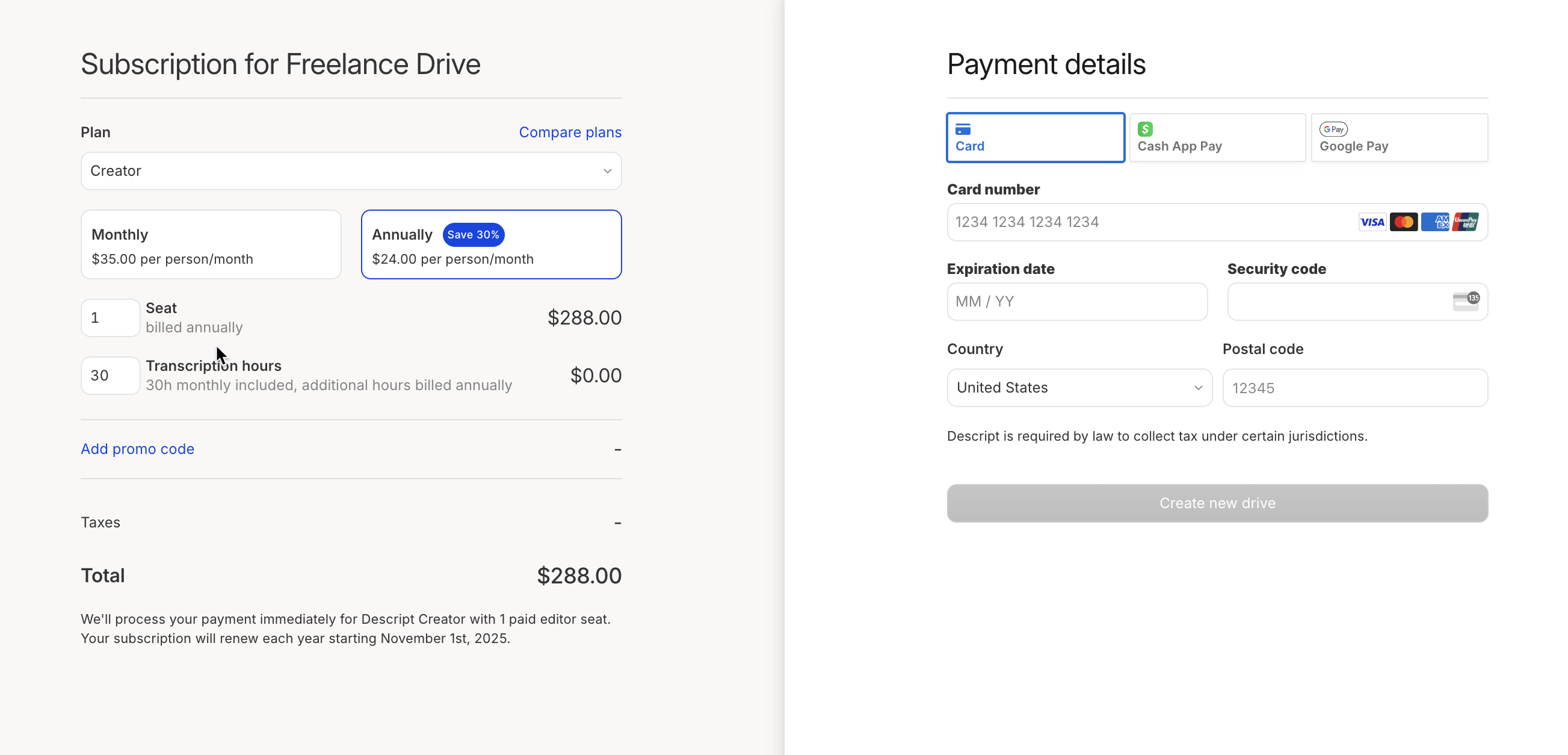
- Name your new drive.
- Choose your plan and billing cycle.
- Add any additional seats or transcription time. Choose your payment method, then click Create new drive.\
Paid seats
Each drive starts with one paid seat assigned to the drive owner. If you plan to invite editors, you can add additional paid seats during setup — or anytime later. Learn how to invite members to a drive.Billing for additional EditorsEach additional Editor seat adds a separate charge to the drive’s subscription. All billing is managed by the drive owner — not individual members.